
GTA 5 Cheats: Dominate Los Santos and Leave Rivals Behind
Master GTA 5 cheats to dominate Los Santos! Learn optimal aimbot settings, ESP configuration, vehicle tweaks, and three ready-made profiles for different playstyles. Get ahead of your rivals with expert tips and safe usage guidelines.



Introduction: Making a Difference in Los Santos with GTA 5 Cheats
In the chaotic streets of Los Santos, in high-speed races and multiplayer conflicts, every player who wants to stand out eventually realizes the same thing: raw reflexes and experience alone aren't enough. Your rivals are becoming more organized, better equipped, and more strategic every day. This is exactly where properly configured GTA 5 cheats come into play — transforming you from just "a player" into the true master of Los Santos.
GTA 5, Rockstar Games' open-world masterpiece, has reached an incredible player base over the years. With the GTA Online component, this competitive environment continues to grow. In an ecosystem where millions of players inhabit the same servers, simply "playing more" is no longer enough to stay ahead of your rivals. You need the right tools, configured correctly.
So what's the difference between using GTA 5 cheats and using them with the right settings? The difference is actually huge. Improperly configured cheat software won't deliver the performance you expect; it disrupts your in-game experience or becomes too obvious. However, premium solutions like Arcane from ForceCheat, when properly configured, give you crushing superiority over your rivals in Los Santos.
In this guide, we'll walk you through how to configure GTA 5 cheat software optimally, step by step. From aimbot precision to ESP visual settings, from vehicle performance modifications to safe usage configuration — we cover everything. You'll also find ready-made profiles suited to different playstyles and the most common configuration mistakes. Goal: win every encounter in Los Santos.
Whether you want to take the lead in high-reward heist missions in GTA Online, dominate your rivals in open-world PvP conflicts, or simply complete story mode with maximum enjoyment — the right cheat configuration makes a difference in every scenario. Let's dive into the details.
Summary: Properly configuring GTA 5 cheats for optimal performance is critical. This guide covers aimbot, ESP, vehicle and security settings, 3 ready-made profiles for different playstyles, and the most common mistakes. Leave your rivals behind in Los Santos with ForceCheat Arcane.
Aimbot Settings: Maximizing Target Lock Performance
In GTA 5 Online PvP conflicts, the most critical parameter determining the outcome is aimbot configuration. An aimbot set too tight becomes obvious; one set too loose won't give you the advantage you expect. The balance lies in specific values.
Basic Aimbot Parameters and Recommended Values
| Setting | Recommended Value | Why |
|---|---|---|
| FOV (Field of View) | 65–80° | Wide FOV looks too mechanical; narrow FOV misses targets. This range feels natural while being effective. |
| Smooth (Smoothing) | 7–12 | Provides fluid transitions instead of sudden jumps, creating human-like movement. |
| Target Priority | By distance / low health | Locks onto the nearest or most vulnerable target first, increasing efficiency. |
| Bone Target | Body (torso) | Head targeting is too obvious; body targeting feels more natural and deals consistent damage. |
| Trigger Delay | 80–150ms | Instant trigger pull looks superhuman; a small delay normalizes the profile. |
| Target Switch Speed | Medium | Very fast target switching looks mechanical; medium speed provides balanced performance. |
Aimbot Optimization by Weapon Type
Each weapon type requires a different aimbot profile. For sniper rifles, reduce FOV to 40–50° and lower smooth to 3–5 — precision is priority in long-range aiming. For SMG and AR class weapons, expand FOV to 70–85° and keep smooth in the 8–12 range for perfect results in fast-paced close-to-mid range combat. If you're using a shotgun, prioritize ESP over aimbot; the wide spread pattern already provides aiming ease at close range.
Also consider GTA Online's in-vehicle combat dynamics. When on a vehicle, configure your aimbot settings separately for "vehicle mode": increasing FOV to 90–100° is necessary to track fast-moving vehicles.
ESP and Visual Settings: See Everything, Everywhere
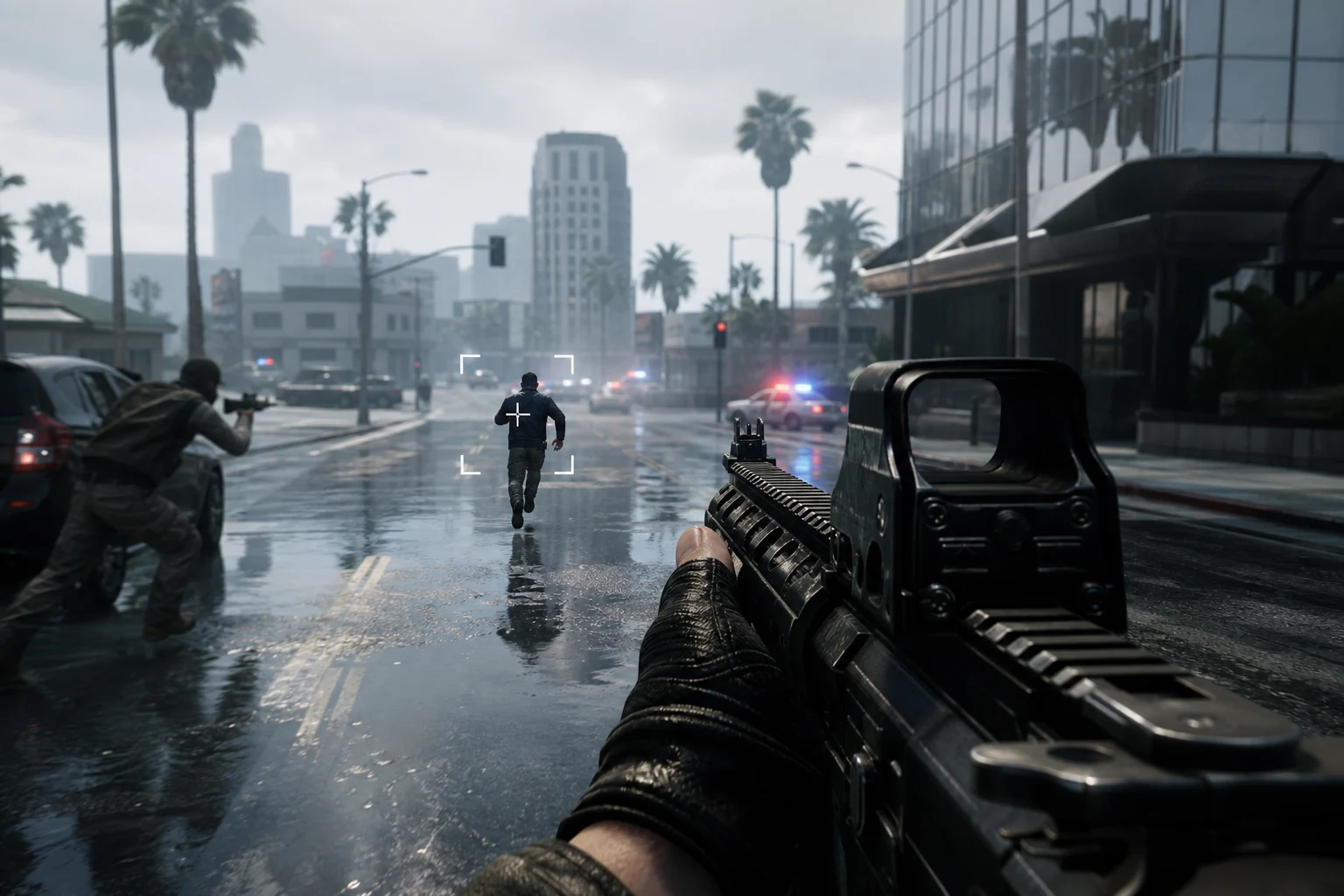
The ESP (Extra Sensory Perception) module is one of the most powerful components of GTA 5 cheat software. Seeing enemies behind walls, approaching vehicles, valuable loot points, and mission objectives in real-time fundamentally changes your in-game decision-making process.
Player ESP Settings
| Setting | Recommended Value | Why |
|---|---|---|
| Player Box (Bounding Box) | 2D Box, 1–2px line | 3D box creates visual clutter; thin 2D box is clean and performance-friendly. |
| Name Tag | On, 15–20px font | Needed to quickly identify targets; large font is distracting. |
| Health Bar | On, left side | Lets you instantly see how much damage a target can take. |
| Distance Indicator | On, 500m limit | Information beyond 500m is usually not actionable; keeps screen clean. |
| Weapon Indicator | On | Knowing your rival's weapon shapes your engagement strategy. |
| In-Vehicle Player Color | Yellow | Makes it easy to visually distinguish from foot enemies (red). |
World/Environment ESP Settings
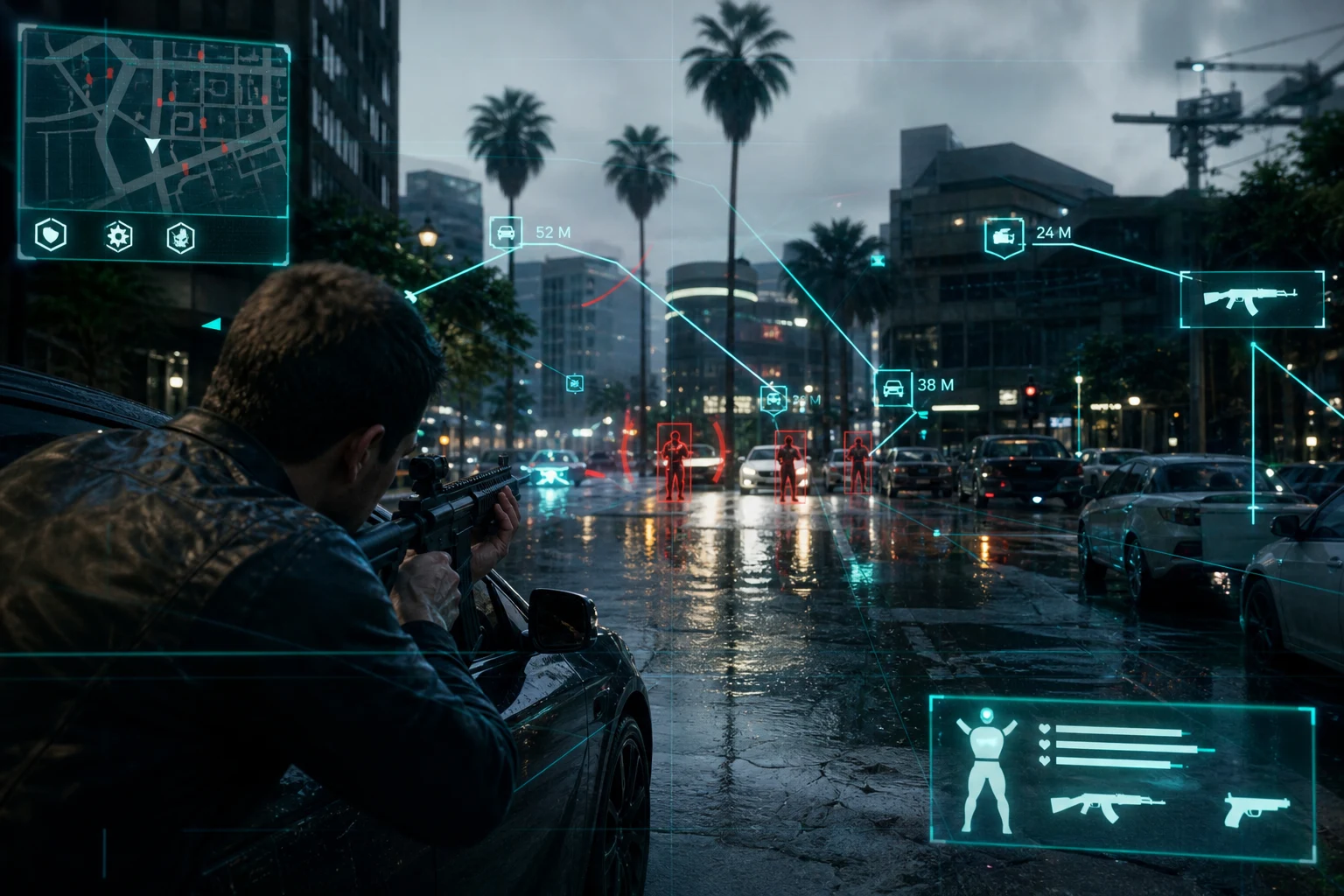
In GTA Online, activate world ESP for cash safes, weapon boxes, and mission-critical objects. However, displaying everything at once makes the screen unreadable. Our recommendation: keep object categories related to your active mission visible, disable the rest. For example, if you're on a Heist mission, keep "mission object ESP" and "enemy ESP" on, "vehicle ESP" off. This selective approach both improves performance and prevents screen clutter.
Color coding is also a detail that multiplies ESP's power. Set teammates to blue, enemies to red, mission objects to gold. This three-color system lets you make the right decision within seconds.
Vehicle and Movement Cheat Settings: Conquer Los Santos at Speed
Vehicles are in GTA 5's DNA. To crush your rivals in races, slip away flawlessly in escape scenarios, and quickly position yourself across the map, you must properly configure vehicle cheat modules.
Vehicle Performance Modification Table
| Setting | Recommended Value | Why |
|---|---|---|
| Speed Multiplier | 1.3x – 1.6x | Values of 2x and above are too obvious; 1.3–1.6 range provides unnoticed advantage. |
| No Collision | Selective Use | Constant activation draws too much attention; use during critical escape moments. |
| Vehicle Repair | Auto, damage threshold 40% | Auto-repair triggers at 40% damage; constant full health raises suspicion. |
| Fuel Consumption | Disabled | Eliminates fuel concerns during long missions. |
| Water Driving | Optional | Powerful advantage for special escape routes; can be noticeable. |
Character Movement Cheat Settings
In foot mode, character speed and movement cheats are lifesavers, especially in intense urban combat. Using super sprint with a 1.5x speed multiplier lets you make position changes your rivals can't react to. Activating the high jump module lets you instantly reach building rooftops and high points — this is especially critical for taking sniper positions.
Don't overlook swim speed boost either. In Los Santos' coastal areas and harbor missions, underwater speed advantage makes it impossible for your rivals to follow you. The Arcane module lets you manage all these movement parameters from a single interface.
Configuration Profiles by Playstyle
Every player has a different goal in Los Santos. For this reason, creating profiles tailored to your playstyle produces much more efficient results than a one-size-fits-all cheat configuration. Below are three basic profiles and their detailed settings.
Profile 1: Aggressive — "Los Santos Conqueror"
This profile is designed for players who engage in open-world PvP conflicts and want to apply maximum pressure against rivals. Taking leadership in Heists, clearing enemy gangs, and hunting high-reward bounty targets are ideal use cases for this profile.
- Aimbot FOV: 85° | Smooth: 5 | Bone: Head
- ESP: All player ESP on, 600m distance limit
- Vehicle Speed Multiplier: 1.6x
- Auto Repair: Damage threshold 50%
- Character Speed: 1.8x sprint multiplier
Profile 2: Balanced — "Professional Heist Operator"
This profile strikes the best balance between performance and low profile, ideal for regular GTA Online players. Team leadership in Heist missions, consistent wins in race events, and mission-based PvP are areas where this profile excels.
- Aimbot FOV: 70° | Smooth: 9 | Bone: Body
- ESP: Player + mission object ESP, 400m distance limit
- Vehicle Speed Multiplier: 1.35x
- Auto Repair: Damage threshold 35%
- Character Speed: 1.4x sprint multiplier
Profile 3: Cautious — "Shadow Operator"
Designed for extended sessions, this profile provides maximum efficiency while drawing minimum attention. Perfect for long money-making sessions on large, active servers, and for speeding through story mode missions.
- Aimbot FOV: 55° | Smooth: 12 | Bone: Body, trigger delay 120ms
- ESP: Player ESP only, 300m distance limit, thin lines
- Vehicle Speed Multiplier: 1.15x
- Auto Repair: Damage threshold 25%
- Character Speed: Standard

Safe Usage and Undetected Configuration
ForceCheat's GTA 5 solutions are equipped with advanced protection mechanisms against anti-cheat systems. However, to fully benefit from this protection, you need to pay attention to certain configuration steps.
Critical Settings for Staying Undetected
| Setting | Recommended Value | Why |
|---|---|---|
| Injection Timing | 30 seconds after game fully loads | Early injection can be caught by startup scans. |
| Feature Activation Speed | Gradual (enable each feature separately) | Enabling all features at once can signal abnormal activity. |
| Money/XP Earning Rate | Within natural limits | Server-side controls can detect abnormal earning rates. |
| Software Updates | Check before each session | ForceCheat updates keep protection current against anti-cheat changes. |
| Overlay Visibility | Hide outside game | Disable overlay during screen sharing or recording. |
Server and Session Management
Server selection in GTA Online is also an integral part of safe usage. Instead of using aggressive profiles on large servers during peak hours, prefer this profile in smaller sessions or private lobbies. Additionally, keeping the "human-like movement simulation" feature offered by Arcane active provides an extra layer of protection against behavior analysis-based detection systems.
All products in ForceCheat's GTA 5 cheat category quickly adapt to anti-cheat changes through regular update cycles. This ensures you get a long-term, uninterrupted gaming experience.
Common Configuration Mistakes and Solutions
The vast majority of players not getting expected results from GTA 5 cheat software are making the same few basic mistakes. Knowing these mistakes and their solutions makes your setup process much smoother.
Mistake 1: Keeping Aimbot FOV Too Wide
FOV values of 120° and above cause the aimbot to lock onto nearly everything visible on screen. This causes both performance drops and unwanted target switches. Solution: Keep FOV in the 60–85° range and only temporarily expand it for specific scenarios.
Mistake 2: Turning On All ESP Layers at Once
Displaying players, vehicles, NPCs, loot, mission objects, and map markers simultaneously turns the screen into an unreadable mess. Turn off ESP layers unrelated to your active mission. You don't need vehicle ESP while on a heist mission.
Mistake 3: Continuing to Use Software Without Updating
Rockstar regularly updates GTA Online, and these updates sometimes change anti-cheat signatures. Using an old software version means you won't benefit from current protection mechanisms. Check ForceCheat updates before each session.
Mistake 4: Overusing Money/XP Cheats
Server-side monitored money and XP earning rates, if far above natural limits, can be flagged as abnormal activity. Limit your money earning speed to 2–3 times the maximum a normal player could earn.
Mistake 5: Leaving Overlay Always Visible
If the overlay is visible while screen recording or streaming, this creates a serious security vulnerability. Memorize ForceCheat overlay's keyboard shortcut and always hide it before recording.
Conclusion
The difference between using GTA 5 cheats and using properly configured GTA 5 cheats is, as you've seen in this guide, enormous. Every parameter — from your aimbot's FOV and smooth values to ESP layer management, vehicle speed multipliers, and safe usage protocols — directly impacts your Los Santos experience.
With the aggressive profile you can win every conflict, with the balanced profile you can maintain consistent performance during extended sessions, and with the cautious profile you can achieve maximum efficiency. Regardless of which playstyle you adopt, the setting values in this guide provide you with a solid starting point.
ForceCheat's Arcane software delivers all the features we've discussed in this guide — aimbot, ESP, vehicle modifications, character movement cheats, and security layers — in a single package. With regular updates and a user-friendly interface, it's an ideal solution for both beginners and experienced players.
If you're looking for competitive advantages in games beyond GTA 5, check out our Valorant cheat category and PUBG Mobile GameLoop category. Our optimized solutions for different games help you stay ahead of your rivals on every platform.
Now you make the rules in Los Santos' chaotic streets. With the right configuration, the right software, and the knowledge from this guide, go into every encounter prepared. Visit our catalog to review all our GTA 5 cheat solutions and choose the package that best suits you.
Also don't forget to check out our comprehensive guides for other games: Speed Up Your Game with ARK Survival Evolved Cheats and our Hunt Showdown ESP guide contain all the information you need for top-tier performance in different games.
Frequently Asked Questions (FAQ)
What system requirements do I need to use cheat software in GTA 5 Online?
ForceCheat Arcane doesn't demand extra hardware beyond GTA 5's own system requirements. However, for smooth operation of ESP and overlay features, a minimum of 8GB RAM and a DirectX 11 compatible graphics card is recommended. The software is optimized to run stably on both low and high-end systems.
How high should I keep the aimbot smooth value?
The smooth value determines how fast the aimbot transitions to targets. Low values (1–4) create instant, jerky transitions; high values (10–15) provide slower but smoother movement. For most playstyles, the 7–12 range is ideal. Try 3–5 for sniper use, 8–12 for SMG/AR use.
How far should ESP be active?
For general PvP, 400–500m is sufficient. Players beyond this distance rarely pose immediate threats and clutter the screen. In sniper-focused gameplay, you can increase to 600–700m. In urban combat, even 250–300m provides a wide enough field of view.
Will my cheat software continue to work after GTA Online updates?
ForceCheat closely monitors Rockstar's GTA Online updates and updates its software accordingly. ForceCheat updates are typically released shortly after major game updates. For this reason, always check that your software is on the latest version before each session.
Can I use multiple cheat features at the same time?
Yes, ForceCheat Arcane can run aimbot, ESP, vehicle modifications, and character movement features simultaneously. However, rather than using all features at maximum level at once, choosing combinations suited to your needs according to the profile recommendations in this guide produces more efficient results.
What limits should I follow when using money earning cheats?
To prevent server-side monitored earning rates from appearing abnormal, we recommend limiting your hourly money earnings to 2–3 times the maximum amount a normal player could earn from the same missions. Very high instant money influxes can trigger server-side controls.
Do GTA 5 cheats work in story mode too?
Yes, ForceCheat Arcane works for both GTA Online and story mode. In story mode you can use all features more freely; server-side controls don't apply to story mode. For this reason, we recommend testing new features and profiles in story mode first.
Share this post
Related Posts

Hunt Showdown ESP Not Working? 7-Step Enemy Location Fix
Hunt Showdown ESP not showing enemy locations? Overlay won't open, wallhack not working? We solve the 7 most common issues step by step.
Will to Live Cheats: 5 Ways to Master Survival
Master Will to Live with aimbot and ESP cheats! Discover 5 proven survival strategies to dominate PvP, optimize farming, and stay ahead of rivals with advanced cheat tools.

Hunt Showdown Triggerbot Setup: Automatic Fire Guide in 5 Steps
Having trouble setting up triggerbot in Hunt Showdown? Automatic fire not working or experiencing lag? This guide solves every issue in 6 steps with proven solutions.