
Hunt Showdown ESP: Techniques to See Enemies Through Walls
Instantly detect enemies, monsters, and loot behind walls with Hunt Showdown ESP. Stay ahead of every threat in the swamp map — step-by-step setup guide included.
Introduction: Seeing the Invisible in Hunt Showdown
Hunt Showdown throws you into desolate swamps, crumbling farms, and misty forests. Hunters lurking in dark corners seize every opportunity to find and neutralize you before you can react. Map knowledge, the ability to read enemy positions, and staying one step ahead of your rival — these are the fundamental conditions for survival and securing the bounty in this game.
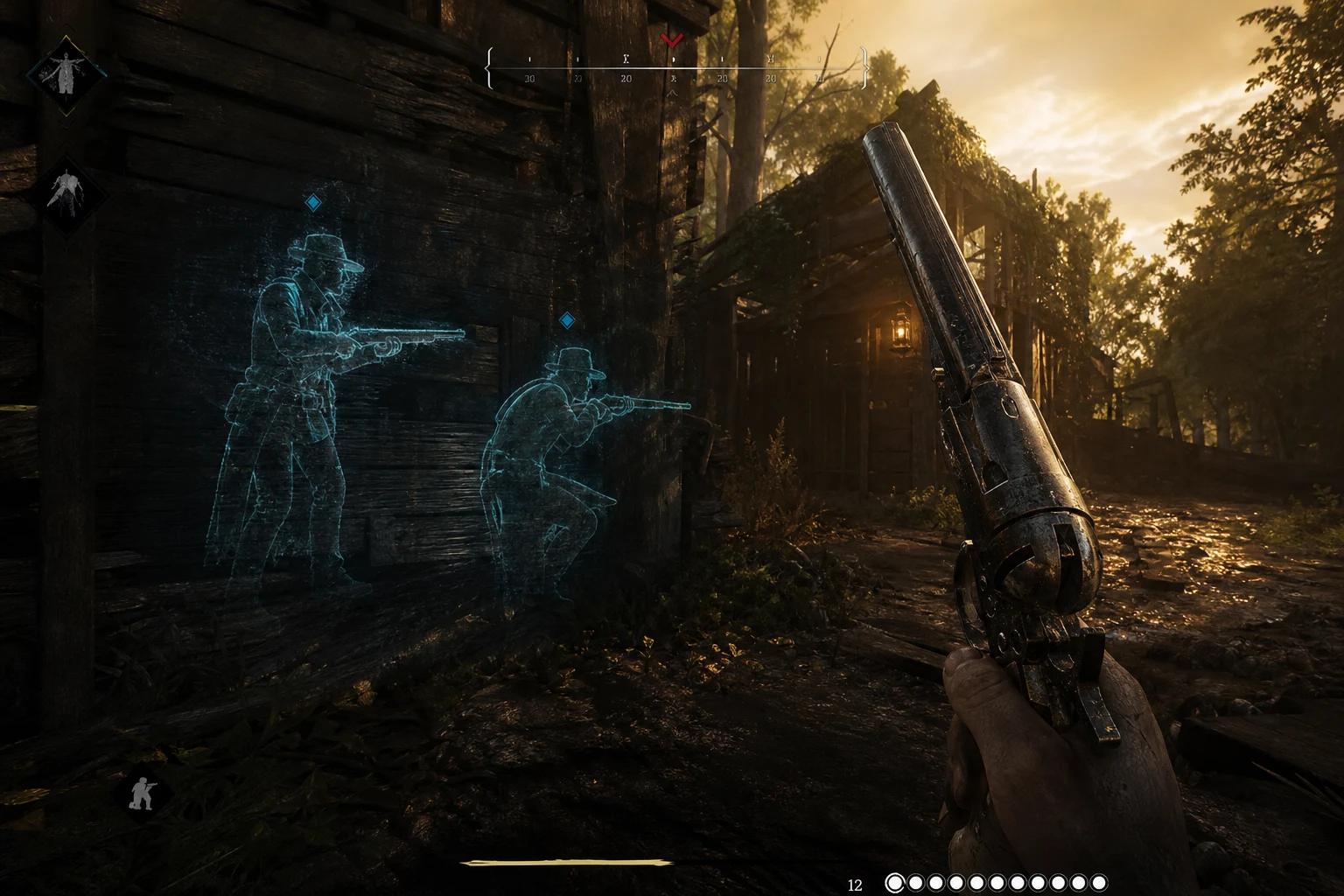
But what if your rival already knows your position? What if there's a hunter in that barn corner behind the wall, aiming at you knowing exactly where you are? That's where Hunt Showdown ESP comes in. ESP (Extra Sensory Perception) is a software layer that visualizes enemy players, monsters, loot points, and critical interaction objects in real-time on your screen. Walls, barns, buildings — no obstacle can hide your opponent's position from you when ESP is active.
Hunt Showdown is designed as a layered tension game: you must both kill the boss and secure the bounty while preventing other hunters from hunting you down. Under this dual pressure, map awareness transcends being a mere advantage — it becomes an almost mandatory tool. Especially if you're playing solo or duo against experienced premade groups, information asymmetry puts you at a disadvantage every single time.
ESP closes exactly this information gap. You instantly see which building your rival is positioned in, from which direction they're approaching the boss area, and where a third team trying to flank you is located. No more need to brainstorm under stress interpreting audio cues; ESP gives you a clear, direct, and reliable field of vision.
In this guide, we'll cover how Hunt Showdown ESP works, which features work best in which game scenarios, and how to use the ESP solution offered by the ForceCheat platform step by step. From installation to settings optimization, from usage scenarios to undetected practices — everything is here. If you want to take your Hunt Showdown gaming experience to the peak, you're in the right place.
Summary: Hunt Showdown ESP displays enemy players, monsters, and loot points behind walls in real-time. When you install ForceCheat's ESP software and run it with the correct settings, your map awareness reaches its peak, and your bounty capture rate increases dramatically.
What is Hunt Showdown ESP and How Does It Work?
ESP is a software component that reads the game's memory data and overlays an additional visual layer onto your screen. Hunt Showdown stores the coordinates of every player, monster, and object in game memory. ESP software reads these coordinates, transforms them from the game's 3D world space to 2D screen space, and draws an overlay on top of your view.
ESP's Interaction with the Game Engine
Hunt Showdown is built on a CryEngine-based architecture. ESP software targets memory addresses belonging to this engine: the player entity list, enemy health values, position vectors, and rotation data are at the forefront. ForceCheat's Hunt Showdown ESP reads this data stream with low latency; a typical update cycle runs in the 1-5 ms range, meaning the information you see on screen updates almost instantaneously.
The Difference Between Wallhack and ESP
Wallhack manipulates the game's render pipeline to see enemies through walls — typically by making textures transparent. ESP, on the other hand, doesn't touch the render layer; instead, it overlays enemy position as a separate drawing on your screen. This difference is critical both in visual presentation and detection risk: because ESP doesn't interfere with the game's graphics engine, it provides a cleaner operational profile.
ForceCheat Hunt Showdown ESP: Core Features
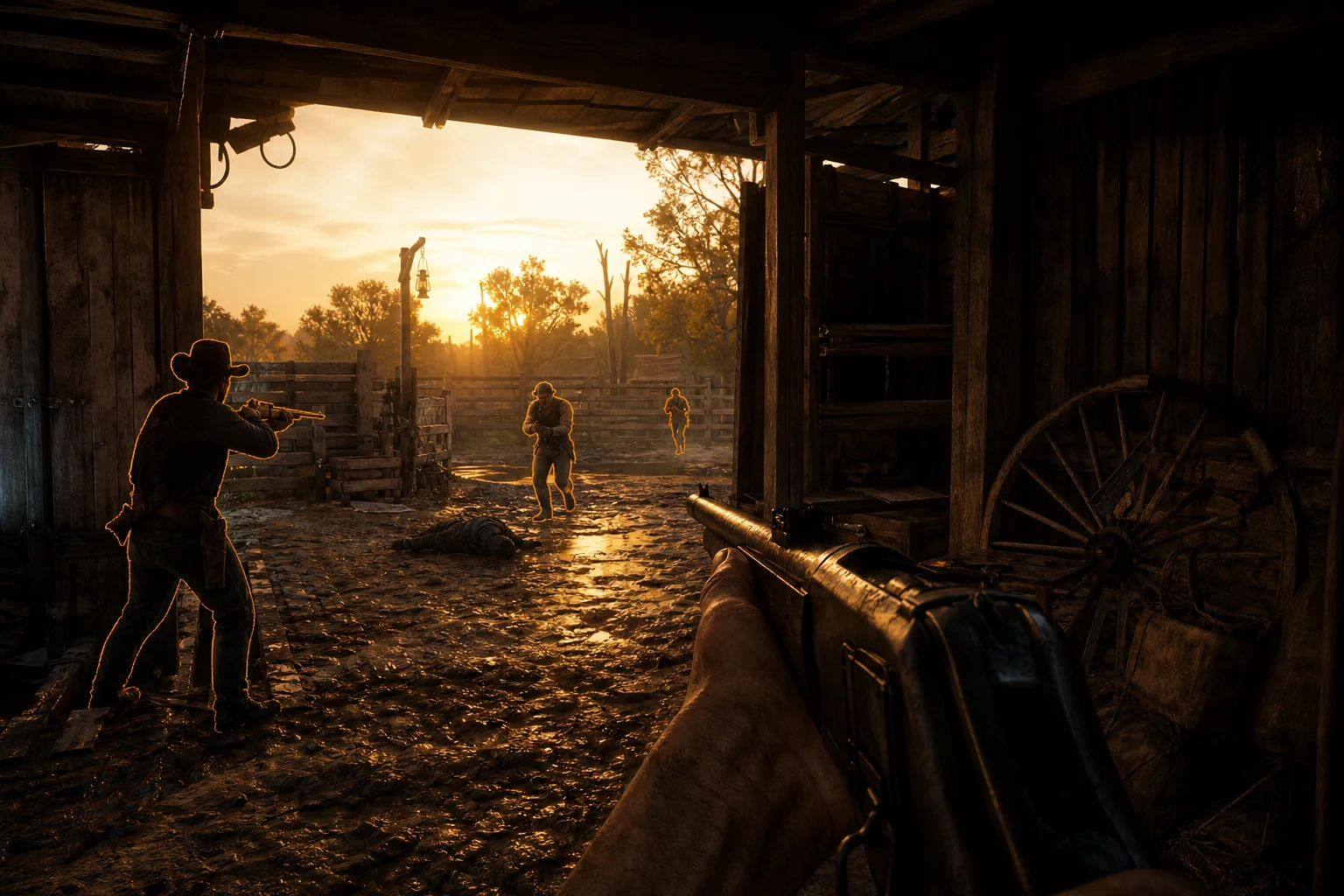
ForceCheat's Hunt Showdown cheat package provides a comprehensive vision system along with the ESP component. Below you'll find what each feature does and in which scenario you should use it.
Player ESP Options
Bounding Box: Draws a 2D or 3D box around the enemy player. A 2D box stays fixed in screen coordinates, while a 3D box conforms to the character's actual volume. In narrow corridors, a 2D box is more readable, while in open areas, a 3D box provides more precise position estimation.
Skeleton/Bone ESP: Draws the enemy's complete body skeleton — head, shoulders, elbows, knees included. This feature lets you understand whether the enemy is crouching, running, and which direction they're facing. Especially when aiming at long range, knowing the enemy's posture clarifies which hit point you should target.
Distance Indicator: Displays distance information in meters next to each enemy. In Hunt Showdown, weapon selection changes critically based on range; while a Mosin is suitable for a rival 80 meters away, a Romero is better for one 25 meters away. Distance ESP makes this decision instantly easier.
Health Bar: Shows the enemy's current health bar. Knowing that a rival has already taken damage directly affects your decision to push aggressively or not. Taking a risk against an enemy with 30% health remaining becomes a much more calculated move.
Environment and Loot ESP
Monster ESP: Shows the positions of all AI enemies including Grunt, Armadillo, Hive, Assassin, and others. Especially when approaching the boss area, seeing the monster density around you lets you pre-calculate how much noise you'll make.
Bounty Token ESP: Shows the exact location of the token immediately after the boss is killed. You can reach the token before the rival team.
Supply Crate and Medkit ESP: Marks health packs, ammunition, and equipment points on the map. In critical moments, you can run directly to the nearest medkit.
Step-by-Step Setup Guide
-
Step 1: ForceCheat Account and Product Activation
Go to the Hunt Showdown cheat category and select the package that suits your needs. After completing the purchase, a license key is assigned to your account. Write this key down in a safe place — you'll use it in the final step of installation.
-
Step 2: Download the Loader and Configure Antivirus Settings
Download the loader file from the ForceCheat panel. Before downloading, add the loader folder to the exception list of Windows Defender or your antivirus software. The reason is that the loader performs memory reading operations, and some security software may flag this behavior as a false positive. Use a short, space-free directory path like
C:\ForceCheat\. -
Step 3: Prepare Your System
Before running the loader, perform these checks: Verify that Secure Boot is disabled in BIOS. Make sure you're running the latest version of Windows. Close unnecessary programs in the background — especially applications running screen capture or overlay features (Discord's game overlay, GeForce Experience, etc.). This step ensures the software runs in a clean environment.
-
Step 4: Run the Loader as Administrator and Enter Your License
Right-click the loader file and select "Run as administrator." Paste the license key you received after purchase into the interface that opens and click the "Activate" button. If activation is successful, you'll see a green confirmation message. The loader automatically checks for the latest version of the software and updates if necessary — wait for this process to complete.
-
Step 5: Launch Hunt Showdown and Open the Menu
After loader activation is complete, launch Hunt Showdown normally. When you reach the game's main menu, press the default key INSERT or F5 to open the ForceCheat menu (you can customize this in the loader interface). When the menu appears on screen, switch to the ESP tab.
-
Step 6: Optimize ESP Settings
On first run, configure the following basic settings:
- Player ESP: On | Box type: 2D | Color: Red (enemy) / Green (teammate)
- Skeleton ESP: On
- Distance: On | Maximum display distance: 300 meters
- Health Bar: On
- Monster ESP: On | Color: Orange
- Loot ESP: Optional — we recommend keeping it on for your first matches
Save your settings; they'll load automatically in your next session.
-
Step 7: Verify with a Test Match
Enter Quickplay mode and check that ESP is working correctly. Boxes should be visible for enemy players and monsters, and distance values should be updating. If the overlay isn't visible, make sure the game is running in "Borderless Windowed" mode rather than full screen — this mode typically provides the best overlay compatibility.
Usage Scenarios: What ESP Gains You in Different Situations
Simply turning on ESP isn't enough — using the right feature in the right scenario multiplies your advantage. Below you'll see concrete examples of how ESP works in Hunt Showdown's most critical game moments.
Approaching the Boss Area: Spotting Third-Party Threats
When approaching a boss compound on Desalle or Stillwater Bayou, seeing that another team is advancing to the same location at the same time completely changes the game's course. With ESP active, you see two enemy players 200 meters away approaching the compound from the north. You wait to the south, they kill the boss, grab the token, and rush to the exit — but you're positioned perfectly. You choose the engagement, not your rival.
Extraction Point Control
You have the bounty token, 150 meters from the extraction point. Under normal circumstances, that final run is the most tense moment — a hunter waiting around the corner could end you with a single shot. With ESP, you can scan the extraction area beforehand: if no one's there, run; if someone's waiting, use an alternate route or clear them out first. This scenario is ESP's most direct "match-winning" use case.
Solo vs Duo/Trio: Closing the Numbers Disadvantage
You're playing solo against a three-person group. They're moving in coordination while you're trying to guess their positions from audio cues. ESP reverses this equation: you see all three enemies' positions, health status, and distances from each other. You can isolate and neutralize the member who's separated first, then create a 1v1 scenario instead of 1v2 with the rest.
Staying Undetected: Using the Software in the Right Profile
ForceCheat's Hunt Showdown ESP operates with a continuously updated bypass layer against Crytek's anti-cheat infrastructure. However, using the software in the right profile ensures a long-term trouble-free experience.
Behavioral Profile: Looking Natural
Always use the information ESP provides to you in a "reasonable" manner. Rather than aiming directly at an enemy behind a wall without ever seeing them, move as if you're checking the corner. Reflect the information you have as a hunter as "experienced player decisions." For example, you see an enemy 180 meters away with ESP — but slowly advancing in that direction and opening the corner with a pie-slice technique looks much more natural than a sudden turn and aim.
Follow Software Updates
Hunt Showdown may update its anti-cheat signatures with each major patch. ForceCheat actively monitors these updates and updates the bypass accordingly. Keep your loader's automatic update feature enabled; the safest approach is to wait a day or two after major game updates and verify that ForceCheat has approved the current version.
Other Features You Can Use Together with ESP
ForceCheat's Hunt Showdown package isn't limited to ESP alone. The following additional features create synergy when used together with ESP:
Aimbot (Aim Assist): You already know the enemy's position with ESP; aimbot converts this information into aiming precision. Its effect is particularly pronounced when used with long-range weapons against fast-moving enemies. For detailed information, check out our triggerbot and sensitivity settings guide — the principles there are also applicable to Hunt Showdown.
No Recoil: Eliminates or minimizes weapon recoil. You spotted the enemy with ESP, aimed with aimbot — with no recoil, your bullets stay on target. This triple combination provides the most powerful option for consistent performance in Hunt Showdown.
Radar Hack: Displays enemy positions on the minimap. For those who can't get used to ESP's overlay view, radar offers a less distracting alternative. Using both simultaneously provides maximum map awareness.
If you're curious how similar systems work in different games, check out our guide to survival cheats in Once Human.
Conclusion
Hunt Showdown is built on information and position. Whoever knows who is where, when, and with what weapon controls the match. ESP is a tool that answers all these questions in real-time, completely reversing the game's information asymmetry in your favor.
ForceCheat's Hunt Showdown ESP visualizes players, monsters, and critical loot points behind walls instantly. Thanks to layered features like bounding box, skeleton drawing, health bar, and distance indicator, you enter every match with complete map awareness. You know who's approaching the boss compound, who's waiting at the extraction point, and how many enemies are in that barn.
The setup process, as we've explained step by step in this guide, can be completed without requiring technical knowledge. Download the loader, activate your license, launch the game, and configure your settings from the menu — you're ready for your first match. We recommend spending a few Quickplay matches optimizing your settings; you'll quickly discover which features contribute most to your playstyle.
Regarding staying undetected, the combination of ForceCheat's continuously updated bypass infrastructure and proper behavioral profile creates a solid foundation for a long-term trouble-free experience. Develop the habit of waiting for the loader's current version after major game updates — this small patience provides great assurance.
To see all our Hunt Showdown cheat packages, pricing options, and current feature list, check out our Hunt Showdown category. If you're looking for powerful solutions for different games, also check out our Valorant cheat category or our PUBG Mobile Gameloop category. When the advantage is yours in the swamp, every match feels different.
Which game modes does Hunt Showdown ESP work in?
ForceCheat's ESP software works in all Hunt Showdown modes: standard Bounty Hunt, Quickplay, and custom matches included. Regardless of mode, player entity data is stored in the same memory structure, so ESP performs identically in every mode.
Is the ESP overlay visible in screenshots or recording software?
ForceCheat's ESP uses an overlay method that bypasses screen capture APIs. OBS, NVIDIA ShadowPlay, and similar capture tools don't record the overlay by default. However, every capture software has different configuration; we recommend doing a short test before streaming or recording.
Does game FPS performance drop when ESP is active?
ForceCheat's ESP component is optimized for low CPU usage. On a mid-range system (i5/Ryzen 5, 16 GB RAM, GTX 1070 or better), typical FPS loss stays in the 2-5% range. High entity rendering (many monsters + players) may increase this slightly; in that case, you can selectively disable loot ESP and monster ESP.
Does the software continue to work after Hunt Showdown updates?
Yes, the ForceCheat team actively monitors game updates and updates the bypass layer accordingly. A brief update process may occur immediately after major patches; during this time, the loader appears in "maintenance" mode. Once the current version is approved, the loader automatically sends a notification.
Is it possible to use aimbot together with ESP?
Yes. ForceCheat's Hunt Showdown package supports both ESP and aimbot simultaneously. When used together, ESP detects enemy position while aimbot locks aim to that position. You can adjust aimbot sensitivity (FOV, smooth value) from the menu; lower smooth values create a more natural aiming movement profile.
Which Hunt Showdown package includes the ESP feature?
All Hunt Showdown packages offered by ForceCheat include the ESP component. The difference between packages depends on whether additional features (aimbot, no recoil, radar) are included and the license duration. Visit the Hunt Showdown catalog page to see current package contents and pricing.
Share this post
Related Posts

Hunt Showdown ESP Not Working? 7-Step Enemy Location Fix
Hunt Showdown ESP not showing enemy locations? Overlay won't open, wallhack not working? We solve the 7 most common issues step by step.
Will to Live Cheats: 5 Ways to Master Survival
Master Will to Live with aimbot and ESP cheats! Discover 5 proven survival strategies to dominate PvP, optimize farming, and stay ahead of rivals with advanced cheat tools.
Hunt Showdown Triggerbot Setup: Automatic Fire Guide in 5 Steps
Having trouble setting up triggerbot in Hunt Showdown? Automatic fire not working or experiencing lag? This guide solves every issue in 6 steps with proven solutions.