





Dota 2 ESP Cheat Guide: Gaining Competitive Advantage
- Introduction: Overview of Dota 2 and ESP Cheat Software
- What is ESP Cheat? How Does It Work in Dota 2?
- Memory Reading and Data Visualization
- Overlay System and Visual Layers
- Core Features Offered by Dota 2 ESP
- Hero Tracking and Position ESP
- Skill and Inventory Information
- Jungle and Objective ESP
- Pros: Benefits of Using Dota 2 ESP
- Cons: Points to Consider
- ForceCheat ESP Tools: Standout Options
- Dota 2 Category
- Btg with Advanced Feature Set
- Ph Spoofer with Additional Protection Layer
- Alternatives for Other Games
- Who Is It Suitable For?
- Installation Process: General Steps
- Download and Preparation
- Launch with Game
- Configuration and Customization
- Staying Undetected: Safe Usage Tips
- Follow Tool Updates
- Avoid Overly Obvious Behavior
- Optimize Overlay Settings
- Related Guides and Resources
- Conclusion
- Frequently Asked Questions (FAQ)
- What exactly does Dota 2 ESP cheat do?
- How often are ForceCheat's Dota 2 ESP tools updated?
- Will I experience FPS loss when using ESP?
- Which heroes is ESP most effective with?
- How much MMR can I gain with ESP in Dota 2?
- Is it possible to see ward locations with Dota 2 ESP tool?
- Are there ESP tools for games other than Dota 2?
Introduction: Overview of Dota 2 and ESP Cheat Software
Dota 2 continues to be one of the world's most competitive MOBA games. Every match becomes a test of map control, vision management, and split-second decision-making skills. Especially for players competing at high ratings, even a single second of delay or a wrong move can completely change the course of a match. In such an intensely competitive environment, some players turn to ESP (Extra Sensory Perception) based cheat software to gain an extra advantage.
ESP cheat software are essentially tools that reflect information you normally wouldn't see in-game onto your screen. Information such as opponent hero positions, jungle camp status, enemy inventory, or skill cooldown times can be tracked in real-time with a proper ESP tool. These types of software largely eliminate uncertainty on the map, allowing players to make every move more consciously.
Considering Dota 2's complex mechanical structure, the advantages offered by an ESP tool can be extremely diverse. Knowing where the enemy courier is, seeing which camp the opposing jungler cleared, or tracking the exact coordinates of a hidden Riki or Bounty Hunter; all of these are among the concrete benefits that ESP can provide. Moreover, these tools not only provide visual information but can also be supported by additional features such as automatic skill usage or movement optimization in some cases.
As ForceCheat, we have closely examined ESP-based cheat software aimed at Dota 2 players. In this article, we comprehensively cover how these tools work, which features stand out, how the installation process progresses, and what players considering using such software should pay attention to. This review serves as a basic guide for beginners while also offering fine-tuning tips for experienced players.
Summary: Dota 2 ESP cheat software provides critical data such as opponent positions, skill cooldowns, and map information in real-time. With the right tool and careful usage, it's possible to gain a serious advantage in-game. ForceCheat's Dota 2 tools are among the standout options in this regard.
What is ESP Cheat? How Does It Work in Dota 2?
ESP (Extra Sensory Perception) is a cheat category that visualizes elements normally invisible on screen by reading memory data from the game engine. Specifically in Dota 2, ESP typically covers these data layers: enemy hero coordinates, HP/mana values, inventory contents, skill cooldown times, and invisibility status.
Memory Reading and Data Visualization
The vast majority of ESP tools read data that the game client keeps in RAM through an external process. This allows information to be obtained without directly interfering with game files. In Dota 2, each hero object stores HP, position, and status information at specific memory addresses; a well-written ESP tool dynamically tracks these addresses to provide real-time data.
Overlay System and Visual Layers
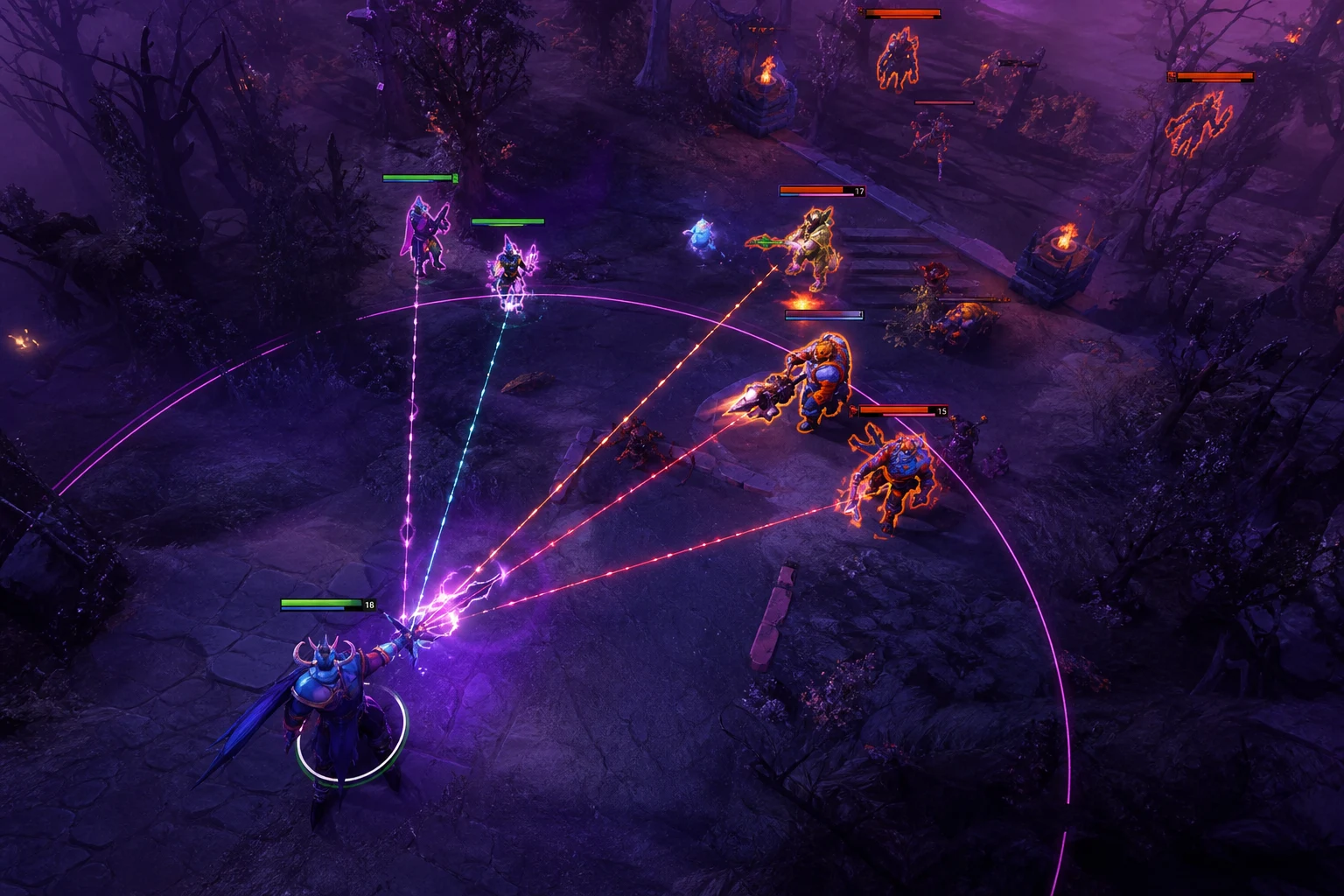
The obtained data is typically reflected onto the game screen through a DirectX or Vulkan-based overlay (top layer). This overlay sits as a transparent layer over the game window and displays ESP boxes, text information, or map markers in real-time. Quality ESP tools run this overlay in a process independent from the game screen, minimizing detection risk.
Core Features Offered by Dota 2 ESP
What makes an ESP tool valuable is the breadth and reliability of its feature set. ESP software developed for Dota 2 can contain various modules. Below are the most common and useful features examined.
Hero Tracking and Position ESP
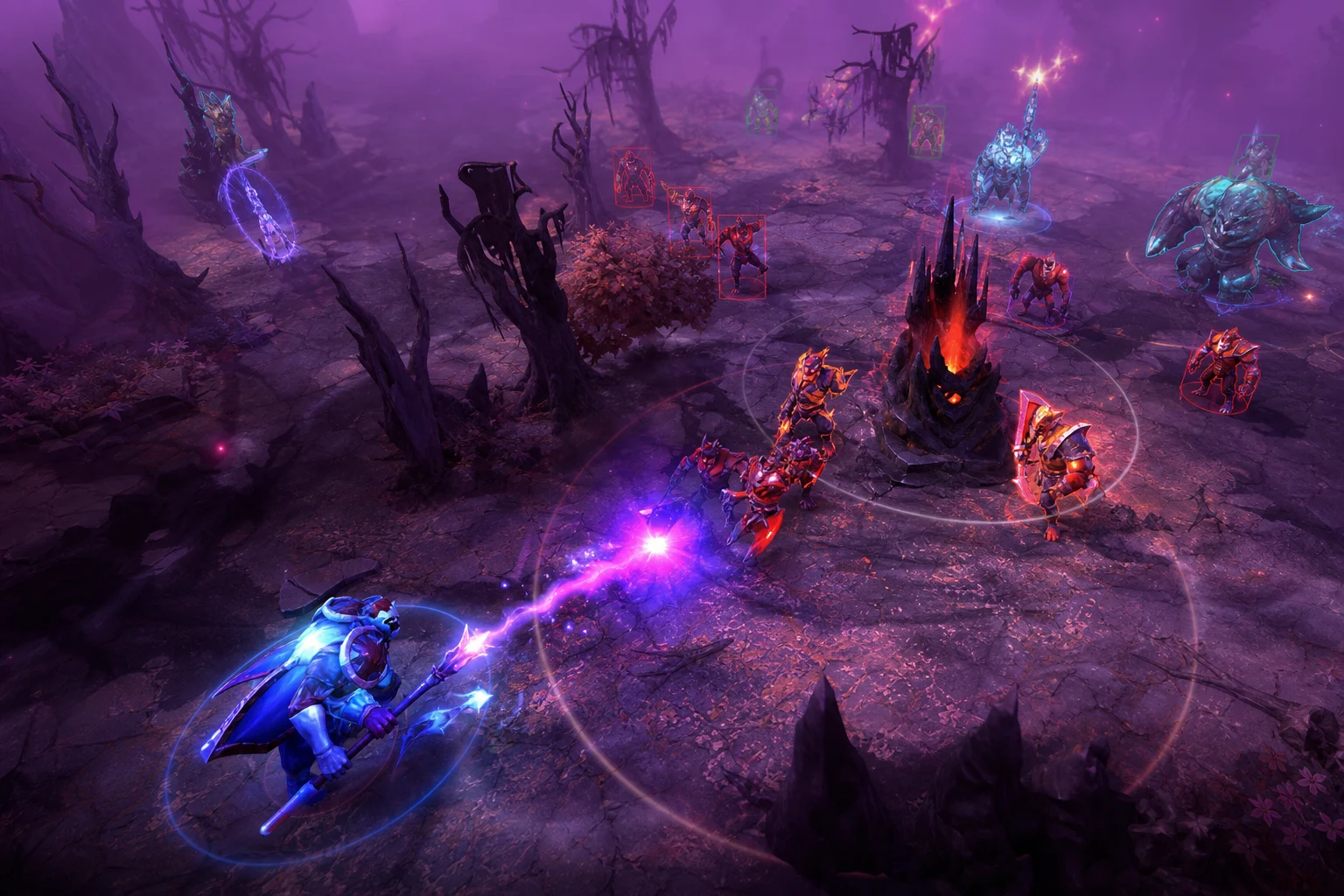
The most basic ESP feature is showing the real-time positions of enemy heroes on the map. Thanks to this feature:
- An enemy hero hiding in the jungle can be instantly detected.
- Opponents waiting near the Rosh pit can be seen.
- The rotations of enemy supports positioning for ganks can be tracked.
- The positions of invisible heroes, such as Riki or Bounty Hunter, can be marked on screen.
Skill and Inventory Information
Advanced ESP tools offer much more than just location:
- Enemy hero active skill cooldown timers can be displayed.
- Opponent inventory contents (BKB, Blink Dagger, and other critical items) can be tracked in real-time.
- Mana and HP percentages can be shown on screen for each hero.
- Whether ultimate abilities are ready can be marked as an icon or text.
Jungle and Objective ESP
In Dota 2, map control plays a critical role in winning the game. Objective ESP features include:
- Predicting rune spawn locations before they appear.
- Detecting the locations of enemy wards.
- Roshan's HP status and respawn timer.
- The status of jungle camps being cleared.
Pros: Benefits of Using Dota 2 ESP
ESP cheat software can fundamentally transform the gaming experience and performance in Dota 2. Here are the main standout benefits:
- Complete map control: Practically eliminates Fog of War; enemy movements are always visible.
- Reactive decision-making: By knowing whether the opponent's ultimate is ready, you can engage in fights at the right time.
- Gank prevention: By tracking enemy support rotations, you can avoid falling into traps.
- Rosh control: After Roshan is killed, you can see in advance when the enemy goes to Rosh.
- Ward detection: By seeing enemy wards, you can easily remove them with courier or hero.
- Inventory advantage: You can attack when the enemy's BKB or Blink is on cooldown.
- Psychological advantage: Making every move consciously increases in-game confidence and decision speed.
Cons: Points to Consider
Like any software, ESP tools have certain limitations and aspects that require attention:
- Quality differences: Not every ESP tool on the market is the same quality; outdated tools may not work after Dota 2 patches.
- Performance impact: On low-end systems, the overlay layer can cause FPS drops.
- Learning curve: Fully utilizing all advanced features may require some practice.
- Update dependency: Tools may need updates after game patches; brief usage interruptions may occur during this process.
- Information overload: Displaying too much data on screen can cause focus issues; proper filter configuration is important.
ForceCheat ESP Tools: Standout Options
ForceCheat offers multiple tools developed for Dota 2 and similar competitive games. Since each player's needs are different, choosing the right tool is of great importance.
Dota 2 Category
You can check out our Dota 2 cheat category to access tools specifically designed for Dota 2. Here you'll find current, actively developed tools that are compatible with Dota 2 patches.
Btg with Advanced Feature Set
If you're looking for a more comprehensive experience, the Btg tool is a noteworthy option. With its memory reading-based structure, it offers powerful ESP modules and extensive customization options. It particularly excels in cooldown tracking and inventory display performance.
Ph Spoofer with Additional Protection Layer
For those who want to continue using ESP in a safer environment, Ph Spoofer provides an additional hardware ID protection layer. For those planning long-term usage, such auxiliary tools can be a valuable complement.
Alternatives for Other Games
If you're looking for advantages in competitive games beyond Dota 2, you can also check our Valorant cheat category or PUBG Mobile cheat category. For example, Valorant players can benefit from the GANTE Full package with its comprehensive features, while PUBG Mobile players can consider the Cougar Bypass tool.
Who Is It Suitable For?
Dota 2 ESP tools can appeal to different player profiles. The following profiles summarize users who can benefit most from such software:
- Players wanting to climb ranks: For those struggling to pass a certain MMR threshold, map knowledge and enemy tracking provide critical advantages.
- Strategy-focused players: Even if reflexes aren't lightning-fast, strategically-minded players can directly translate information advantage into gains with ESP.
- Support players: ESP support provides great convenience for those playing the support role in terms of ward management, gank prevention, and map control.
- Carry players: By knowing the enemy jungler's rotation, you can farm safely and attack at the right time.
- Casual non-tournament players: Those wanting to make the match experience more enjoyable and controlled may also find ESP tools interesting.
Installation Process: General Steps
Installation of Dota 2 ESP tools typically consists of a few basic steps. The general process proceeds as follows:
Download and Preparation
The download link and license information for the tool you purchased from the ForceCheat platform are assigned to your account. Before installation, it's recommended to temporarily disable antivirus software and run the application with administrator rights. This step is necessary for the tool to properly access game memory.
Launch with Game
Most ESP tools must be launched before the Dota 2 client is opened. After the tool starts running in the background, the game is opened and the injection or memory reading process begins automatically. Some tools position the overlay automatically, while others may require manual positioning.
Configuration and Customization
After initial installation, you can configure which ESP layers will be active, color coding, font sizes, and filter options through the tool's menu. For example, if you only want to see enemy heroes, you can disable ally and neutral object layers to keep the screen clean.
Staying Undetected: Safe Usage Tips
ForceCheat tools are designed to operate without detection. However, user behavior also plays a decisive role in this process. For long-term trouble-free usage, consider these tips:
Follow Tool Updates
Dota 2 receives regular patches. After each major patch, tool developers release updates. Applying these updates promptly ensures the tool works compatibly with the game's new version. ForceCheat platform notifies active license holders of updates.
Avoid Overly Obvious Behavior
When using ESP, reflecting the information you obtain too openly in-game can draw attention. For example, directing attacks directly onto an invisible hero or constantly removing enemy wards without placing any yourself may look suspicious. Using the information within a natural game flow provides long-term usage comfort.
Optimize Overlay Settings
Displaying too much data on screen can be both distracting and impact performance. By keeping only the layers you need active, you can both preserve FPS and increase focus.
Related Guides and Resources
For those wanting to learn more about Dota 2 ESP, comprehensive guides are available on the ForceCheat blog. In our Dota 2 ESP Opponent Control: Undetected Usage Guide, you can find detailed tips on undetected usage. Our Best Dota 2 ESP Cheat Features Comparison guide is also very helpful in understanding which ESP tool is more suitable for you. If you're looking for a step-by-step visual guide on installation, check out our How to Install Dota 2 ESP Cheat and What Advantages It Provides? article.
Conclusion
Dota 2 is a game with a high skill ceiling that, through its deepening mechanics over the years, expects serious time and effort investment from players. For players wanting to get ahead in this competitive environment, ESP-based cheat software offers concrete and measurable advantages in terms of map knowledge and enemy tracking.
The ESP tools we covered in this review have the potential to fundamentally transform the Dota 2 experience with critical features such as hero position tracking, skill cooldown display, inventory information, and ward detection. Especially in high MMR matches where map control is decisive, such an information advantage directly affects the course of the game.
The ForceCheat platform offers tools for Dota 2 that are actively updated and designed to work undetected. Comprehensive tools like Btg or complementary solutions like Ph Spoofer offer an experience that can be tailored to different user needs.
To comparatively examine all Dota 2 tools and find the option most suitable for you, visit our Dota 2 cheat category. We recommend reviewing the product pages for information about current stock status, pricing, and feature details.
Overall Assessment: Dota 2 ESP tools, when properly selected and carefully used, are effective tools that significantly increase in-game performance. The options offered by ForceCheat stand out compared to their competitors in terms of quality and reliability. For every player wanting to climb ranks, take control of the map, or simply enrich their gaming experience, it's an investment worth considering.
Frequently Asked Questions (FAQ)
What exactly does Dota 2 ESP cheat do?
Dota 2 ESP cheat reads memory data from the game engine and reflects information you normally wouldn't see onto your screen. Enemy hero positions, HP/mana values, skill cooldown times, inventory contents, and ward locations are among this information. The vision restriction imposed by Fog of War is practically eliminated.
How often are ForceCheat's Dota 2 ESP tools updated?
After Dota 2 patches are released, the ForceCheat developer team updates the tools as quickly as possible. Active license holders are notified of updates. Brief usage interruptions may occur during major patch periods; this is completely normal and the tool becomes active again shortly.
Will I experience FPS loss when using ESP?
Quality ESP tools run the overlay independently from the game process and minimize the impact on FPS. However, on low-end systems, having too many ESP layers active simultaneously can affect performance. In this case, keeping only the layers you need active largely solves the problem.
Which heroes is ESP most effective with?
ESP provides the most noticeable benefit in support roles with heavy map pressure (such as Lion, Crystal Maiden, Earthshaker) and in carry heroes farming in the jungle (Anti-Mage, Spectre, Medusa). Especially in matches against invisible heroes (Riki, Bounty Hunter, Nyx Assassin), ESP provides a major advantage through position tracking.
How much MMR can I gain with ESP in Dota 2?
This entirely depends on your playstyle and how you use the ESP information. Map knowledge and enemy tracking make a huge difference, especially in the 3,000-5,000 MMR range; because at these levels, ward placement and rotation decisions often contain errors based on incomplete information. ESP closes this information gap, allowing you to perform more consistently.
Is it possible to see ward locations with Dota 2 ESP tool?
Yes, advanced ESP tools can mark the locations of enemy observer and sentry wards on the map. This feature is extremely valuable for support players; because detecting and removing enemy wards provides vision advantage and cripples the opponent's information network.
Are there ESP tools for games other than Dota 2?
Yes, the ForceCheat platform offers tools for many popular games in addition to Dota 2. The GANTE Full package for Valorant players and the Cougar Bypass for PUBG Mobile players are among the standout options. You can access all categories from the platform's main page.
Share this post
Dota 2 ESP Undetected: Complete Enemy Tracking Guide
Best Dota 2 ESP Software: Setup and Usage Guide
// related posts
Related Posts
Marvel Rivals Aimbot Experience: The Path to Quick Wins
Discover how aimbot and other cheat tools work in Marvel Rivals, which features will give you the edge, and how to choose the right tool for your playstyle.
October 9, 2026
Rust ESP Map Control: Seeing Enemy Positions in Advance
Master map control in Rust using ESP to see enemy positions beforehand. Discover optimal settings, profiles, and strategies for dominating the game in this comprehensive guide.
October 8, 2026
PUBG Final Circle: Best Settings and Strategies to Win
Struggling in PUBG's final circle? Master the right cheat settings and configurations to turn every endgame in your favor. Complete guide to dominating the final zone.
October 8, 2026