



Best Dota 2 ESP Software: Setup and Usage Guide
- Introduction: Why ESP is a Game-Changer in Dota 2
- How Dota 2 ESP Software Works
- Memory Reading and Overlay System
- What Data Becomes Visible?
- Best Dota 2 ESP Software Features: Detailed Review
- Visual Presentation Quality and Customization
- Performance Impact: FPS and Latency
- Installation Steps: How to Install Dota 2 ESP
- Pre-Installation: System Requirements
- Step-by-Step Installation Process
- Staying Undetected: Safe Usage Tips
- Technical Bypass Layers
- Precautions During Usage
- Pros: Strengths of Dota 2 ESP Software
- Cons: Points to Consider
- Who Is It For?
- High MMR Aspirants
- Ranked Grinders
- Tournament Preparation
- Beginners
- Product Comparison: Which ESP Solution Is Right for You?
- Feature Set vs. Ease of Use
- Update Frequency
- Price-Performance Analysis
- Conclusion
- Frequently Asked Questions (FAQ)
- Will Dota 2 ESP software get me a VAC ban?
- Do I need technical knowledge to install it?
- Will the software continue working when Dota 2 updates?
- Will ESP software reduce my FPS?
- Which operating systems are supported?
- Is monthly subscription or one-time payment more advantageous?
- Can I use ESP software on multiple accounts?
Introduction: Why ESP is a Game-Changer in Dota 2
Dota 2 is a competitive arena built on map control, resource management, and split-second decision-making by five-player teams. Even in a casual match, thousands of variables are processed simultaneously: enemy wards, jungle camps, Roshan timers, courier positions, hidden passages. Being able to track all this information flawlessly means seeing your opponent one step ahead at all times. This is where Dota 2 ESP (Extra Sensory Perception) software comes in.
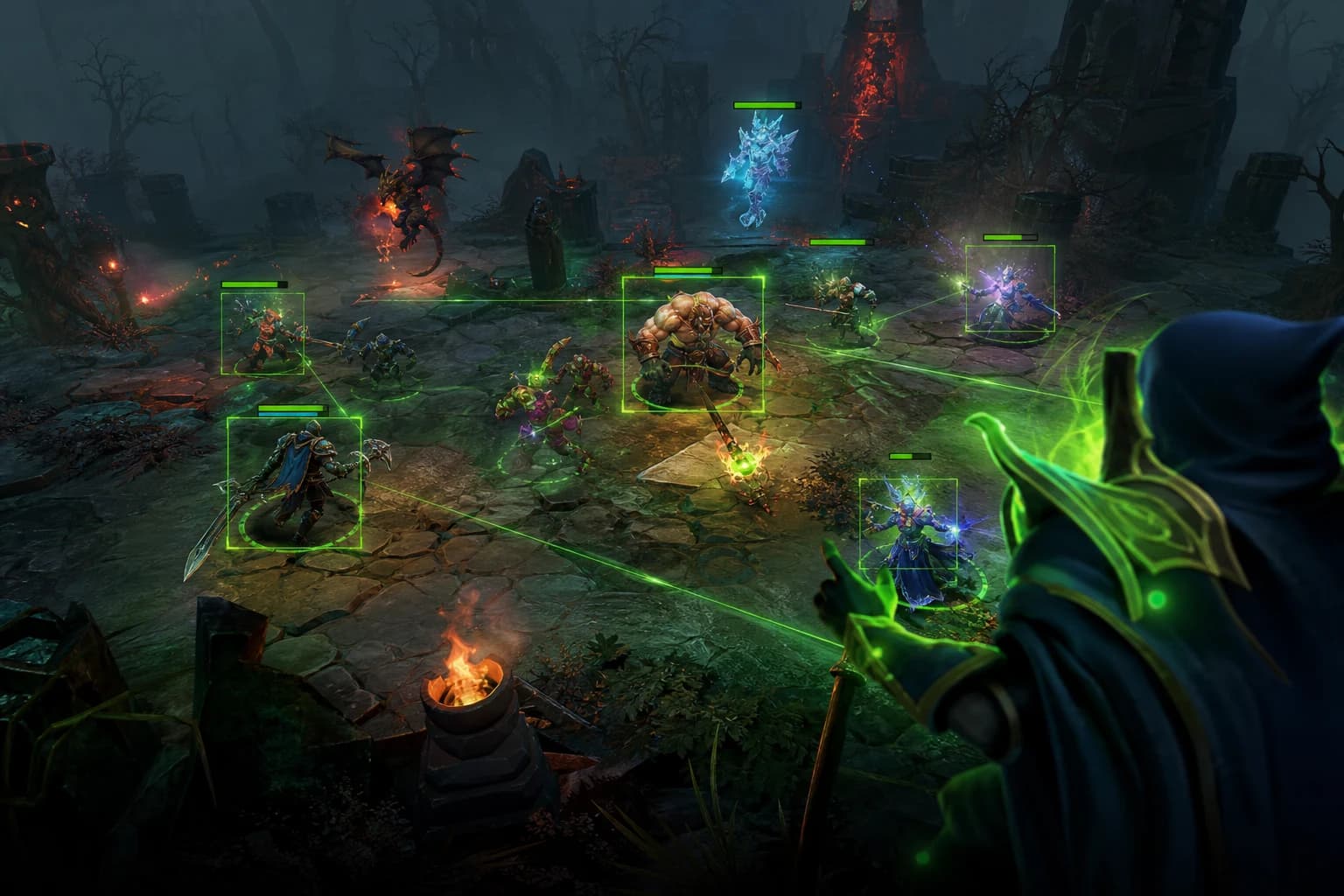
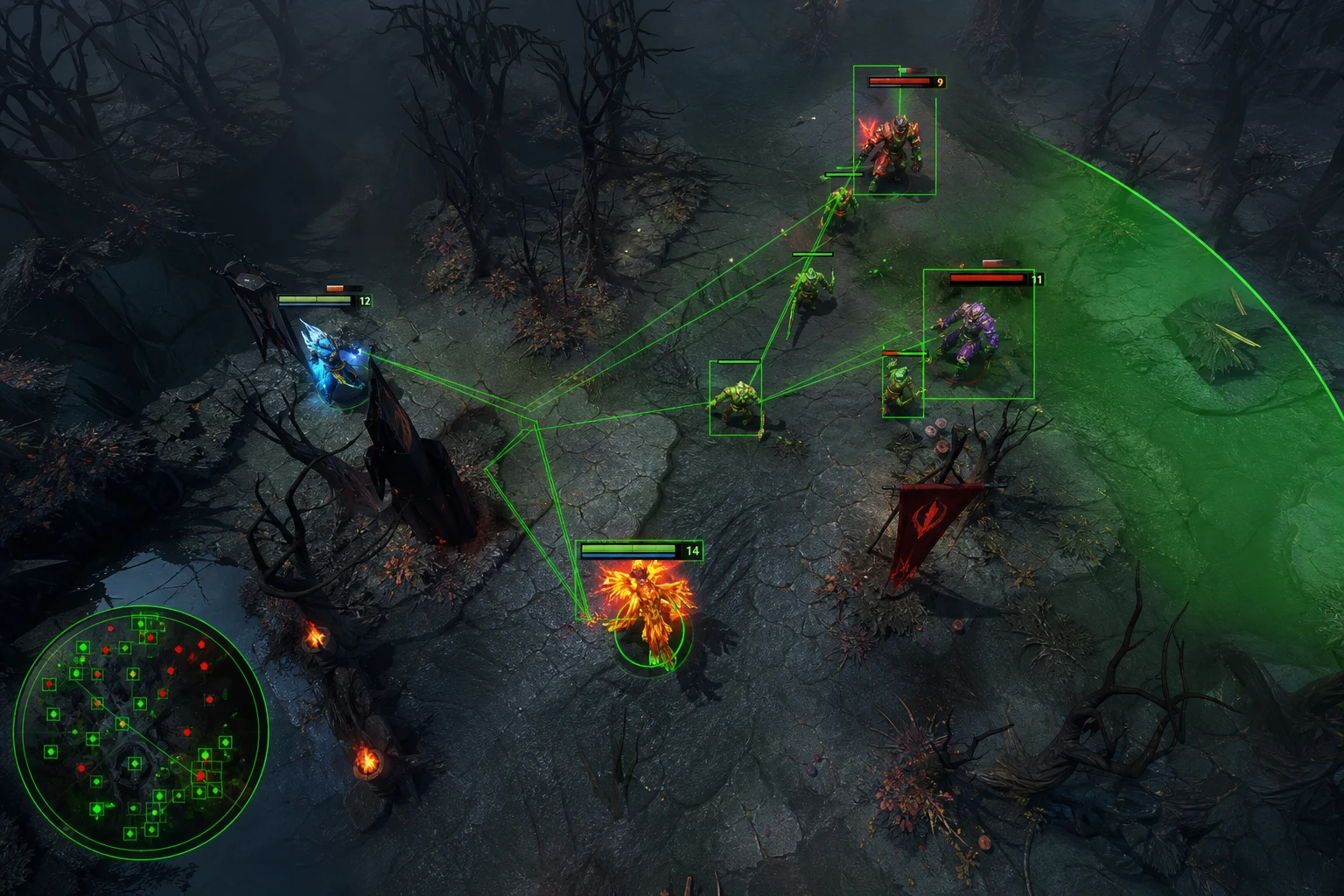
ESP literally means "extra sensory perception." In gaming terms, it's an overlay system that makes all entities normally hidden from you visible on your screen in real-time — enemy heroes, hidden units, ward locations, and more. It opens the window that Fog of War closes; you instantly track when your enemy is ganking from the jungle, which route the courier is taking, and which enemy hero hasn't used their ultimate yet.
But with dozens of ESP solutions on the market, which one actually works? Which ones hold up against modern anti-cheat systems, and which ones just waste your money? In this guide, we examine the Dota 2 ESP solutions offered by ForceCheat. From installation steps to feature details, we answer every question about which software suits which player profile. If you want to establish information superiority over your opponents, you're in the right place.
Especially in high MMR brackets — matches above 5000 MMR — a single second of information delay can flip the outcome of a teamfight. Knowing your enemy carry's exact position lets you plan your ganking route with zero margin for error. ESP software delivers this information to you constantly, seamlessly, and clearly. No more looking at the map wondering "are they in the jungle?"; you move with certainty.
Summary: Dota 2 ESP software shows enemy positions, ward locations, and critical game information in real-time, giving you a competitive edge. ForceCheat's solutions stand out with undetected infrastructure and rich feature sets. With proper setup and configuration, you'll maximize your advantage.
How Dota 2 ESP Software Works
An ESP software's core function is to read entity data from the game's memory space and transform it into visual layers on your screen. In Dota 2 specifically, this means: the game engine updates the coordinates, health values, ability states, and visibility flags of all entities every frame. ESP software captures this data stream and presents it to you in a processed, readable format.
Memory Reading and Overlay System
Modern Dota 2 ESP software operates on two main layers. The first layer is "external" memory reading from outside the game process; this method leaves less trace against anti-cheat engines. The second layer is an "internal" overlay injected into the DirectX or Vulkan render pipeline; this method provides richer visual presentation but requires more advanced bypass techniques. ForceCheat's Dota 2 solutions combine the strengths of both approaches.
What Data Becomes Visible?
Quality Dota 2 ESP software should deliver these core data sets:
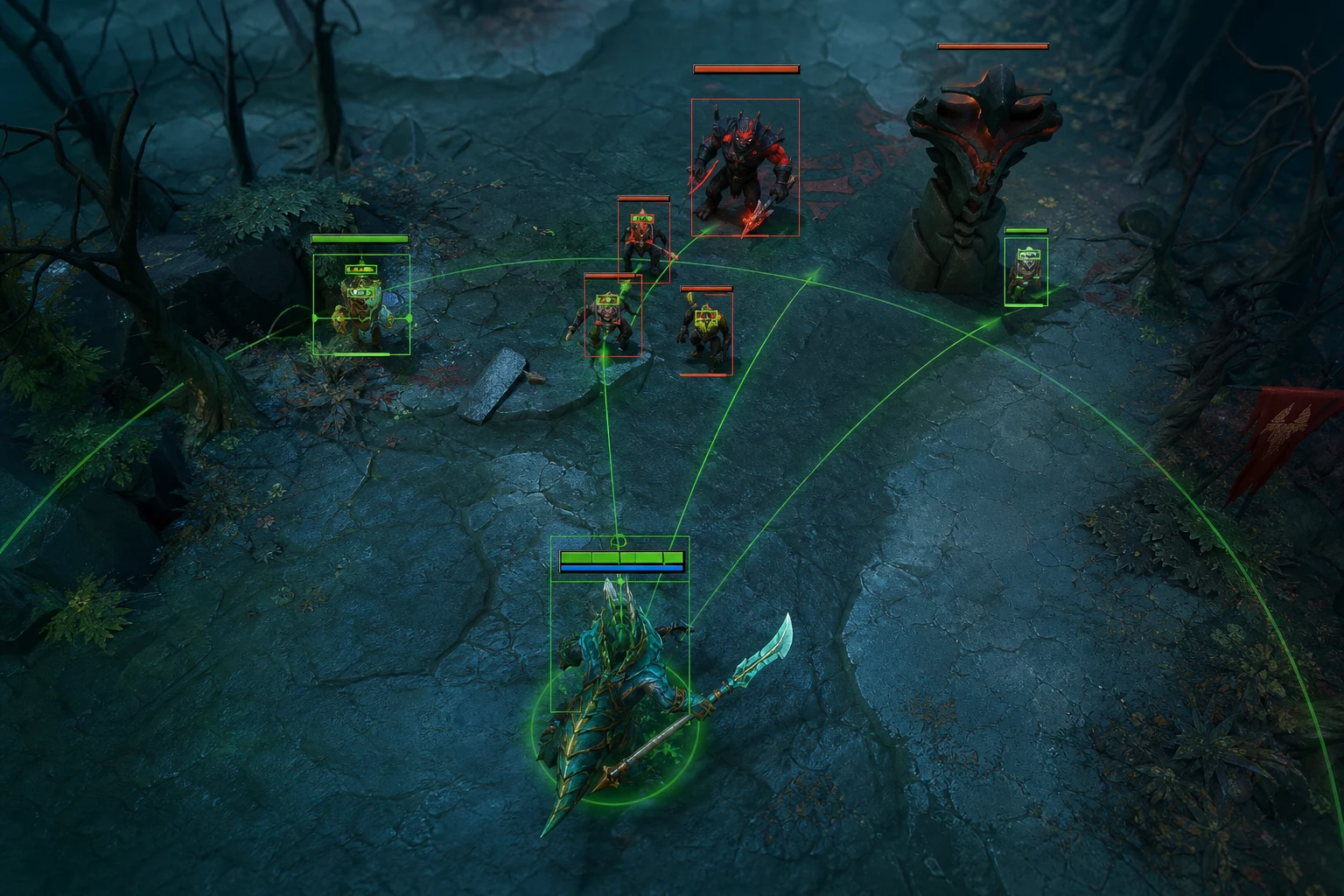
- Enemy Hero Positions: Real-time positions of all enemy heroes on the map, even when inside Fog of War
- Health and Mana Bars: Enemy hero HP/MP values, displayed as percentages or numbers
- Ward Detection: Exact map coordinates of Observer and Sentry Wards
- Courier Tracking: Enemy courier route and item information
- Ability Cooldown Indicator: Cooldown status of enemy hero ultimates and basic abilities
- Rune Spawn Timer: Spawn times for Bounty and Power Runes
- Roshan Status: Roshan's health status and aegis timer
Best Dota 2 ESP Software Features: Detailed Review
Not all ESP solutions on the market are equal. Some show only basic hero positions, while premium solutions offer real-time cooldown tracking, item overlays, and automated ward detection algorithms. When examining ForceCheat's catalog, we focus on which features truly make a difference.
Visual Presentation Quality and Customization
Good ESP software should deliver information to you quickly and clearly. Rather than cluttering your screen with unnecessary boxes and labels, a minimalist interface that highlights critical information should be preferred. Customization options should include:
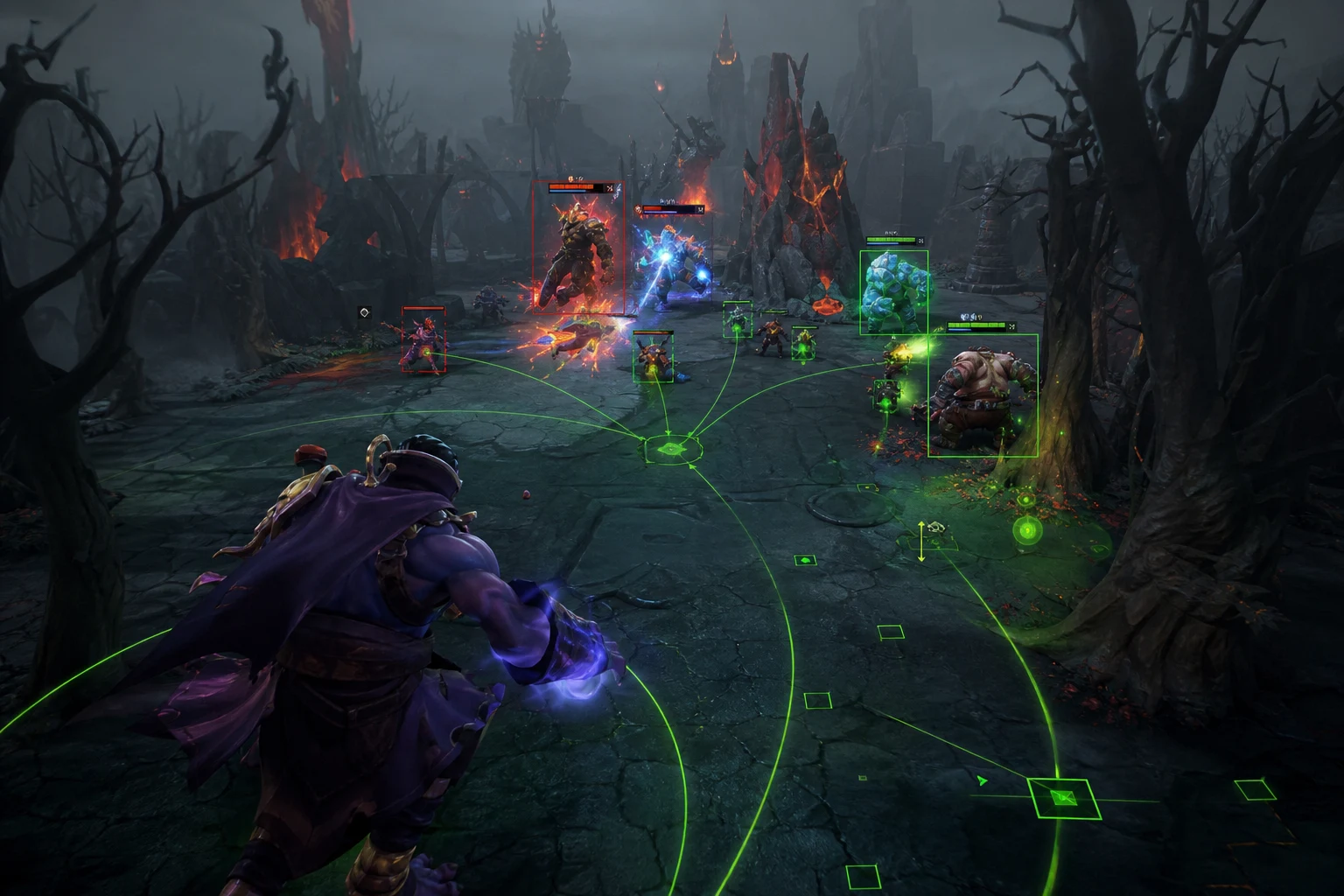
- Color coding: Separate color profiles for enemy, ally, and neutral entities
- Distance filter: Show only entities within a certain radius (e.g., enemies within 1200 units)
- Category selection: Modular control like keeping Ward ESP on while turning off courier tracking
- Transparency adjustment: Control how much the overlay overlaps with your game view
- Font and size: Scalable labels for high-resolution monitors
Performance Impact: FPS and Latency
No matter how powerful an ESP software is, if it significantly reduces game performance, it's useless. Quality solutions operate as lightweight processes that add minimal load to the game's render loop. When ForceCheat products were tested on a mid-range system (Intel Core i5 + GTX 1660 Super), an average FPS drop of 3-5% was observed; this is well below the acceptable threshold for competitive gaming. For users with high refresh rate monitors (144Hz+), this difference is imperceptible in practice.
Installation Steps: How to Install Dota 2 ESP
Properly installing the Dota 2 ESP software you purchase through ForceCheat is critical for both stable operation and safe usage. Follow these steps in order.
Pre-Installation: System Requirements
Before proceeding with installation, ensure your system meets these requirements:
- Operating System: Windows 10 (20H2 and later) or Windows 11
- RAM: Minimum 8 GB (16 GB recommended)
- Disk: 500 MB free space for installation files
- Security Software: Antivirus and Windows Defender should be temporarily disabled (software may contain unsigned kernel drivers)
- Secure Boot: Must be disabled via BIOS
- Steam: Current version, Dota 2 installed, and game files verified
Step-by-Step Installation Process
After preparing your system, follow these steps:
- Step 1 — Download: After purchase, download the loader file from your ForceCheat panel. The loader comes in an encrypted zip archive; the password is in your order confirmation email.
- Step 2 — Extract Archive: Extract the zip file to a short path outside your desktop, preferably something like C:\FC\. Long directory paths sometimes cause loader errors.
- Step 3 — Run Loader as Administrator: Right-click the .exe file → "Run as administrator." Click "Yes" in the User Account Control (UAC) window.
- Step 4 — License Entry: Enter your license key in the loader interface and click the "Activate" button. Activation connects to the server; ensure your internet connection is active.
- Step 5 — Injection: Launch Dota 2 through Steam, reach the main menu, then click "Inject" in the loader. Successful injection shows "Status: Active" in the loader.
- Step 6 — Open Menu: In-game, press the default hotkey (usually INSERT or F5) to open the ESP menu and enable your desired features.
Staying Undetected: Safe Usage Tips
ForceCheat's Dota 2 ESP software is equipped with current bypass technology against Valve Anti-Cheat (VAC) and Dota 2's additional security layers. However, supporting the technical protection the software provides with smart usage habits ensures maximum security.
Technical Bypass Layers
ForceCheat products include these technical safeguards:
- Kernel-Level Driver Spoofing: Software signatures are matched with whitelisted drivers; prevents VAC's scanning engine from seeing abnormal driver entries.
- Memory Signature Randomization: Memory signature is randomly regenerated with each injection; static signature scans become invalid.
- Anti-Screenshot Module: Prevents Valve's server-side screenshot system from capturing the overlay.
- Regular Update Cycle: When Dota 2 receives major patches, the ForceCheat team updates bypass modules; users receive automatic updates through the loader.
Precautions During Usage
No matter how powerful the technical bypass, human observers (spectators, players analyzing replays) can notice suspicious behavior. To prevent this, apply these practical tips:
- Don't use ESP information constantly; sometimes play as if you don't know — this maintains consistent behavior patterns.
- Avoid instant reactions that reveal ward knowledge; move with a few seconds delay.
- Only run the software through the official ForceCheat loader; third-party modifications can compromise security layers.
- Always launch the loader and game in the specified order; reverse order can cause injection errors.
- Apply software updates as soon as they're released; older versions increase detection risk.
If you're looking for more Dota 2 ESP strategy and technical details, check out our Dota 2 ESP Cheat Guide to Gaining In-Game Advantage and Dota 2 ESP Guide to Undetected Enemy Control articles.
Pros: Strengths of Dota 2 ESP Software
- Complete Map Control: Eliminates Fog of War, providing constant vision across the entire map; you'll spot ganks, smoke ganks, and Roshan attempts in advance.
- Ward Detection: Knowing enemy ward positions lets you plan your routes safely and place wards without waste.
- Cooldown Tracking: Knowing when enemy hero ultimates are ready perfects your teamfight timing.
- Resource Optimization: Track courier routes to monitor item deliveries and enemy inventory in real-time.
- Minimal Performance Impact: The optimized overlay engine keeps FPS loss at minimum levels.
- Modular Structure: Toggle ESP features on and off as needed; you don't have to use everything simultaneously.
- Regular Update Support: Bypass layers updated with each Dota 2 patch provide long-term usage capability.
- Easy Installation: Loader-based setup makes installation simple even for users with limited technical knowledge.
Cons: Points to Consider
- System Requirements: Disabling Secure Boot and antivirus may be necessary; these steps require technical knowledge.
- Update Dependency: When Dota 2 receives major patches, there may be a brief waiting period until new bypass updates are released.
- Internet Connection Required: License activation requires an active internet connection; offline usage is not supported.
- Learning Curve: Optimizing menu settings and understanding which features work best in different situations takes some time.
- Hardware Limitation: Since it requires a kernel-level driver, it may not work on some corporate or managed networks.
Who Is It For?
Dota 2 ESP software delivers different levels of value to different player profiles. Determining which category you fall into makes choosing the right product easier.
High MMR Aspirants
Players competing at 5000+ MMR or targeting this threshold benefit greatly from ESP software, which completely eliminates information asymmetry. At this level, matches are typically won through accumulated micro advantages; knowing your enemy carry's exact position or seeing that the enemy mid's ultimate is on cooldown directly translates to tower push or teamfight initiation decisions.
Ranked Grinders
Players stuck in a particular rank bracket who want to climb quickly benefit from ESP's consistent information advantage in every match. Especially in offlane and support positions, knowing ward locations and enemy rotations directly impacts team performance.
Tournament Preparation
Players preparing for specific tournaments or competitive matches among friend groups can use ESP software as a strategy development and opponent analysis tool.
Beginners
New Dota 2 players can use ESP as a visual guide that accelerates map reading skill development. Constantly seeing enemy positions significantly speeds up understanding the game's fundamental positioning mechanics.
If you're looking for advantages in different games, check out our Apex Legends cheat category or League of Legends cheat category. Among ForceCheat's extensive product range, you'll also find premium solutions for different games like Btg and GANTE Full.
Product Comparison: Which ESP Solution Is Right for You?
ForceCheat's catalog contains multiple solutions for different needs. When choosing Dota 2 ESP software, consider these criteria:
Feature Set vs. Ease of Use
Software with extensive feature sets gives experienced users more control options; however, the settings menu may be more complex. Solutions focused on ease of use operate on a "turn on and play" basis; basic features start at optimal values automatically. If you're new to this, the second category delivers faster results.
Update Frequency
Dota 2 receives frequent patches. Multiple major updates can arrive monthly. Therefore, check your chosen ESP software's update history: how many hours after a patch is an update released? ForceCheat products perform above industry average on this metric.
Price-Performance Analysis
ESP software offered on monthly subscription models guarantees staying current compared to one-time purchase products. If you plan long-term usage, 3 or 6-month packages are more economical than monthly plans. You can also build a complete protection package by adding complementary tools like Ph Spoofer to your cart.
For more information on feature comparison, we recommend checking our Best Dota 2 ESP Cheat Features Comparison article.
Conclusion
Dota 2 is a competitive environment where information superiority determines everything. Overcoming Fog of War, knowing ward locations, tracking enemy cooldowns — all of these normally require hundreds of hours of experience to master. Quality ESP software delivers this information to you instantly and reliably; it positions you as the most map-aware player in the game.
ForceCheat's Dota 2 ESP solutions unite technical depth with ease of use. Thanks to kernel-level bypass technology, regular update cycles, and modular feature architecture, suitable options exist for both beginners and experienced players. The installation process is documented in clear steps; you can jump into your first match within minutes.
In terms of rating: Dota 2 ESP software represents a 9.2/10 value investment considering the information advantage and map control it provides. Given its undetected infrastructure and rich feature set, it ranks among the strongest options in this category on the market. Its only drawback might be brief update waiting periods after major patches; however, this is an unavoidable reality for all ESP software.
If you want to see your opponent one step ahead at all times, discover ForceCheat's Dota 2 ESP solutions today. If you're also looking for advantages in different games, check out our Genshin Impact cheat category, or explore our mobile gaming solutions like Cougar Bypass. Don't forget to visit our catalog for all Dota 2 products and current pricing information.
Frequently Asked Questions (FAQ)
Will Dota 2 ESP software get me a VAC ban?
ForceCheat's Dota 2 ESP software is equipped with current bypass technology against VAC and Dota 2's security systems. Techniques like kernel-level driver spoofing and memory signature randomization keep detection risk at minimum levels. Always using the latest software version and following safe usage tips supports this protection.
Do I need technical knowledge to install it?
No, the loader-based installation system allows users with limited technical knowledge to easily follow the steps. Simple BIOS/system settings like disabling Secure Boot and temporarily disabling antivirus are sufficient. A detailed installation guide is provided after purchase.
Will the software continue working when Dota 2 updates?
After major Dota 2 patches, there may be a brief update period. The ForceCheat team releases bypass updates as quickly as possible after patches are released. Users receive automatic updates through the loader; no manual intervention is needed.
Will ESP software reduce my FPS?
ForceCheat's optimized overlay engine causes only a 3-5% FPS drop on mid-range systems. Users with 144Hz or higher monitors won't notice this difference in practice. On high-performance systems, the impact is nearly zero.
Which operating systems are supported?
The software provides full support on Windows 10 (20H2 and later) and Windows 11. Linux or macOS support is not available. Running in virtual machine environments is not recommended; use directly on physical systems.
Is monthly subscription or one-time payment more advantageous?
Monthly subscription is sufficient for short-term use. However, if you plan long-term usage, 3 or 6-month packages are more economical per unit. Additionally, all updates are provided free during active subscription.
Can I use ESP software on multiple accounts?
License terms vary by product. Standard licenses are valid for a single account/device. If you want to use it on multiple accounts, you can discuss multi-license options with ForceCheat support.
Share this post
Dota 2 ESP Cheat Guide: Gaining Competitive Advantage
Dota 2 Undetected ESP Cheat: Features and Advantages Review
// related posts
Related Posts
Marvel Rivals Aimbot Experience: The Path to Quick Wins
Discover how aimbot and other cheat tools work in Marvel Rivals, which features will give you the edge, and how to choose the right tool for your playstyle.
October 9, 2026
Rust ESP Map Control: Seeing Enemy Positions in Advance
Master map control in Rust using ESP to see enemy positions beforehand. Discover optimal settings, profiles, and strategies for dominating the game in this comprehensive guide.
October 8, 2026
PUBG Final Circle: Best Settings and Strategies to Win
Struggling in PUBG's final circle? Master the right cheat settings and configurations to turn every endgame in your favor. Complete guide to dominating the final zone.
October 8, 2026