


PUBG Mobile Aimbot Hack: Setup and Usage Guide (2026)
- Introduction: Why Competitive Advantage Matters in PUBG Mobile?
- What is PUBG Mobile Aimbot and How Does It Work?
- Target Lock Mechanism
- FOV (Field of View) Setting
- ForceCheat PUBG Mobile Product Catalog: Which Package Suits You?
- BTG Package: Basic Yet Powerful
- PH ESP Package: Make the Invisible Visible
- PH Spoofer: Protect Your Identity
- ARCANE FULL: The Complete Feature Set
- How to Install PUBG Mobile Aimbot Hack: Step-by-Step Guide
- Step 1: Purchase and License Activation
- Step 2: Temporarily Disable Antivirus and Windows Defender
- Step 3: Download and Run the Installer
- Step 4: Configure the Software and Launch PUBG Mobile
- Step 5: Optimize Aimbot and ESP Settings
- Step 6: Run a Test Match and Fine-Tune Settings
- Step 7: Activate Spoofer (Recommended)
- Tips for Staying Undetected
- Natural-Looking Gameplay Style
- Update Tracking
- Manage Session Duration
- Other Features to Use Alongside Aimbot
- No-Recoil
- Speed Hack and Speed Boost
- Item ESP and Loot Filter
- Aimbot Strategies for Different Game Modes
- Classic Mode (Erangel, Miramar, Sanhok)
- Arena and TDM Modes
- Benefits and Performance Analysis
- Conclusion
- Which devices does PUBG Mobile aimbot hack work on?
- How should I adjust the aimbot smooth value?
- Why is PH Spoofer necessary?
- What's the difference between ARCANE FULL and BTG packages?
- Does the software continue working after PUBG Mobile updates?
- Which equipment can I filter with item ESP?
Introduction: Why Competitive Advantage Matters in PUBG Mobile?
PUBG Mobile delivers an intensely competitive battle royale experience with hundreds of millions of active players worldwide. Every match drops 100 players onto the same map; the last surviving player or team claims victory. While this sounds simple, the competitive environment becomes incredibly challenging at higher ranks. Your opponents spend hours honing their reflexes, perfecting aiming mechanics, and deepening map knowledge. What about you? If you have limited time or simply want to enjoy matches more, having the right tools makes a massive difference.
This is where PUBG Mobile aimbot hacks come into play. Aimbot is software that automates the aiming process in-game, instantly locking onto targets and enabling accurate shots. No matter how fast your opponent moves, aimbot tracks their position and aligns your weapon correctly. The result? Dominance in every firefight, higher K/D ratios, and far more "Chicken Dinners."
However, aimbot alone isn't sufficient. To truly dominate in PUBG Mobile, you need a comprehensive hack package supported by additional features like ESP (Extra Sensory Perception) and wallhacks. This allows you to see enemy positions through walls, learn their inventory details, and shape your strategy accordingly. When all these features combine, your in-game decision-making transforms completely.
In this guide, we'll explore the PUBG Mobile hack software offered by ForceCheat, particularly aimbot and ESP components. We'll examine installation steps, feature settings, and methods to stay undetected, all step by step. Whether you're new to hacks or have used them before, this content provides practical, actionable information. Ready? Let's begin.
The software we provide at ForceCheat is continuously updated by developers who closely monitor the PUBG Mobile ecosystem. Thanks to patches released quickly after game updates, you'll experience seamless usage. Now it's time to learn how to use these powerful tools.
Summary: This guide walks you through the installation, configuration, and undetected usage tips for PUBG Mobile hack software featuring aimbot, ESP, and wallhack capabilities. Maximize your match advantage with ForceCheat products.
What is PUBG Mobile Aimbot and How Does It Work?
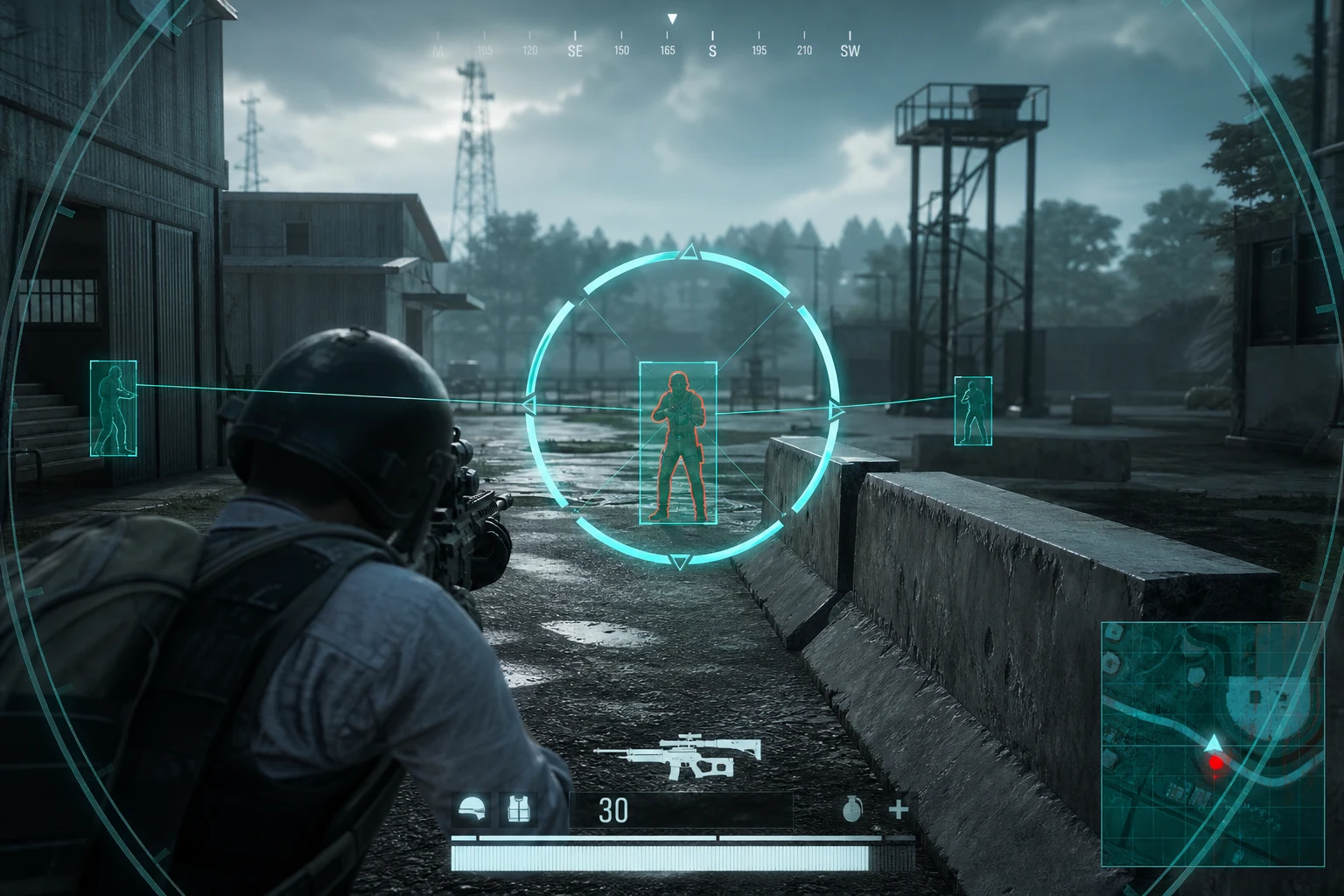
Aimbot is software that detects enemy character models within the game engine and automatically aligns your weapon's crosshair to that point. Specifically for PUBG Mobile, aimbot consists of these core components:
Target Lock Mechanism
The core of aimbot is a target detection engine that reads enemy positions from game memory or the render pipeline. In PUBG Mobile, this engine recognizes enemy hit-boxes on screen (head, torso, legs, etc.) and selects targets based on user-defined priority. For example, when you activate "head priority" mode, aimbot always targets the head first; this dramatically increases one-shot kill rates.
The smooth aimbot setting determines how quickly the aim locks onto the target. Low smooth values provide instant, snappy locking, while high smooth values produce more organic, human-like aiming movements. Generally, a smooth value between 5-15 offers both effectiveness and natural appearance.
FOV (Field of View) Setting
Aimbot FOV determines the screen area where aimbot remains active. For example, with a 50-pixel FOV setting, aimbot only locks onto enemies within 50 pixels of your crosshair. A wider FOV (e.g., 150-200 pixels) covers more enemies but may lock onto distant targets. For mid-range firefights, 80-120 pixels is an ideal starting point.
ForceCheat PUBG Mobile Product Catalog: Which Package Suits You?
ForceCheat offers multiple hack packages for PUBG Mobile. Each package has different features and use cases. Choosing the right package helps you optimize your budget and get features perfectly suited to your needs.
BTG Package: Basic Yet Powerful
The BTG hack package is ideal for players new to PUBG Mobile or those needing basic aimbot and ESP features. The package includes:
- Bone-based aimbot (skeleton-based targeting — more precise hit-box detection)
- Basic ESP: enemy location, distance, health status
- Auto-fire option
- Fast update cycle
BTG is optimized to run smoothly on the GameLoop emulator. It delivers sufficient performance for 2-3 hours of active daily gameplay.
PH ESP Package: Make the Invisible Visible
The ESP (Extra Sensory Perception) feature provides one of the most valuable advantages in PUBG Mobile: seeing through walls. With the PH ESP package, you can:
- See all enemies in color-coded boxes (red = enemy, green = teammate)
- Track enemy health bars in real-time
- Filter ground loot with weapon and equipment ESP
- Detect vehicles on the map with vehicle ESP
Especially in final circles, knowing your opponents' exact positions significantly increases your survival rate. PH ESP provides this information consistently and reliably.
PH Spoofer: Protect Your Identity
Account security is a top priority when using hack software. PH Spoofer masks your hardware ID (HWID), making it harder for anti-cheat systems to identify you. Spoofer performs these functions:
- Modify hardware information like disk serial numbers, MAC addresses, and CPU IDs
- Facilitate multi-account usage
- Clear previous ban history for a fresh start
ARCANE FULL: The Complete Feature Set
For those seeking maximum advantage, the ARCANE FULL package offers the most comprehensive solution. This package combines aimbot, ESP, wallhack, no-recoil, speed boost, and spoofer features under one roof. Perfect for those wanting a professional-level gaming experience.

How to Install PUBG Mobile Aimbot Hack: Step-by-Step Guide
The following steps cover the entire process needed to successfully install ForceCheat's PUBG Mobile hack software. Before installation, ensure your system meets minimum requirements: Windows 10/11 (64-bit), at least 8 GB RAM, and current graphics drivers.
-
Step 1: Purchase and License Activation
Visit ForceCheat's PUBG Mobile hack category and select the package that suits your needs. After completing payment, a license key will be sent to your email. Keep this key safe; you'll need it during installation. License activation typically completes within 5 minutes.
-
Step 2: Temporarily Disable Antivirus and Windows Defender
Since hack software contains system-level components, antivirus programs may mistakenly flag them as threats. Before installation, temporarily disable Windows Defender and any third-party antivirus software. Follow Windows Security Center → Virus & Threat Protection → Real-time Protection and toggle it off. You can re-enable it after installation completes.
-
Step 3: Download and Run the Installer
Download the latest software installer from your ForceCheat customer panel. Run the downloaded file as administrator (right-click → Run as Administrator). The installer will ask for an installation directory; using the default directory (C:\ForceCheat) is recommended. Once installation completes, a shortcut will appear on your desktop.
-
Step 4: Configure the Software and Launch PUBG Mobile
Open the ForceCheat loader and enter your license key. Before clicking the "Inject" button, launch PUBG Mobile (via GameLoop emulator) and reach the main menu. Once the game fully loads, perform the injection from the loader. After successful injection, you'll see an overlay menu in-game.
-
Step 5: Optimize Aimbot and ESP Settings
Press INSERT (the default key) to open the overlay menu. In the Aimbot tab, configure these settings: Smooth value 8-12, FOV 100 pixels, bone priority in "Head > Chest > Pelvis" order. In the ESP tab, enable enemy boxes, health bars, and distance indicators. For loot ESP, select priority equipment categories (8x scopes, level 3 vests, etc.). These basic settings provide an optimized starting point for most scenarios.
-
Step 6: Run a Test Match and Fine-Tune Settings
In your first match, adjust aimbot smooth and FOV values to match your playstyle. If using a sniper, lower FOV to 60-80; for SMG or shotgun, increase to 120-150. Use the multiple profile save feature for different weapon categories to speed up transitions.
-
Step 7: Activate Spoofer (Recommended)
For long-term account security, activate PH Spoofer at the start of each session. Spoofer should run before launching PUBG Mobile. You can activate it with one click from the Spoofer tab in the loader. This step is especially critical during heavy usage periods.
Tips for Staying Undetected
ForceCheat software is equipped with continuously updated protection layers against PUBG Mobile's anti-cheat system. However, alongside the technical protection the software provides, user behavior is equally important.
Natural-Looking Gameplay Style
A 100% accuracy rate can create a statistically suspicious pattern. Keep aimbot smooth values high (10-15 range) and intentionally miss occasionally to maintain a realistic margin. Change positions like a real player, use cover, and try different weapon combinations during matches. This behavioral naturalness complements the software's technical protection.
Update Tracking
PUBG Mobile receives major updates every few weeks, and these can change anti-cheat signatures. Regularly monitor ForceCheat's Discord channel and customer panel, updating to the latest version immediately when new releases drop. Using outdated versions creates unnecessary risk.
Manage Session Duration
Prefer 2-3 hour sessions over continuous long sessions. Restarting your system and reactivating the spoofer between sessions is good practice. This optimizes software performance and creates a consistent usage profile.
Other Features to Use Alongside Aimbot
Aimbot is powerful alone; combined with other features, it elevates your PUBG Mobile experience to an entirely different level.
No-Recoil
Every weapon in PUBG Mobile has its own recoil pattern. M416 has a vertical-horizontal combined pattern, AKM has harsh vertical recoil, etc. The no-recoil feature automatically compensates for this recoil, keeping your crosshair steady even during full-auto fire. The aimbot + no-recoil combination provides overwhelming advantage in mid to long-range firefights.
Speed Hack and Speed Boost
The speed boost feature available in certain packages increases your character's movement speed beyond normal values. This feature saves time especially during circle transitions and loot gathering. However, use this feature carefully; excessive speed differences can be visually noticeable.
Item ESP and Loot Filter
Quickly and efficiently gathering loot at match start provides early-game advantage. With item ESP, you can see all equipment on the map and filter only the categories you need (e.g., only 6x and 8x scopes, level 3 armor). This way you secure the best gear without unnecessary risk.
Aimbot Strategies for Different Game Modes
PUBG Mobile's different game modes require different approaches to optimize your aimbot settings.
Classic Mode (Erangel, Miramar, Sanhok)
In classic battle royale mode, long-range firefights are common. Recommended settings for this mode: FOV 80-100, smooth 10-12, bone priority head. On Erangel's open terrain, the sniper + aimbot combination is particularly effective. On Miramar's long corridors, you can establish mid-to-long range dominance with DMR weapons.
Arena and TDM Modes
In close-quarters and fast-paced combat modes, prefer wider FOV (120-150) and lower smooth values (5-8). These settings facilitate quick target switching at short range. Enabling auto-fire when using SMG and shotgun provides additional advantage.
Benefits and Performance Analysis
Based on experiences from players using ForceCheat's PUBG Mobile hack packages, this analysis reveals how much each feature contributes.
- K/D Ratio Increase: Players using aimbot + no-recoil combination report average K/D increases of 150-200%.
- Match Win Rate: When ESP and aimbot are used together, top 10 finish rates increase to 40-60% range.
- Loot Efficiency: With item ESP, loot gathering time decreases by average 50%, allowing entry into matches with better equipment.
- Survival Time: Wallhack and ESP combination provides longer survival times instead of early eliminations.
These figures reflect realistic performance improvements achievable with proper settings and regular software updates.
If you're looking for powerful hack solutions for other games, check out our Valorant hack category. Also, our PUBG PC hack category offers comprehensive options for different battle royale experiences.
Conclusion
Gaining competitive advantage in PUBG Mobile no longer requires thousands of hours of training. ForceCheat's comprehensive hack packages featuring aimbot, ESP, wallhack, and spoofer put you ahead of other players from the first minute of the match. From BTG package's basic but powerful features to ARCANE FULL's complete arsenal, there's an option for every budget and playstyle.
The installation steps, setting recommendations, and undetected usage tips we've covered in this guide provide a practical roadmap for maximum software performance. From smooth aimbot adjustments to FOV optimization, no-recoil usage to spoofer integration, considering every detail elevates your gaming experience to the next level.
Remember: the right software + proper settings + regular updates is the fundamental formula for PUBG Mobile success. The ForceCheat team continues to quickly adapt software after each game update, ensuring seamless usage. Now visit our PUBG Mobile hack category, select the package that suits you best, and feel the difference in your next match. Chicken Dinner awaits.
For similar guides and setup tips, also check out our Wolfteam hack setup guide and our Stalcraft undetected hacks guide.
Which devices does PUBG Mobile aimbot hack work on?
ForceCheat's PUBG Mobile hack software runs on Windows 10 and Windows 11 operating systems via the GameLoop emulator. A minimum of 8 GB RAM and 64-bit operating system is required. For a version running directly on Android or iOS devices, please check the product page.
How should I adjust the aimbot smooth value?
The smooth value determines how quickly the aim locks onto the target. Low values (1-5) provide instant locking; high values (10-20) produce more organic movements. As a general recommendation, a value between 8-12 offers both effectiveness and natural appearance. Optimize based on your playstyle through test matches.
Why is PH Spoofer necessary?
Spoofer masks your hardware ID (HWID), making it harder for anti-cheat systems to identify you. Especially during heavy usage periods and multi-account management, spoofer provides a critical security layer. Activate PH Spoofer before launching PUBG Mobile at the start of each session.
What's the difference between ARCANE FULL and BTG packages?
While BTG package offers basic aimbot and ESP features, ARCANE FULL combines all features including aimbot, ESP, wallhack, no-recoil, speed boost, and spoofer under one roof. BTG may suffice for beginners, but ARCANE FULL provides a more comprehensive solution for those seeking maximum advantage.
Does the software continue working after PUBG Mobile updates?
The ForceCheat developer team closely monitors PUBG Mobile updates and quickly adapts the software for compatibility. By following update announcements on the customer panel and Discord channel, you can always use the latest version. Avoid using outdated versions after updates.
Which equipment can I filter with item ESP?
Item ESP allows you to filter all ground loot by category. You can toggle categories like scopes (2x, 4x, 6x, 8x), armor (level 1-3), weapons, ammunition, healing items, and vehicles. This lets you optimize your looting process by viewing only the equipment you need.
Share this post
Stalcraft Best Cheat Software: Installation and Usage Guide
Wolfteam Ranked Guide 2026: Stand Out & Climb Ranks
// related posts
Related Posts
Marvel Rivals Aimbot Experience: The Path to Quick Wins
Discover how aimbot and other cheat tools work in Marvel Rivals, which features will give you the edge, and how to choose the right tool for your playstyle.
October 9, 2026
Rust ESP Map Control: Seeing Enemy Positions in Advance
Master map control in Rust using ESP to see enemy positions beforehand. Discover optimal settings, profiles, and strategies for dominating the game in this comprehensive guide.
October 8, 2026

PUBG Final Circle: Best Settings and Strategies to Win
Struggling in PUBG's final circle? Master the right cheat settings and configurations to turn every endgame in your favor. Complete guide to dominating the final zone.
October 8, 2026