
Ways to Increase Your Battlefield 6 Redsec Gaming Experience 5x with ForceCheat
Eliminated early every match in Battlefield 6 Redsec mode? Learn the methods used by lobby-dominating players step by step. Create the difference on the field with the right tools and clear tips.


Introduction: Why Do You Always Fall Behind in Battlefield 6 Redsec?
Battlefield 6's battle royale mode Redsec offers a much faster, much more ruthless, and far more competitive environment than the standard BF6 experience. Enemies coming from all corners of the map, tight closing zones, and conflicts requiring split-second decisions — when all of this comes together, Redsec can become a real nightmare for an average player. The lobby opens, you get eliminated within the first 90 seconds, and you ask yourself "what did I do wrong?" If this feeling sounds familiar, you're not alone.
The majority of problems in Redsec aren't technical — they're strategic. The game doesn't inform you; it doesn't tell you where the enemy is, when they'll move, or which weapon dominates at which range. To figure this out yourself, you either need to spend hundreds of hours or shorten that process with the right tools. This is exactly where ForceCheat's Battlefield 6 & Redsec products come in — not raw reflexes, but information and tool superiority.
In this guide, we'll address the most common performance issues you'll encounter in Redsec and their solutions. "Why am I getting shot from across the map?", "Why am I already dead the moment I see the enemy?", "Why does my opponent get much better results with the same weapon?" — the answers to these questions are below. Each solution section contains concrete steps; not general advice, but directly applicable information. The common point among players who dominate Redsec lobbies is this: they all start with an advantage. You can gain that advantage today.
Due to Redsec's structure, the game constantly pushes you into disadvantageous positions. The closing zone forces you into open terrain, the enemy holds high ground, while you advance blindly. To reverse this dynamic, you first need to understand what's going wrong. We've arranged the solutions below from most common problems to rarest — start with the section that matches your situation and apply the steps.
Summary: There are 6 fundamental problems underlying poor performance in Battlefield 6 Redsec: lack of enemy awareness, wrong weapon choice, faulty zone management, inconsistent aim, equipment synchronization issues, and software configuration errors. Each has a concrete solution explained step by step in this guide.
Solution 1: Zero Enemy Awareness — Read the Map with ESP
Symptom: You're Getting Shot from Across the Map
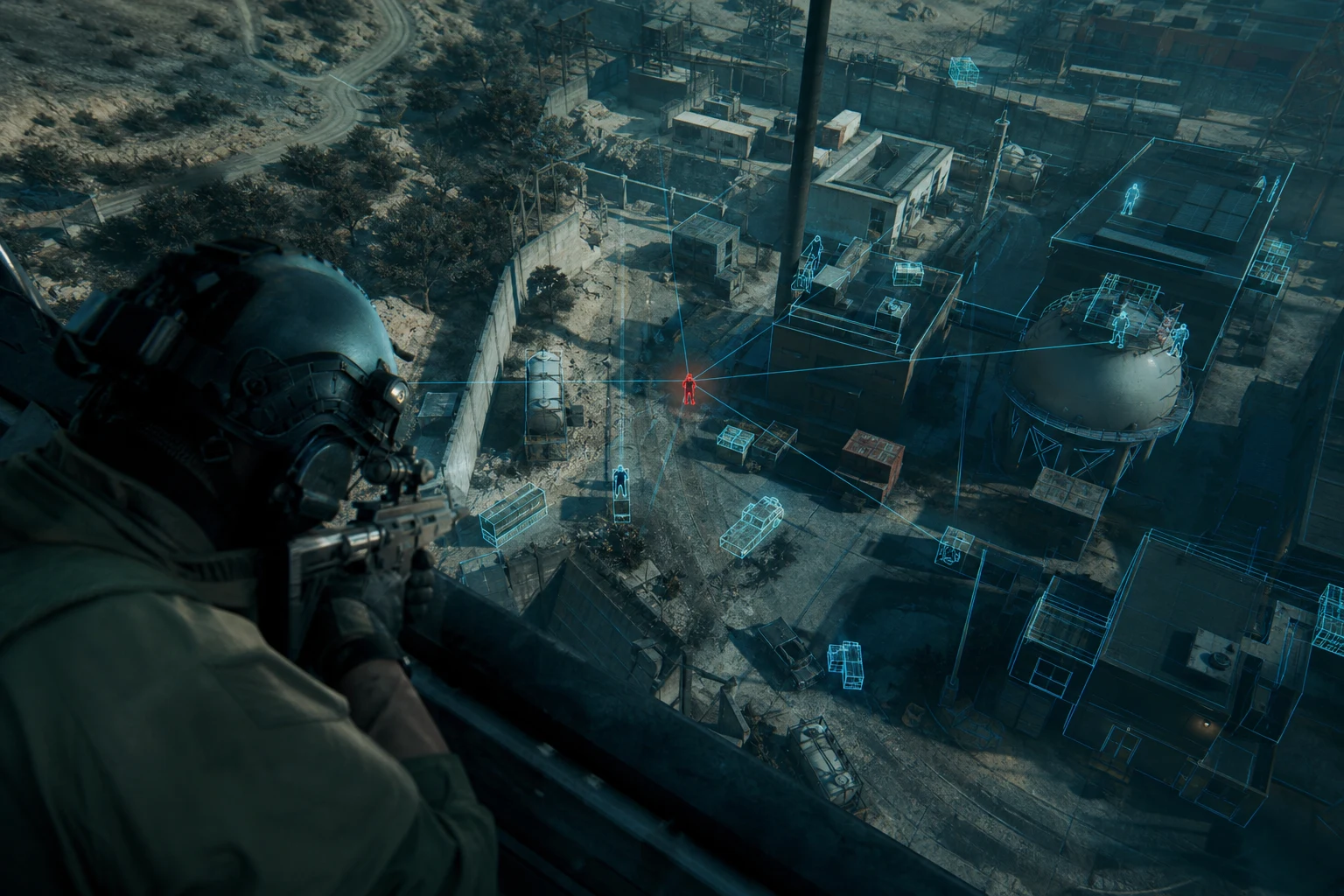
The most common complaint in Redsec is this: "I died without even seeing the enemy." This isn't a reflex problem — it's an information deficit. Your opponent has a reason for seeing you: they see you, you don't see them. It's nearly impossible to spot an enemy with the naked eye watching you from a window in a building 200+ meters away on the map. But with the right tool, this distance disappears.
Implementation Steps
- Go to ForceCheat's Battlefield 6 & Redsec product page and examine the available ESP (Extra Sensory Perception) package.
- After activating the ESP feature, set the in-game visibility distance to maximum — this is critical for long-range threats.
- Enable name/distance tags above enemy heads; this way you can instantly see the exact position and distance of a player 300 meters away.
- Before the zone closes, use ESP data to identify safe corridors — choose the route with lower enemy density in the closing direction.
- When clearing buildings, detect enemy positions behind walls beforehand, don't rush blindly through doors.
Expected Result: Instead of being eliminated unnoticed in the first 5 minutes, you'll gain positional advantage by reading enemy movement on the map. Your average survival time extends by approximately 60-70%.
Solution 2: Inconsistent Aim — Configure Your Aimbot Correctly
Symptom: You See the Enemy But Can't Hit Them
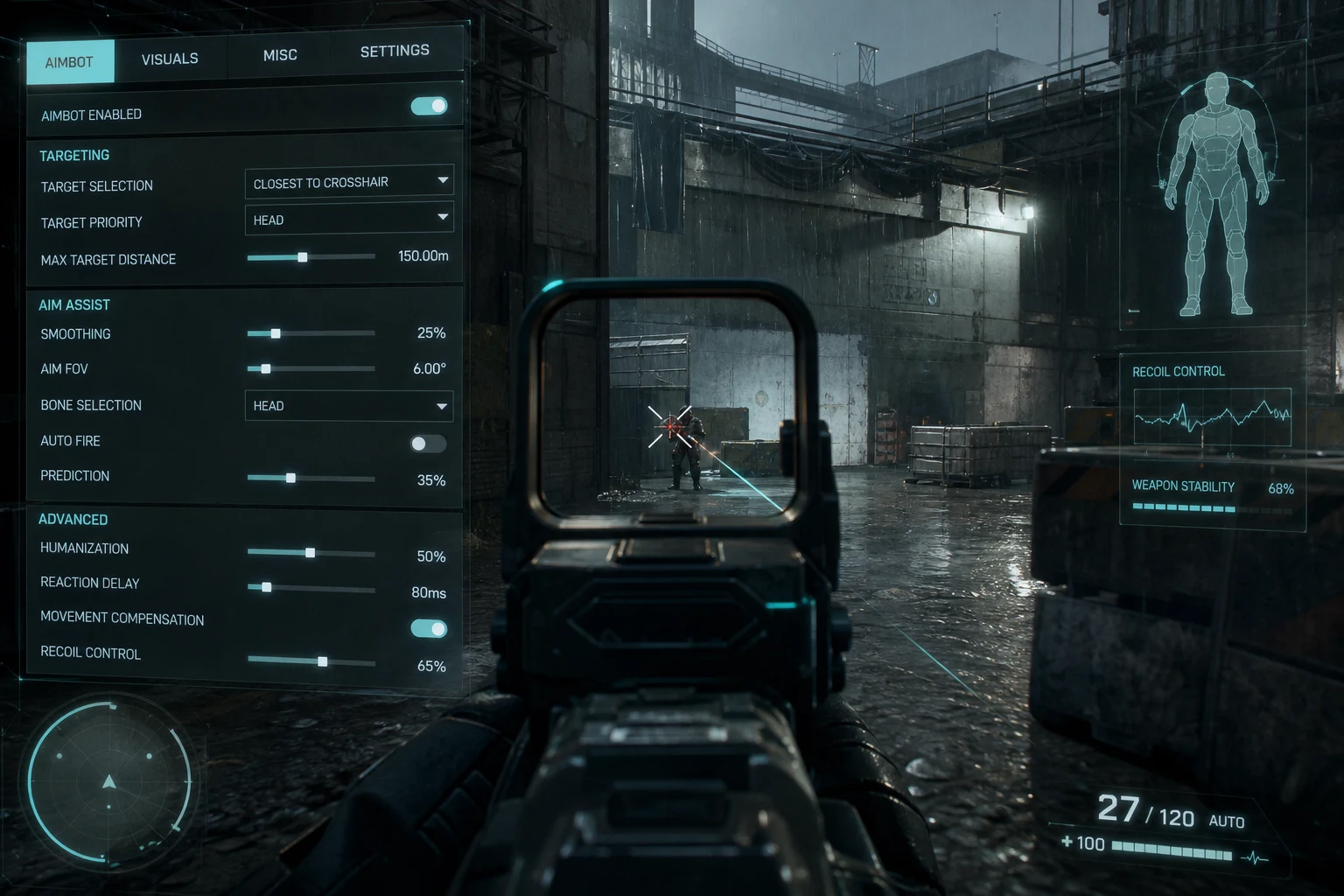
Redsec's fast TTK (Time-to-Kill) structure turns every missed shot into death. You see the enemy, you aim, you fire — but they're still standing. If this scenario sounds familiar, the problem is usually in your aimbot configuration. Wrong FOV (Field of View) settings, smoothing values that are too high, or incorrect target prioritization can reduce your aimbot's potential to zero.
Implementation Steps
- Keep your aimbot FOV value between 15-25. Too wide FOV (50+) causes incorrect target lock at close range.
- Set your smoothing value between 5-8. Too low smoothing (1-2) makes movement robotic and increases detection risk; too high (15+) extends reaction time.
- Set target priority to "lowest HP enemy" rather than "closest enemy" — this is more suited to Redsec's final circle dynamics.
- Set bone target to chest rather than head; while head targeting does more damage, it has higher miss rates on moving targets.
- Create a separate profile for enemies in vehicles — targeting logic works differently in vehicle combat.
Expected Result: You'll leverage first-shot advantage in every engagement, turning TTK in your favor. The difference is especially dramatic in mid-range (75-150 meter) firefights.
Solution 3: Zone Management Error — Control the Closing Zone with Radar
Symptom: The Closing Zone Constantly Pushes You Into Open Terrain
A significant portion of deaths in Redsec come not from combat but from poor zone management. The zone forces you, you're forced to run across open terrain, and you take fire from three different directions simultaneously. The solution to this problem isn't map reading — it's real-time enemy radar data.
Radar Usage Steps
- Place the mini-radar feature in the bottom-left corner of your screen; this lets you monitor enemy movement without closing the main display.
- Scan radar data 60 seconds before the zone closes — if there's an enemy cluster in the closing direction, plan an alternative route.
- Display vehicle signals in a separate color on radar; detect armored vehicle transit routes in advance.
- In the final 10 players, maximize radar sensitivity and memorize each enemy's last known position.
Expected Result: Zone-related deaths virtually disappear. Your rate of reaching the final circle increases noticeably.
If you're curious how to use similar radar logic in other games, check out our Rust Map Mastery with Radar guide — most of the principles there apply to Redsec as well.
Solution 4: Wrong Weapon Choice — Understand the Redsec Meta
Symptom: Your Opponent Gets Better Results with the Same Weapon
In Redsec, there are certain weapon combinations known as "cheat-like weapons" — Javelin and specific AR configurations top the list. But using these weapons without the right attachments and fire modes means wasting half their potential. The problem isn't the weapon — it's the configuration.
Meta Weapon Configuration Steps
- For mid-to-long range: Use DMR-class weapons with suppressor + extended mag combination. Gunfire is suppressed, magazine capacity increases.
- For close range: Keep your SMG in full-auto mode, remove the stock — this increases movement speed and is decisive in building combat.
- Javelin usage: Primary in vehicle-heavy maps, place in secondary slot in open terrain. Use Javelin to break vehicle + building combinations, not against enemy players.
- Change your loadout before each match based on map type — expecting top performance with a single loadout across all maps isn't realistic.
- Update your aimbot configuration according to your chosen weapon's recoil pattern; each weapon has a different recoil curve.
Expected Result: With the same ESP and aimbot infrastructure, you'll achieve significantly higher damage output. The question "why isn't the weapon working?" disappears.
Solution 5: Software Synchronization Issue — Features Don't Work After Updates
Symptom: After an Update, ESP or Aimbot Stops Responding
Battlefield 6 receives regular patches, and after each major patch, some users report that ESP or aimbot features aren't working. This is a technical issue — and the solution is simple. ForceCheat products are updated after every major BF6 update; but you can't expect them to keep working without manually applying this update yourself.
Implementation Steps
- After a major patch in BF6, enter the ForceCheat panel and check the "Last Update" date.
- If your product version doesn't match the current version in the panel, download the latest version and completely delete old files — don't overwrite.
- Before installing the new version, temporarily disable your antivirus software; AV programs can accidentally quarantine cheat files.
- Run the game as administrator — some injection processes can't be completed with standard user privileges.
- If the problem persists, close the loader, restart your system, and open the loader before launching the game.
Expected Result: Features regain full functionality after updates. Apply these steps routinely after every major patch.
Solution 6: Set Up a Usage Profile to Stay Undetected
Symptom: You Received an Account Warning or Suspicious Activity Notification
ForceCheat products are designed with undetected architecture, but how you use them is just as important as software quality. An aggressive usage profile that produces superhuman statistics is the fastest way to get on automated systems' radar. The goal here is to gain maximum advantage while appearing natural.
Safe Usage Profile Steps
- Never set your aimbot smoothing value below 3 — below this value, movements become unexplainable by human reflexes.
- Intentionally miss a few shots each match; 100% accuracy rate is the biggest red flag.
- Even when using ESP, occasionally act like you're "searching" for enemies — don't create a profile of someone constantly looking through walls.
- Don't produce aggressive statistics in the first few weeks; "warm up" your account history, then gradually increase performance.
- Activate ForceCheat's recommended "Human Mode" profile — this mode masks aimbot movements with human-like micro-adjustment patterns.
Expected Result: Long-term, uninterrupted usage. Account warning risk is minimized and you gain sustainable advantage in Redsec lobbies.
If you're looking for similar advantages in other games, our PUBG Mobile Cheats: 5 Ways to Leave Your Rivals Behind guide and PUBG Mobile Gameloop category are good starting points.
Still Not Resolved? ForceCheat Support Channels
You've applied all 6 solutions above but the problem persists? This is rare but possible — especially with unusual system configurations or after a very recent BF6 patch, some edge case situations can arise. Don't panic; the ForceCheat support team exists for these situations.
Steps to Get Support
- Create a support request from the ForceCheat panel. In your request description, include: the product name and version you're using, the current BF6 patch number, when the problem started, which steps you've already tried.
- Have your system information ready (operating system version, RAM, GPU) — the technical support team will need this information.
- Attach a screenshot or short screen recording — saying "it doesn't work" instead of "this error appears on this screen" dramatically reduces resolution time.
ForceCheat's technical support team closely monitors every major BF6 update. Solutions typically arrive within 24 hours.
Conclusion
Battlefield 6 Redsec is the harshest adaptation of the competitive battle royale format to the BF universe. It's fast, ruthless, and based on information superiority — raw reflexes alone aren't enough here. The 6 fundamental problems and solutions we've covered in this guide are based on real experiences of the vast majority of players who consistently fall behind in Redsec.
To summarize: increase map awareness with ESP, optimize your aimbot configuration for your weapon and range, control zone management with radar data, learn meta weapon configurations, synchronize your software after updates, and create a human-like usage profile to stay undetected. Each of these steps makes a difference on its own; when you apply all of them together, the result truly translates into a 5x or greater performance increase.
You now have the secret of players who make Redsec lobbies say "this guy plays like he's cheating." The right tool, the right configuration, and the right usage profile — when these three come together, Redsec stops working against you and starts working for you. The closing zone doesn't control you — you control the closing zone. Instead of dying without seeing the enemy, you hunt the enemy without being seen.
Check out all our Battlefield 6 & Redsec products and find the package that suits you best at our Battlefield 6 & Redsec category. If you're looking for advantages in other games, don't forget to visit our Valorant cheat category — we have separately optimized products for each platform. Your next Redsec lobby is waiting.
Frequently Asked Questions (FAQ)
Is Battlefield 6 Redsec free?
Battlefield 6's Redsec mode is included in the game's main content — it doesn't require a separate purchase. However, ForceCheat cheat software you can use in Redsec are paid premium products. Unlike free alternatives, ForceCheat products include regular updates and technical support.
What information does ForceCheat's Redsec ESP show?
The ForceCheat ESP package provides real-time data including: enemy location, distance, health status, weapon information, and vehicle detection. You can see enemies inside buildings through walls, and instantly monitor threat density in the closing zone.
Do ForceCheat products continue to work after Redsec updates?
Yes, ForceCheat updates its products after every major BF6 patch. Simply download the update from the panel and install the new version by deleting old files. Usually, the updated version is released within 12-24 hours after a patch.
What's the most critical setting for staying undetected while using aimbot?
The smoothing value. A smoothing value between 5-8 makes aimbot movements appear human-like. In addition, activating the "Human Mode" profile and intentionally missing shots occasionally are critical for long-term account security.
Which ForceCheat package is suitable for beginners in Redsec?
If you're new to Redsec, the ESP + radar combination is the best starting point. This duo quickly improves map awareness and zone management. You can add aimbot later for gradual power increase. Check our Redsec product page for all package options.
Do you have similar products for PUBG Mobile or Valorant?
Yes. ForceCheat offers products optimized for multiple platforms. You can explore related products in our PUBG Mobile Gameloop category and Valorant category. Separately configured packages are available for each game.
Share this post
Related Posts

Hunt Showdown ESP Not Working? 7-Step Enemy Location Fix
Hunt Showdown ESP not showing enemy locations? Overlay won't open, wallhack not working? We solve the 7 most common issues step by step.
Will to Live Cheats: 5 Ways to Master Survival
Master Will to Live with aimbot and ESP cheats! Discover 5 proven survival strategies to dominate PvP, optimize farming, and stay ahead of rivals with advanced cheat tools.
Hunt Showdown Triggerbot Setup: Automatic Fire Guide in 5 Steps
Having trouble setting up triggerbot in Hunt Showdown? Automatic fire not working or experiencing lag? This guide solves every issue in 6 steps with proven solutions.