Ancient
Updating

Ancient · Rust

RustWindows 10, Windows 11 (21H2, 22H2, 23H2, 24H2, 25H2)
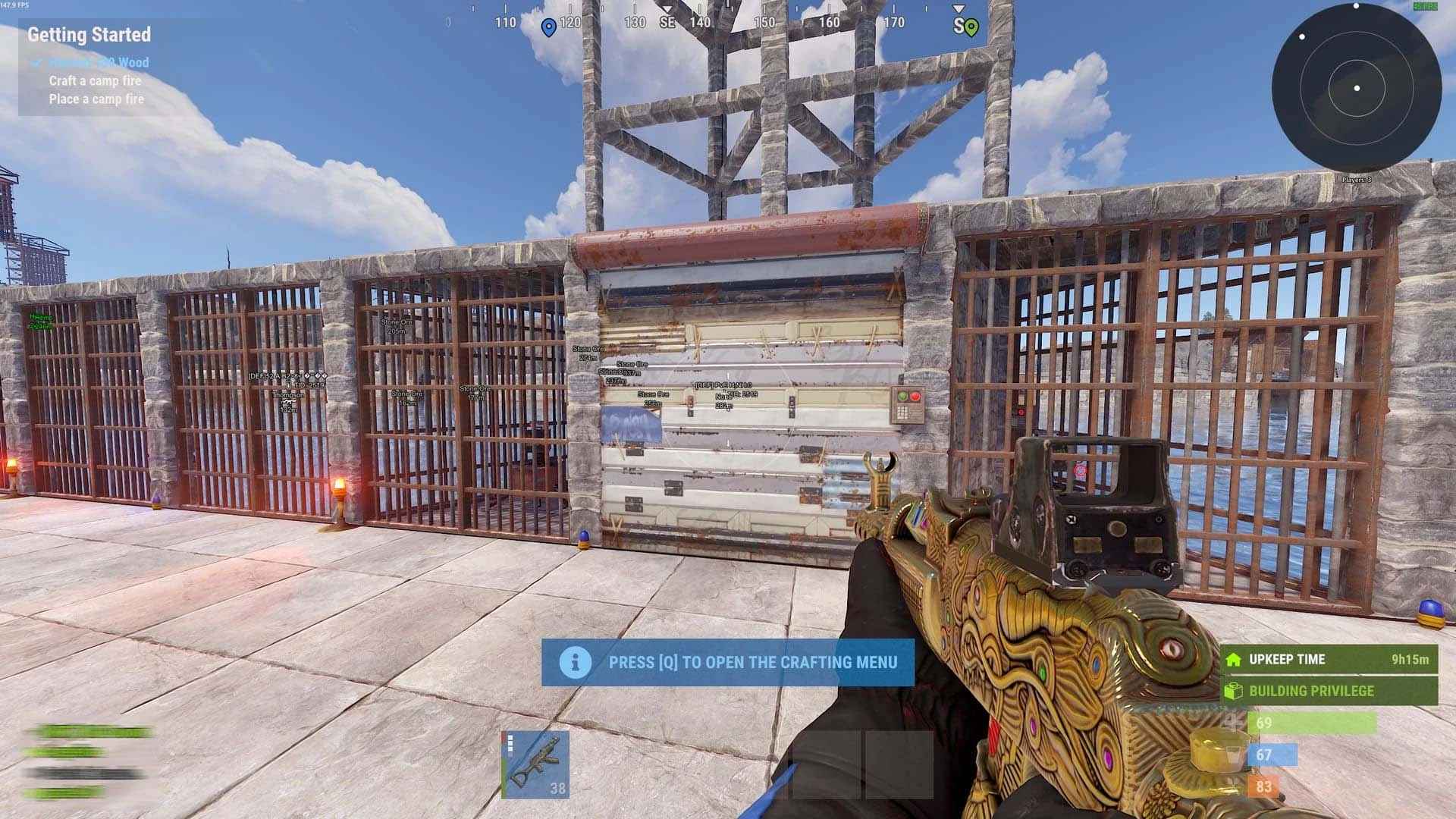
Ancient screenshot 2
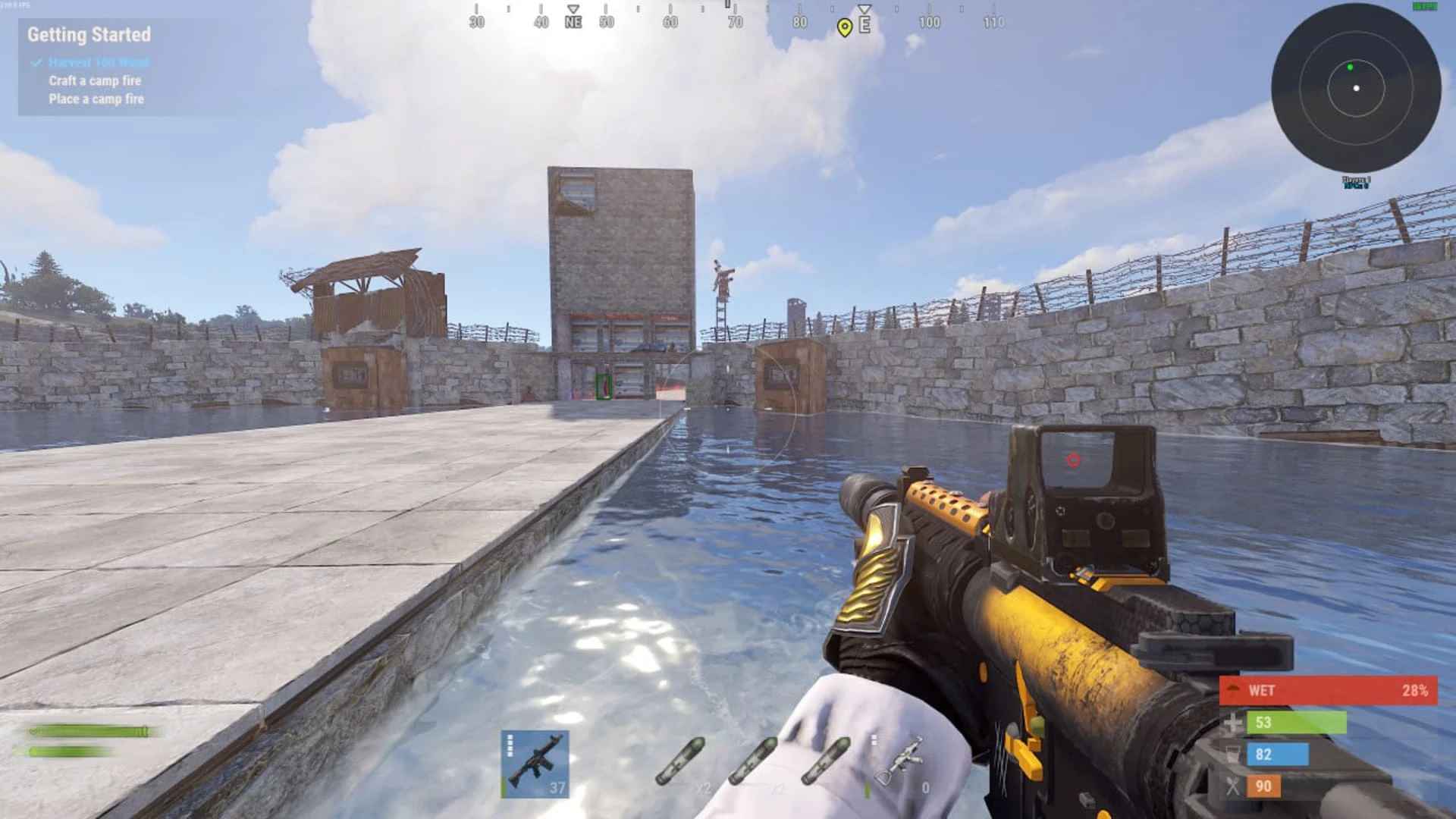
Ancient screenshot 3
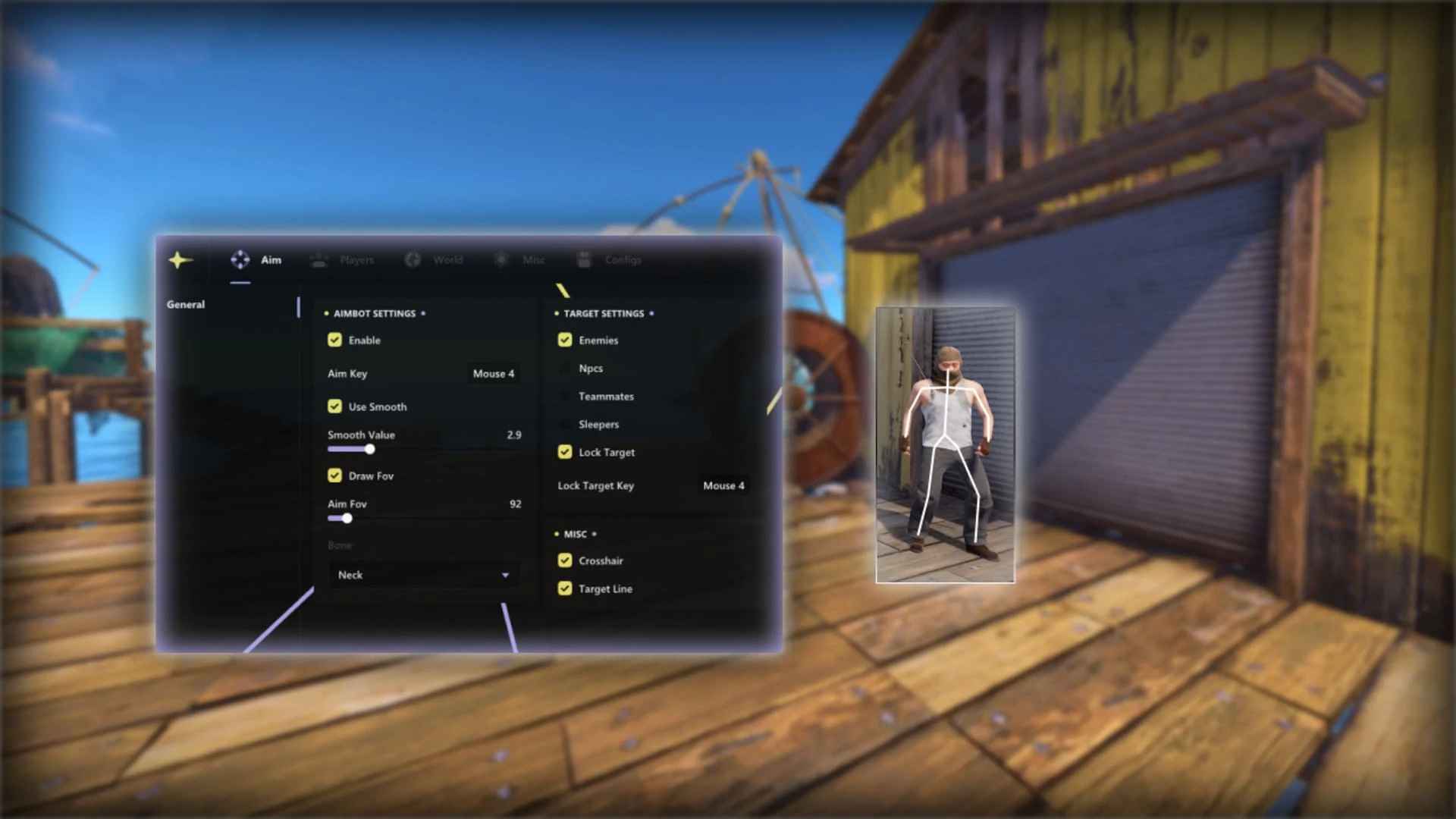
Ancient screenshot 4
Silent Aim - a powerful type of aim, bullets hit the target in the FOV radius, but the sight and camera are stationary
Memory Aim - this type of aimbot is aimed using data from the game's memory
Aim Key - select a key to activate aim (hold)
Smooth - smoothness of Memory Aim movements, higher value - less sharp aim
Max Distance - range of aiming
FOV (Draw FOV, Color) - the size of the aim's working area, the ability to draw it on the screen and change the color
Bone - hitboxes that the aim will shoot at
Targets (Enemies, NPCs, Teammates, Sleepers, Friends) - selecting targets for aim
Lock Target (Key) - when you press this key, the aim will be fixed on the current target until the fire stops or the target is destroyed
Target Line - mark the current aim target with a line
Prediction Dot - a dot showing where the aimbot will aim if you open fire from the current position
Recoil Modify (X / Y Value) - settings to reduce weapon recoil (RCS)
Spread Modify - settings to reduce spread when shooting
Fast Eoka - insta shot with eoka
No Shotgun Spread - disable spread on shotguns, all bullets hit one point
No Animation - remove shooting animation
Hitsound (Skeet/NL/Bubble) - sound when hit by a shot
Desync
Fat Bullet - big bullets
Instant Hit - bullets instantly reach the target
Increase Bullet Speed - Increase the rate of fire
Force Automatic - shoot any weapon in automatic mode
Rapid Fire
Hit Material - hit animation texture
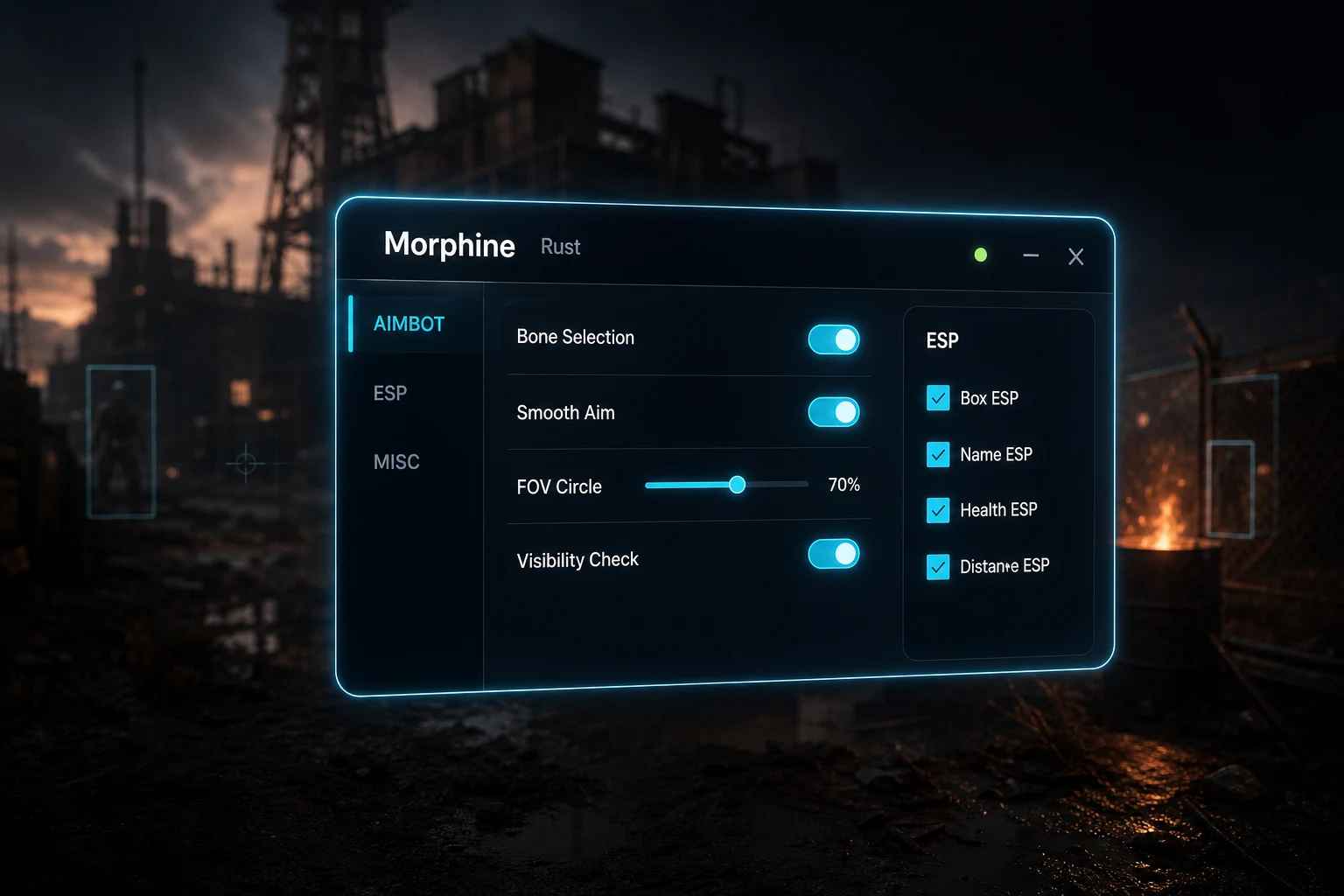
Smooth Aim
FOV Circle
Bone Selection
Visibility Check
Auto Shoot
Instant Compound - fast composite bow
Instant Bow - a quick bow
Targets (Enemies, Teammates, NPCs, Sleepers, Friends) - separate settings of chams for different roles of characters
Local Chams (Hand, Weapon, Style) - local player chams
Players ESP - WH showing players with different visuals
Targets (Enemies, Teammates, NPCs, Sleepers, Friends) - separate WH settings for enemies, allies, NPCs and sleepers
Box ESP (Corner, Default) - WH in the form of boxes
Name - player nicknames and NPC names
Weapon (Name, Icon, Simply) - weapon in the target's hands, name, icon or weapon type
Team ID - from the player's team, players from the same team have the same ID
Distance - distance in meters to ESP targets
Skeleton - ESP in the form of skeletons
Skeleton Thickness - the thickness of the lines in skeletons esp
Look Direction - the direction of the characters' gaze
Look Alert - warning if someone is looking at you
Explosive Flags - if the player has explosives, it will be shown on the screen
OOF Arrows - show players out of camera view using arrows
Max Distance - ESP operating range
Custom Colors - customize colors for all Player ESP elements
Radar Hack (Players, Count, Colors, Size) - radar window with various settings
Player List - display the list of players in a separate window and on the radar
Show Belt Items - show players items in hot slots
Relationship Display - displays the relationship status (friend, enemy, neutral)
In Base Indicator - players inside the base are marked with a special flag “B” (In Base)
Box ESP
Name ESP
Health ESP
Distance ESP
Skeleton ESP
Weapon ESP
In Base Indicator - players inside the base are marked with a special flag
Targets (Enemies, Teammates, NPCs, Sleepers, Friends) - separate settings of chams for different roles of characters
Last Death Position - Marks the last place of your death
Debug Camera (Speed, Key) - the ability to switch to free flight mode
Bright Night - bright night mode, bright as day
Change Time - ability to set any time of day
Bright Caves - bright caves, light as in the open air
Remove Layers - remove display of layers (water, buildings, sky, etc.)
Fast Loot - allows you to quickly drag and drop items
Farm Assist - help in farming, aim at the nearest X when you farm resources
No Fall Damage - remove damage from falling from height
Infinity Jump - endless jumps
Shoot In Air - the ability to shoot while jumping
Fly Hack - allows you to fly
Enable - enable ESP for various objects
Object Name - names of displayed objects
Distance - distance to resources
Max Distance - range setting
Colors - choose colors to your taste
Ore (Stone, Metal, Sulfur) - display of ores
Crates (Normal, Military, Elite, Bradley, Heli, Locked, Basic, Advanced) - containers (chests)
Animals (Horse, Wolf, Bear, Boar) - wild animals
Collectables (Hemp, Mushroom, Diesel Barrel, Berry Yellow/Blue/Red/White, Potato, Pumpkin, Corn) - collectibles in the world

Payment

Choose a plan

  • Instant Delivery
  • Secure Payment
  • 24/7 Support

Update history

  1. UndetectedUpdating

    Software frozen due to game update.

  2. UpdatingUndetected

    The software has been updated for the latest game update.

  3. UndetectedUpdating

    Product frozen due to game update. Downtime will be compensated.

  4. UndetectedUndetected

    Software fully updated and 2 days added to all subscriptions.

  5. UndetectedUndetected

    Injection issues fixed and 12 hours added to all subscriptions.

  6. UndetectedUndetected

    Bugs fixed, some features were working incorrectly, fixed. Added 12 hours to all keys.

Details

Product details

Everything you need to know

If you're serious about dominating Rust, the Ancient cheat gives you the edge that separates survivors from easy kills. Packed with a full suite of combat, visual, and utility tools, this is one of the most well-rounded options available for Rust players right now.

Why Choose This Product?

Ancient is built for players who want reliable performance without constantly worrying about detection. It's regularly updated to stay ahead of anti-cheat measures, and its feature set covers everything from precision aiming to deep environmental awareness — all in one clean package.

Key Features

  • Silent Aim & Memory Aim: Silent Aim locks bullets onto targets within your FOV radius while your crosshair stays completely still — no suspicious camera snapping. Memory Aim reads directly from game data for smooth, configurable targeting with adjustable distance and FOV display.
  • Full Chams System: Apply chams separately to enemies, teammates, NPCs, sleepers, and friends. Local chams let you customize how your own hands and weapons appear, with multiple style options.
  • Advanced Player ESP: Wallhack-style ESP with box overlays (corner or default style), player names, team IDs, and detailed weapon info — including icon, name, or weapon category — for every relevant target type on the map.
  • World ESP for Resources: Never waste time searching for ore again. Stone, metal, and sulfur nodes are highlighted with distance markers and fully customizable colors, so you can farm smarter and faster than anyone around you.
  • Visibility & Environment Utilities: Bright Night and Bright Caves eliminate dark areas entirely, giving you clear sightlines underground and after sundown. Change Time lets you set any time of day on your client, and Remove Layers strips out visual clutter like water, buildings, and sky rendering.
  • Last Death Position & Debug Camera: Instantly see where you died so you can plan your revenge run. The Debug Camera lets you switch to free-flight mode with a configurable key and speed, perfect for scouting bases or reviewing your surroundings.

Setup & Usage

Getting started with Ancient is straightforward — the interface is laid out clearly so you can configure your aim keys, ESP targets, and visual settings without digging through complicated menus. Most users are up and running within minutes of their first launch. If you run into any issues, support is available to help you get sorted quickly.

FAQ

Frequently Asked Questions

Everything you need to know before purchasing

Is there a ban risk and can I use it safely?
Our product is designed with low ban risk and receives continuous updates. However, no cheat tool is 100% safe—game companies constantly develop new detection methods. Responsible usage and avoiding excessive features minimize risk.
How long does it take to receive access after payment?
After your payment is confirmed, access credentials are typically sent to your Customer Panel within 5-15 minutes. In rare cases, the process may take up to 1 hour. We recommend contacting our live support if you experience any delays.
How do I install it? Is it complicated?
You can view the installation instructions on the Installation page. If you encounter any issues, feel free to contact us.
When does the subscription period start and how long is it valid?
The subscription period begins the moment you activate the license key provided to you in the cheat. It remains valid according to the package duration you selected (30 days, 90 days, etc.). You can renew it or upgrade to a different package before the period expires.
Is a refund possible? What is the refund policy?
We recommend that you read the Purchase Agreement. By purchasing any product, you are considered to have accepted this agreement.
Can I use the same key or license on multiple computers?
The License Key is valid for only 1 computer.
How and when can I reach the support team?
You can reach our support team through Telegram and Discord. You can join Discord or Telegram from the Contact section and get in touch with us. If you explain your issue in detail, we can find a solution faster.
Does the product automatically update when game updates or patches are released?
Yes, our product automatically updates against game updates and new anti-cheat patches. Updates are performed in the background at no additional cost. You can monitor the status of updates from the Product's bottom section or the Updates page.

Check these out

1 Day
Updating