Arcane
Updating

Arcane · Unturned

UnturnedWindows 10, Windows 11
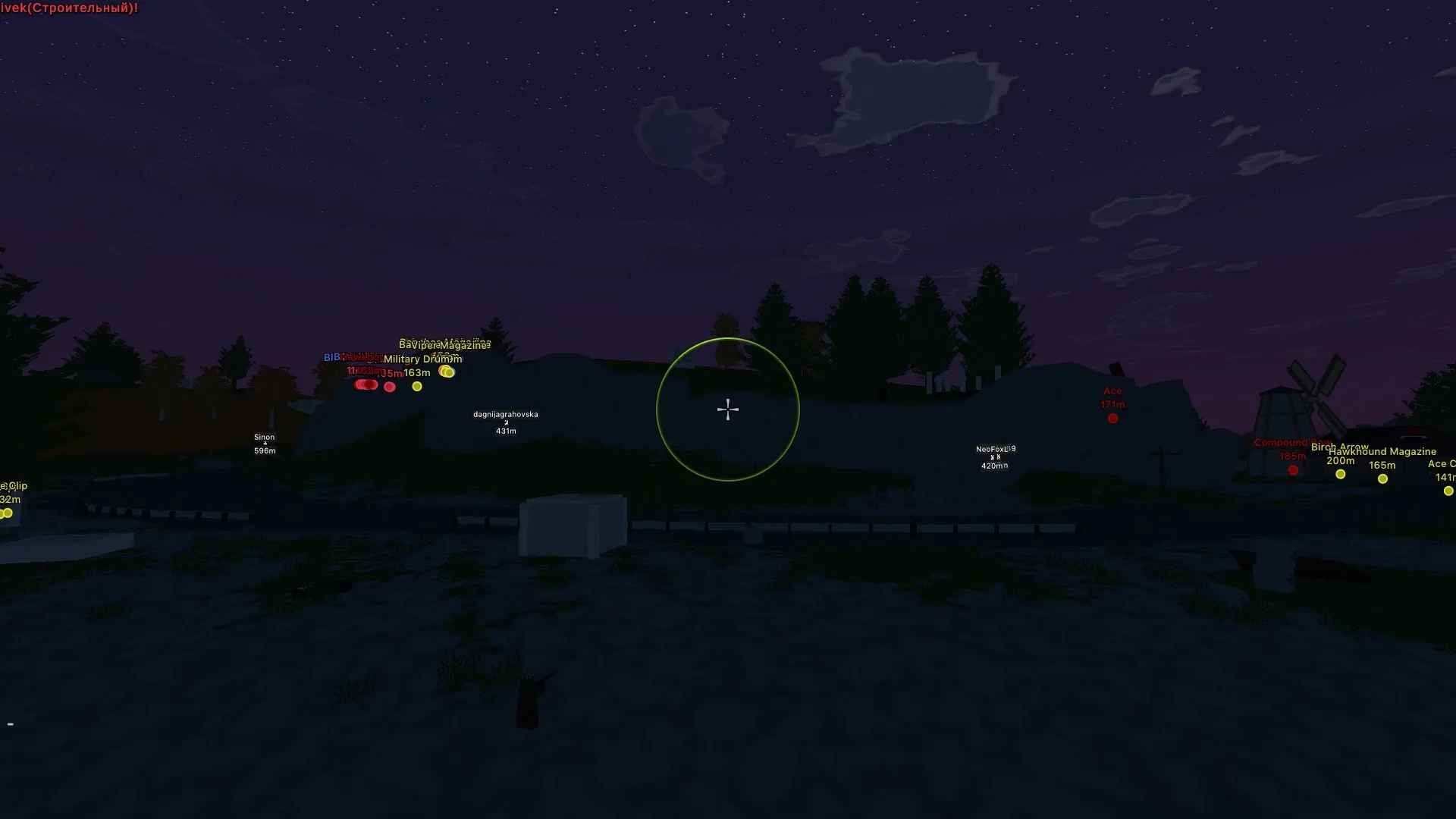
Arcane screenshot 1
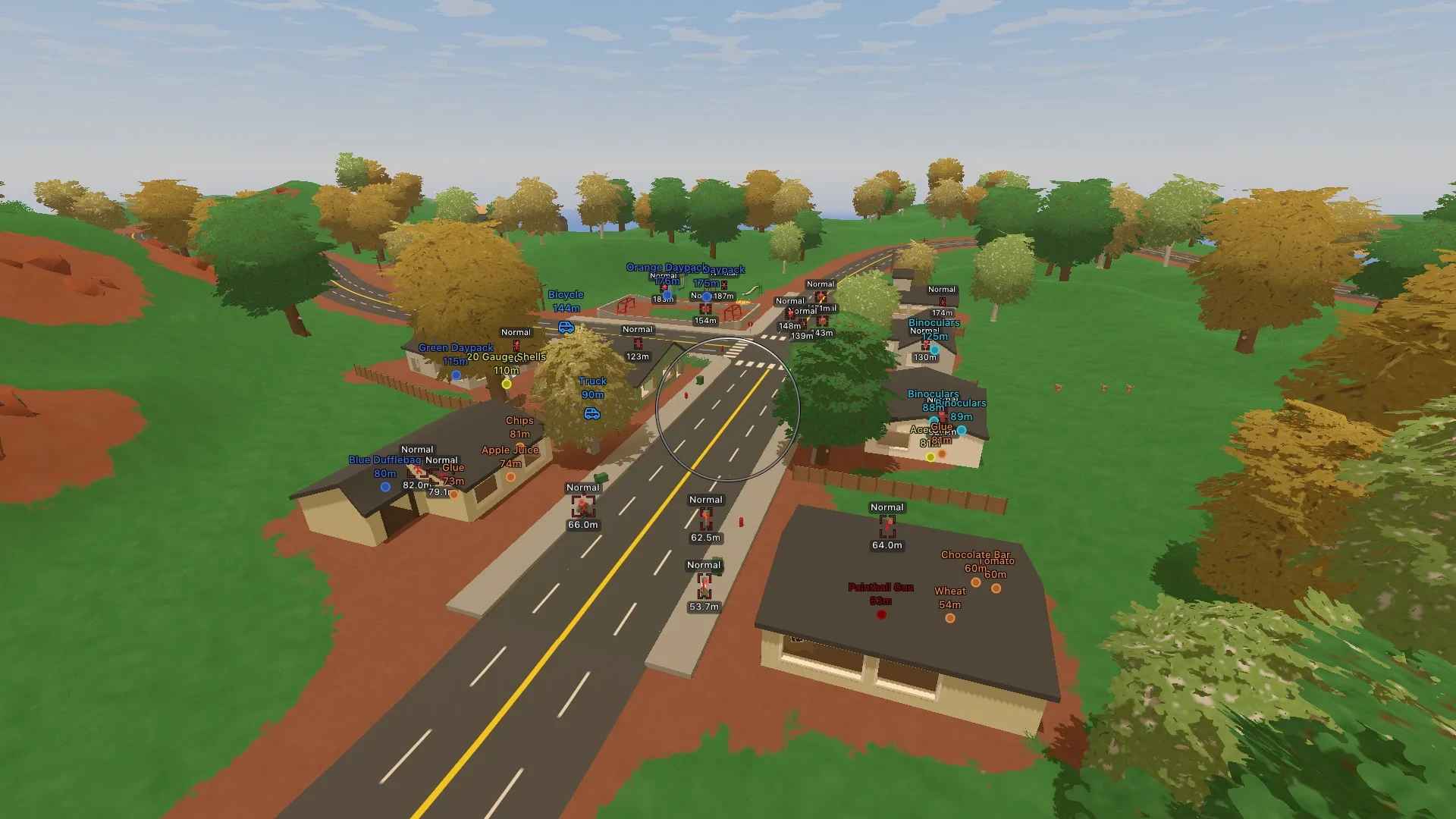
Arcane screenshot 2
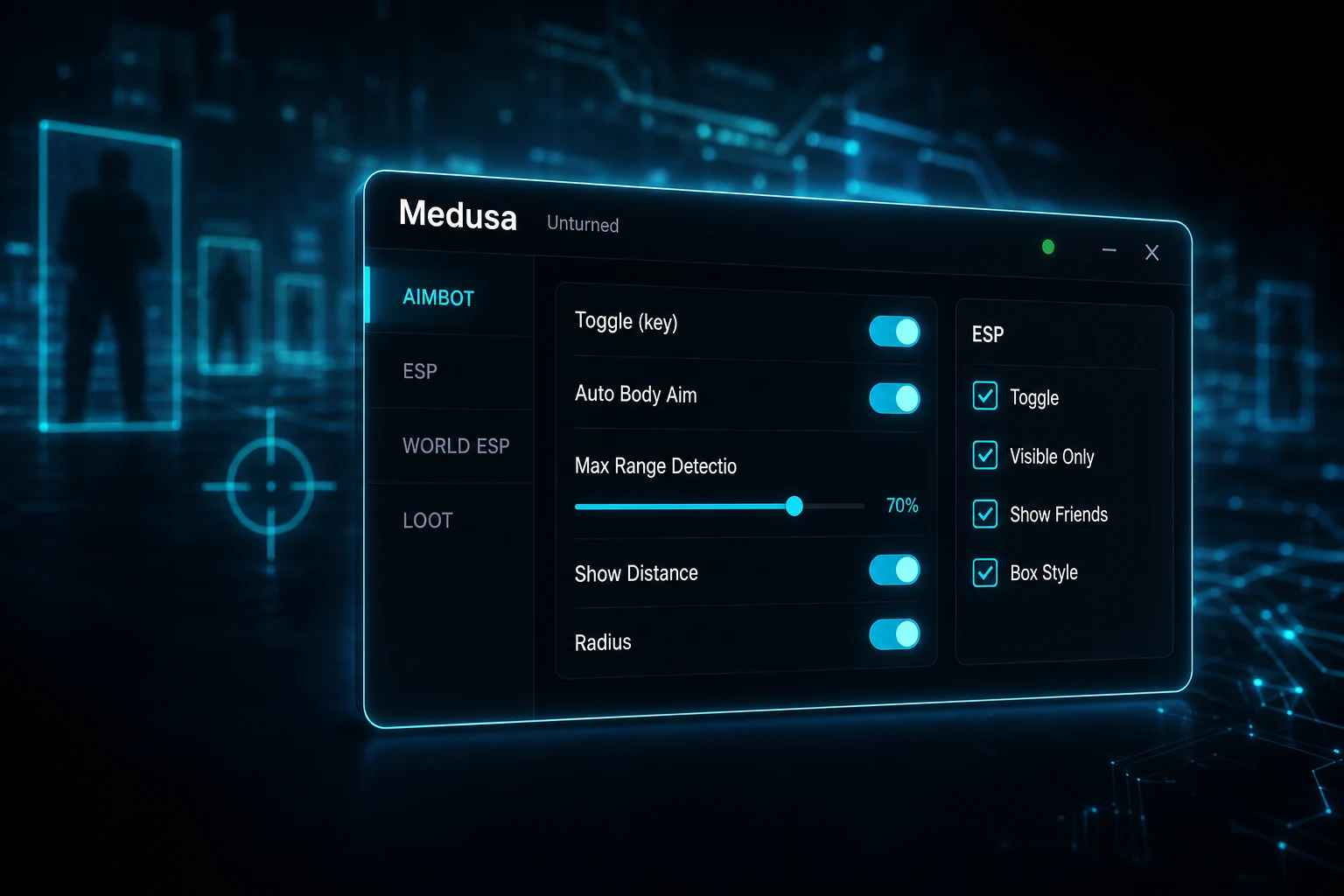
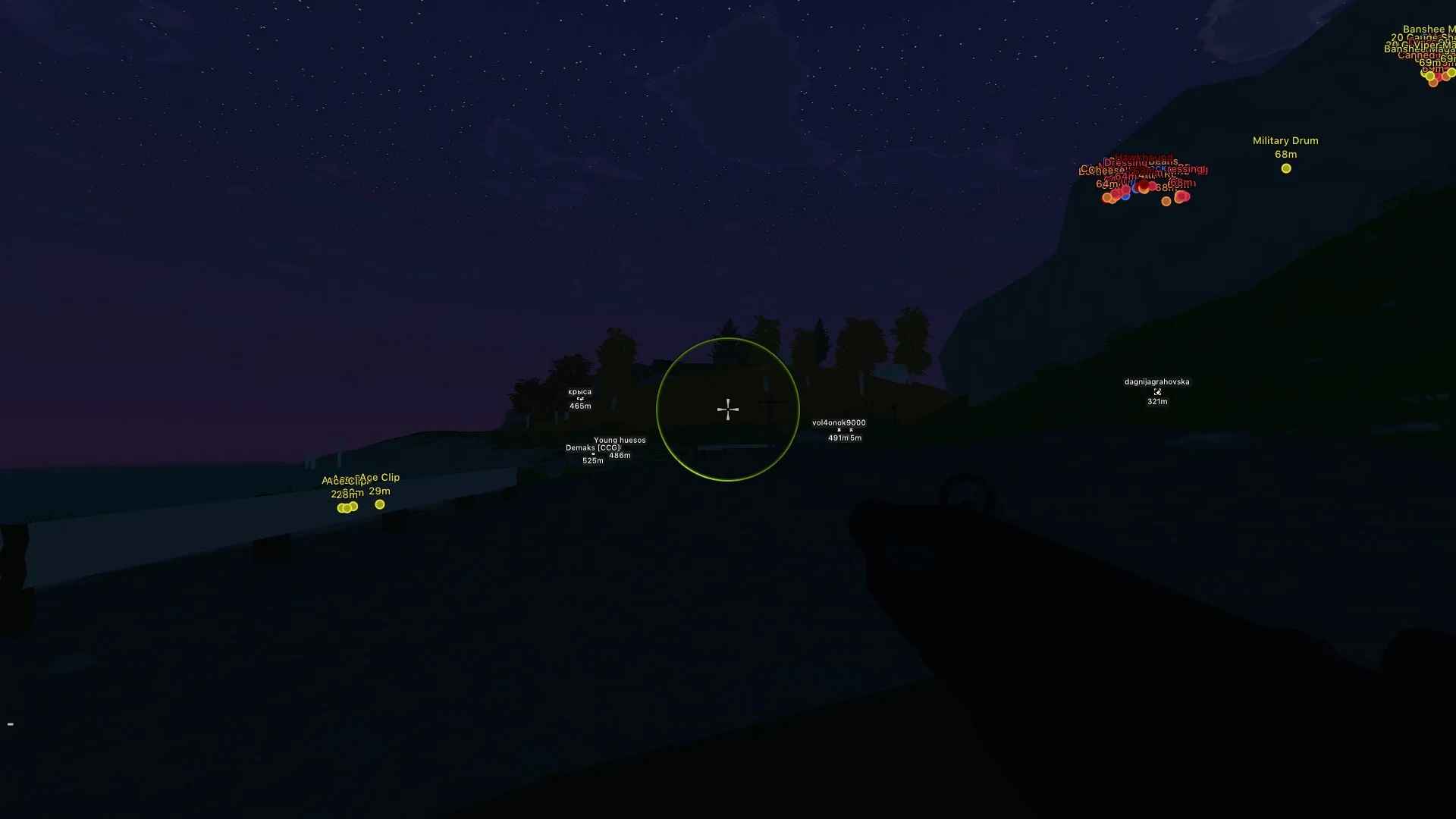
Arcane screenshot 3
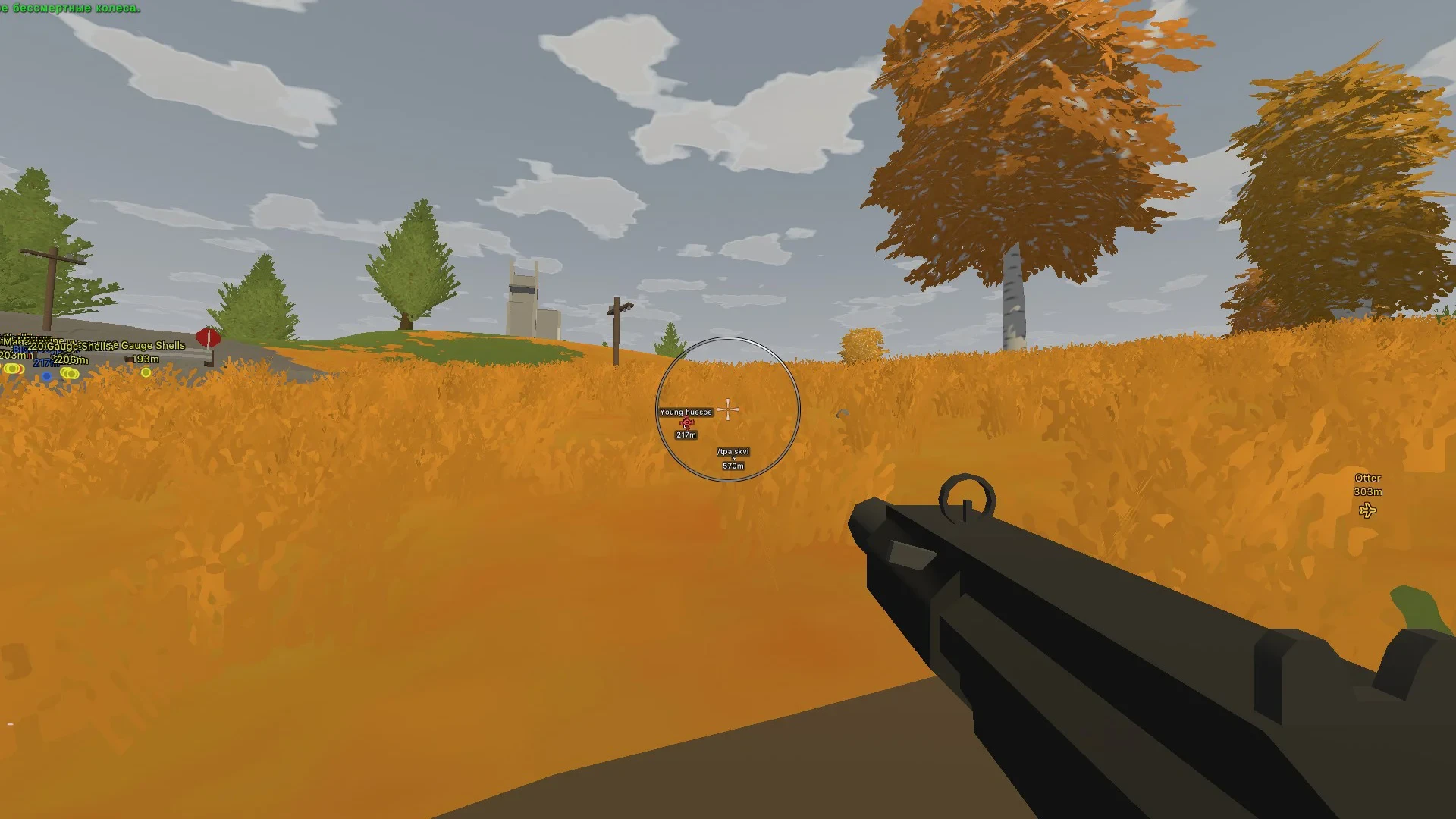
Arcane screenshot 4
Enable - activate Aimbot
Aim Key - keys for activating target locking
Aim Mode - operational mode of Aimbot (hold button or always on)
Visible Check - aim only at targets in line of sight
Bones - choice of body part for Aimbot to aim at (head, neck, chest, pelvis)
Targets - targets prioritized by Aimbot
FOV - field of view for Aimbot action
FOV Style - additional style for Aimbot's targeting circle
Smooth - smoothness of Aimbot's movement
Max Distance - Aimbot engagement range in meters
Box - WH in the form of boxes
Box Style - customization of box appearance (type, color, fill, etc.)
Visible Check - visible and invisible players are marked with different colors
Health - display HP as a bar and/or text
Snaplines - WH in the form of lines
Skeleton - WH in the form of skeletons
Thickness - thickness of skeleton lines
View Line - direction of enemy's view
Name - show nicknames or player names
Distance - distance to targets in meters
Max Distance - maximum distance for WH
No Recoil - disable weapon recoil
No Spread - remove weapon dispersion
No Shake - turn off weapon shaking
Compass - always display compass
Unhide Map - fully reveal the world map
Free Camera - enable free camera flying mode
FOV Changer - increase field of view
Custom Colors - ability to assign custom colors to WH elements
Menu Key - ability to choose your own menu key
Unload Key - key for safely turning off the cheat in-game
Crosshair - custom crosshair in the center of the screen
Battle-Mode - when activated, all WH will be turned off except for players
Configs - configuration system for cheat settings (create, save, load, share, edit, delete)
Stream-Proof - the menu and interface of the cheat are invisible on screenshots, videos, and streams
Custom Colors - ability to assign custom colors to WH elements
Menu Key - ability to choose your own menu key
Unload Key - key for safely turning off the cheat in-game
Crosshair - custom crosshair in the center of the screen
Battle-Mode - when activated, all WH will be turned off except for players
Configs - configuration system for cheat settings (create, save, load, share, edit, delete)
Objects - displays various objects
Vehicles - shows vehicles
Animals - show animals
Distance - distance to objects in meters
Weapons
Melee Weapons
Ammunition
Scopes and Optics
Medicine
Backpacks
Containers
Crates
Key
Tank
Food
Traps
Tools
Other Items
Cars
Planes
Helicopters
Airships
Boats
Trains
Other Objects

Payment

Choose a plan

  • Instant Delivery
  • Secure Payment
  • 24/7 Support

Update history

  1. UndetectedUpdating

    Arcane software is under update due to game update.

Details

Product details

Everything you need to know

If you're serious about dominating Unturned, the Arcane cheat gives you the tools to outplay every survivor on the server. From precision targeting to full-world awareness, this feature-packed software is built for players who want a real edge — not just a minor boost.

Why Choose This Product?

Arcane stands out because it covers every angle of gameplay — combat, awareness, movement, and customization — in one clean package. The config system alone makes it worth it, letting you save, share, and swap between setups instantly so you're always optimized for the situation at hand.

Key Features

  • Aimbot with full bone selection — lock onto head, neck, chest, or pelvis with support for hold or always-on aim modes, plus a visible check to keep targeting natural and controlled
  • Comprehensive ESP suite — track players through walls using box ESP, skeleton rendering, snaplines, and health bars, with separate color coding for visible vs. hidden enemies
  • World ESP — spot vehicles, animals, weapons, melee gear, and key objects around the map with real-time distance readouts in meters
  • Weapon handling improvements — eliminate recoil, bullet spread, and weapon shake so every shot lands exactly where you aim
  • Battle-Mode toggle — instantly strip away all ESP clutter except player markers when things get intense, keeping your screen clean during firefights
  • Deep customization — assign custom colors to every ESP element, pick your own menu and unload keys, add a custom crosshair, and use the full config system to build and share your perfect setup

Setup & Usage

Getting started with Arcane is straightforward — the intuitive in-game menu lets you configure everything without ever leaving your session, and the dedicated unload key means you can exit cleanly at any moment. The map reveal feature and always-on compass round out the experience, giving you full situational awareness from the second you load in.

FAQ

Frequently Asked Questions

Everything you need to know before purchasing

Is there a ban risk and can I use it safely?
Our product is designed with low ban risk and receives continuous updates. However, no cheat tool is 100% safe—game companies constantly develop new detection methods. Responsible usage and avoiding excessive features minimize risk.
How long does it take to receive access after payment?
After your payment is confirmed, access credentials are typically sent to your Customer Panel within 5-15 minutes. In rare cases, the process may take up to 1 hour. We recommend contacting our live support if you experience any delays.
How do I install it? Is it complicated?
You can view the installation instructions on the Installation page. If you encounter any issues, feel free to contact us.
When does the subscription period start and how long is it valid?
The subscription period begins the moment you activate the license key provided to you in the cheat. It remains valid according to the package duration you selected (30 days, 90 days, etc.). You can renew it or upgrade to a different package before the period expires.
Is a refund possible? What is the refund policy?
We recommend that you read the Purchase Agreement. By purchasing any product, you are considered to have accepted this agreement.
Can I use the same key or license on multiple computers?
The License Key is valid for only 1 computer.
How and when can I reach the support team?
You can reach our support team through Telegram and Discord. You can join Discord or Telegram from the Contact section and get in touch with us. If you explain your issue in detail, we can find a solution faster.
Does the product automatically update when game updates or patches are released?
Yes, our product automatically updates against game updates and new anti-cheat patches. Updates are performed in the background at no additional cost. You can monitor the status of updates from the Product's bottom section or the Updates page.

Check these out

1 Day
Updating