Undetected
Products
Ghost Chams
System
For delta force cheating, ForceCheat brings paid cheat access for Delta Force into a single category, so you can compare the available options for your PC setup. Your purchase unlocks access immediately, with a step-by-step installation guide covering setup from the first download.
Delta Force updates trigger fresh compatibility checks: cheats undergo re-testing after every Delta Force update. That matters when you return for an Operations run carrying valuable equipment or commit to a full Warfare match. You get a defined setup process rather than assembling instructions from scattered posts between sessions.
Compare the product cards above for supported configurations, access periods and the details attached to each option.
Delta Force cheats give you an information advantage where extraction decisions and contested objectives punish a missed enemy. On Zero Dam, approaching an extraction point means deciding when to advance and when to wait. A delta force hack helps you approach that decision with a clearer picture of the opposition instead of committing your carried loot to a blind push.
In Warfare, Ascension funnels attacks through steep approaches and contested positions. Choose delta force hacks for better-informed advances: identify the position holding up your squad, then choose a route that exposes you to fewer defenders.
On Layali Grove, moving between compounds can turn a quiet Operations run into a squad fight. Facing a delta force hacker makes careless rotations especially costly. When you cheat delta force, the practical advantage is choosing your engagement rather than discovering an occupied position after you have already crossed open ground.
A Delta Force mod menu lets you change features and settings during a match, keeping adjustments within reach while you stay in the action. In Warfare, the view you want for an exposed approach can differ from the setup you prefer once fighting moves inside an objective building. Make that adjustment between pushes instead of leaving the match.
Operations creates another useful transition: a quiet route across Layali Grove can lead straight into close-range fighting inside a compound. An in-game menu lets you adapt your setup as that encounter changes. Keep the information you need prominent during the approach, then adjust the presentation when nearby enemies demand your full attention.
Delta Force ESP shows enemies through walls alongside their health, distance and weapon, letting you choose a fight before either squad commits. At Zero Dam, that information helps you judge an occupied building: a wounded opponent nearby presents a different opportunity from a healthy defender covering the entrance with a close-range weapon.
This category’s cheats include ESP, giving you additional context for the decisions that determine an Operations run. You can weigh an engagement against the equipment you are carrying and the route still ahead.
During a Warfare objective push, enemy information helps separate an immediate threat inside the capture area from a defender farther back. Put your attention on the opponent who can stop your entry first.
Delta Force aimbot locks your crosshair onto a target, with adjustable FOV and smoothing to shape acquisition for the fights you take. On an Ascension approach, a defender appearing above your position can offer only a brief shooting opportunity. Fast target acquisition helps you land the first shot before that opponent withdraws behind cover.
Inside an Operations compound, a tighter FOV concentrates acquisition around the doorway you are already watching. Smoothing adjusts the movement toward the target, giving you control over how the lock behaves during a duel. When a squad pushes your room, that combination helps convert your prepared position into an accurate opening burst rather than a rushed correction.
Delta Force PC cheats need to match your launcher and system; Delta Force runs on PC through Steam, Epic Games Store and its standalone launcher. Each ForceCheat product card lists the supported client and system requirements, giving you concrete compatibility details for your installation.
When choosing delta force cheats pc players should compare those requirements against the client they actually launch. Check your Windows version and the other listed requirements alongside launcher support, especially when Delta Force is installed through more than one storefront on your machine.
Use the installation guide for the setup sequence. Following the documented steps gives you a clear route from receiving access to preparing your PC for a Warfare session or Operations deployment.
Additional Delta Force cheat types address specific jobs, from restoring access on your PC to controlling bursts during a Warfare push.
A Delta Force HWID spoofer lets you play again on the same PC after a hardware ban by presenting new hardware identifiers. Your main machine’s original identifiers stay protected behind that separate identity, letting you return to Operations without replacing the PC you use for your loadouts and squad sessions.
Delta Force wallhack reveals enemies behind walls and cover; this category includes it. When you clear a Zero Dam building, you can pre-aim the occupied angle before entering, keeping a concealed defender from turning your doorway push into a surprise encounter.
A Delta Force macro automates recoil-control inputs and repetitive actions with identical timing each time. During sustained Warfare firefights, that repeatable input sequence gives your spray a consistent pattern, helping you maintain familiar control as successive enemies contest the same objective approach.
Delta Force no recoil removes recoil movement so your spray stays where you aim. Holding a Warfare lane becomes more direct: keep the crosshair on an advancing opponent and land a long burst without repeatedly pulling your aim back down during the engagement.
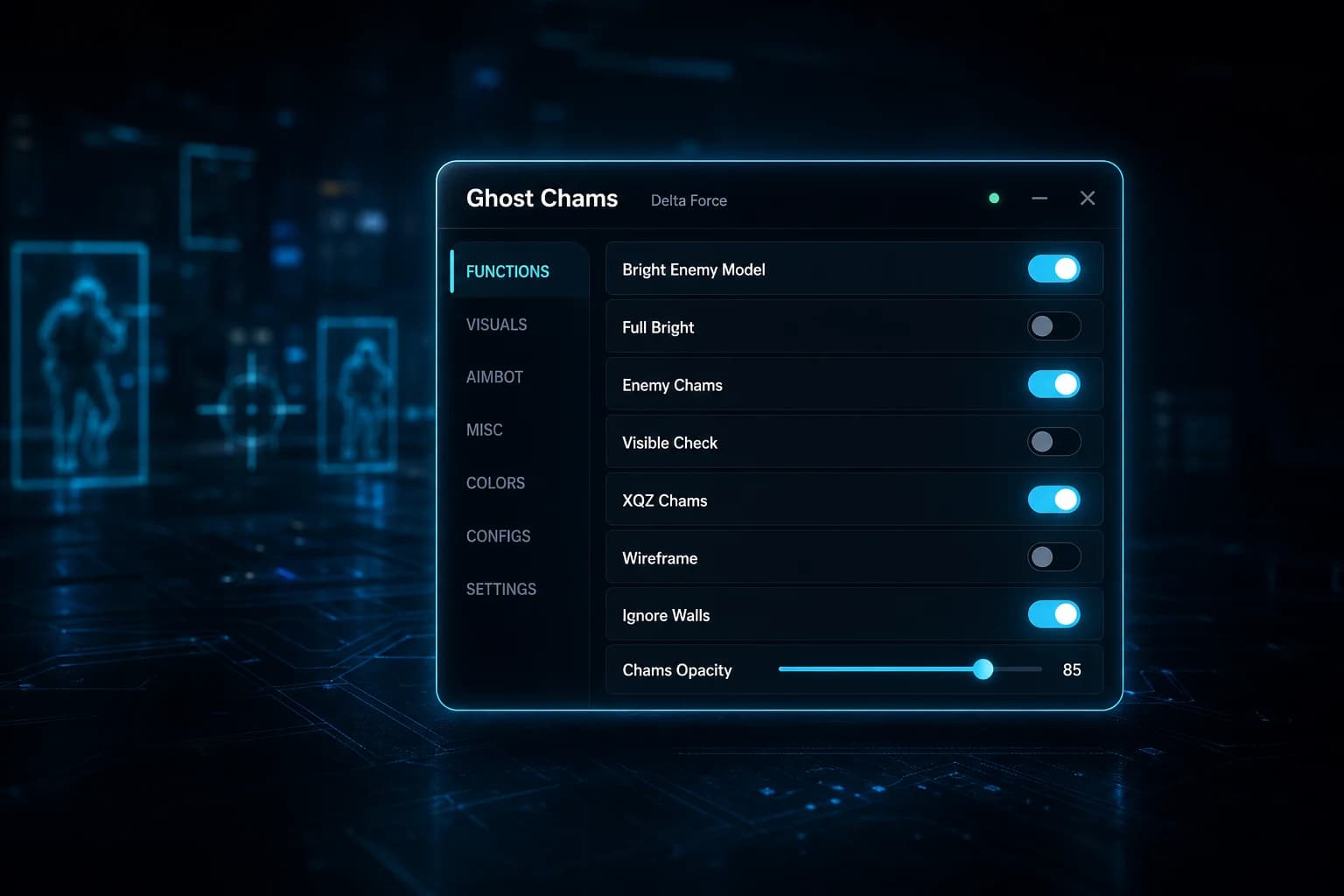
Delta Force chams colour enemy models so they stand apart from dark interiors, foliage and cluttered scenery; this category includes them. Around Layali Grove compounds, that separation makes an opponent near vegetation or a shadowed entrance immediately easier to pick out before you cross their line of fire.
A Delta Force radar hack puts all enemy positions on a radar or minimap, giving you an overview of movement around your squad. During a Warfare capture, you can read an approaching rotation and reposition toward the side entrance before a flanking group reaches your defenders.
Delta Force triggerbot fires the moment an enemy enters your crosshair, removing the reaction delay from a prepared shot. Hold a narrow Operations doorway with your aim already placed, and an opponent crossing that angle triggers your shot as soon as the target meets your crosshair.
ForceCheat Delta Force cheats combine Chams, Wallhack and ESP functions for identifying opponents and reading encounters across Operations and Warfare.
You receive access immediately after purchase, with the installation guide and support available for setup assistance.
Use the product cards above to compare the listed functions, supported clients and system requirements for your Delta Force installation.
FAQ
Everything you need to know before purchasing