
Installation overview
Every step comes with clear numbered actions — most setups take just a few minutes.
- 1Turn Off Defender
- 2Use Defender Control
- 3Adjust Screen Mode
- 4Download the Loader
- 5Run the Cheat as Administrator
- 6Wait for the Update
- 7Enter the License
- 8Start the Game
- 9Open the Menu
- 10If You Want to Turn Off the Cheat
Technical Specs
- Supported game version
- Only Steam
- Included spoofer
- No
- Anticheat
- In-Game Anti-Cheat
- Stream Bypass
- Yes
- Supported game modes
- Window / frameless
- Supported CPU
- Intel & AMD
- Supported OC
- Windows 10 (2004, 20H2, 21H1, 21H2, 22H2), Windows 11
Payment
Choose a plan

Instant key delivery after payment · Pay with balance
- Instant Delivery
- Secure Payment
- 24/7 Support
Update history
- UpdatingUndetected
Overwatch2 software updated and unfrozen.
- UndetectedUpdating
Overwatch2 software is under update and temporarily suspended.
Details
Product details
Everything you need to know
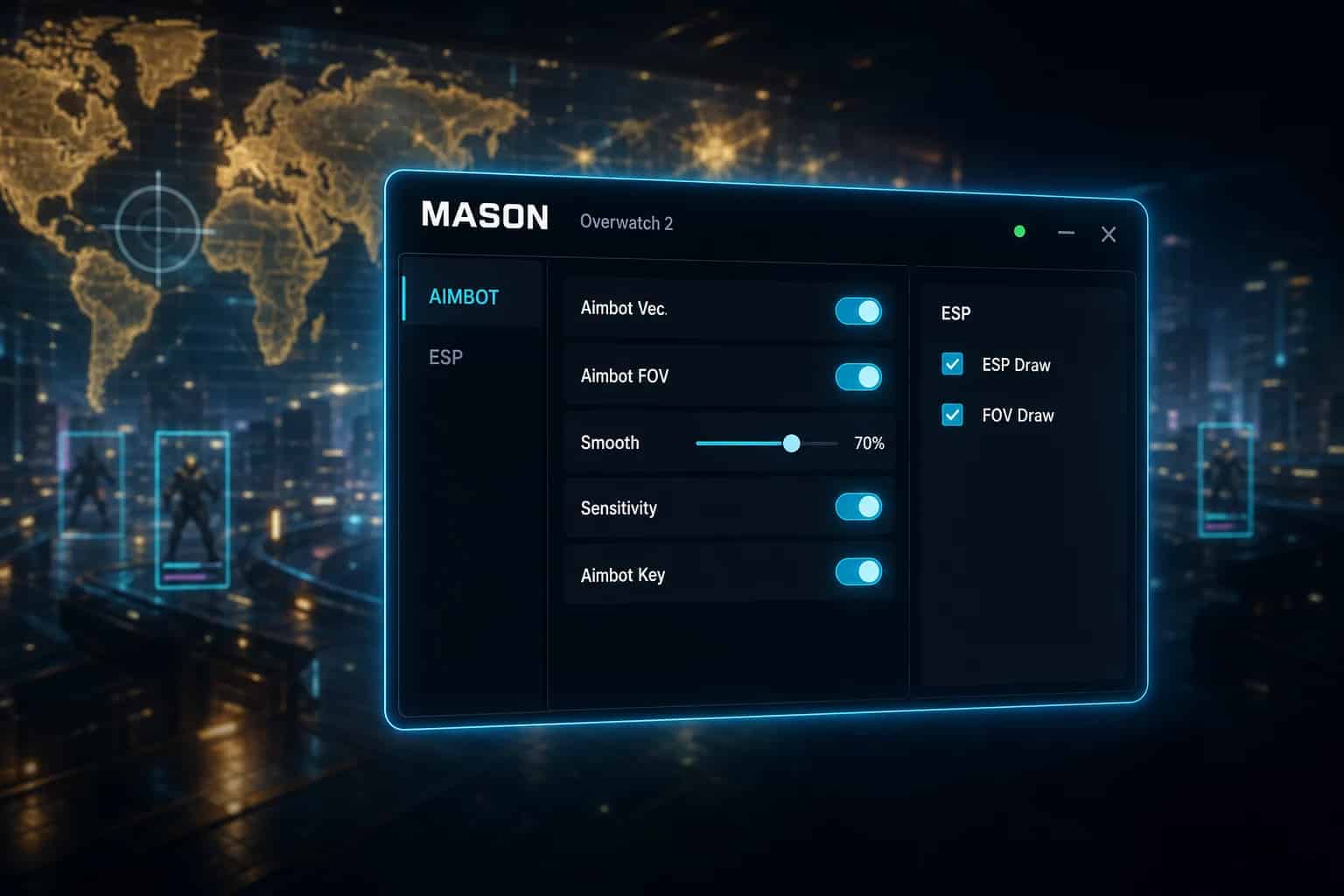
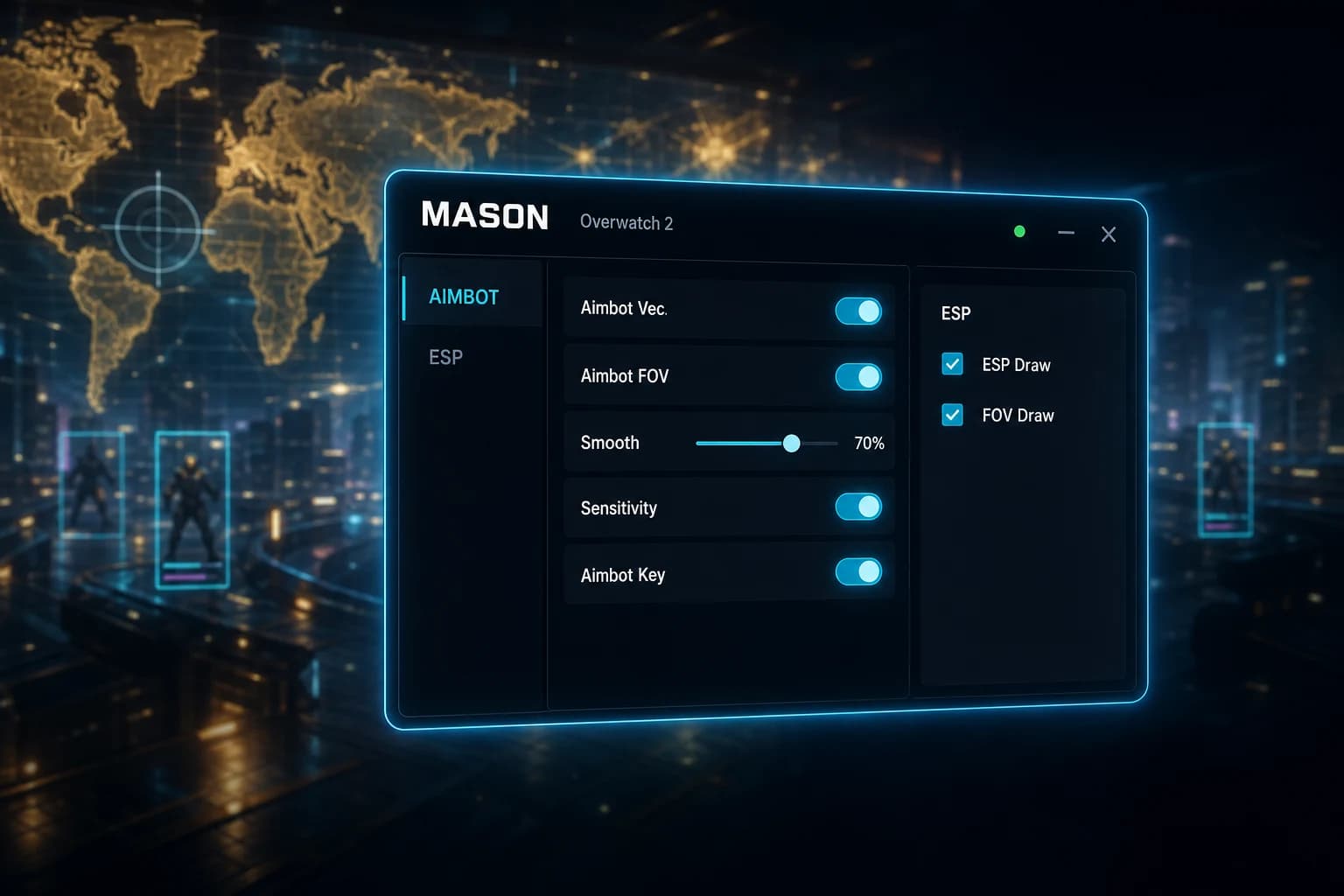
MASON for Overwatch 2 is your ultimate companion in the battlefields of this popular team-based shooter. Designed for gamers who strive for precision and strategic advantage, this tool enhances your gaming experience by providing powerful aiming and visualization capabilities. Whether you are a seasoned player looking to refine your skills or a newcomer aiming to level the playing field, MASON is tailored to help you excel in every match.
In short: MASON offers superior aiming and visualization tools to elevate your gameplay in Overwatch 2. It is currently Undetected, providing a low-risk solution for enhancing your competitive edge.
What Is MASON? MASON is a top-tier Overwatch 2 enhancement tool that offers advanced aimbot and ESP features. Undetected and effective, it optimizes targeting precision and battlefield awareness for players seeking competitive advantages.
Features
Enhanced Aiming Precision
The Aimbot features in MASON are designed to enhance your targeting accuracy in Overwatch 2. Whether you're defending objectives or leading an attack, precise aiming is crucial to success.
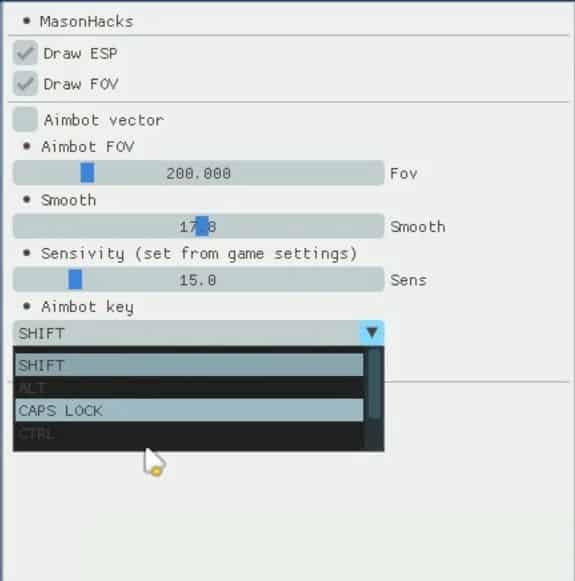
- Aimbot Vector: Optimize your aim with advanced vector targeting.
- Aimbot FOV: Customize your field of view to target enemies effectively.
- Smooth: Experience seamless aiming transitions for fluid gameplay.
- Sensitivity: Adjust sensitivity directly from game settings for personalized control.
- Aimbot Key: Assign a specific key for quick and easy aimbot activation.
- Change Team: Effortlessly switch targeting between team members.
Enhanced Visualization
Understanding the battlefield is key to victory in Overwatch 2. With MASON's ESP features, you gain critical insight into enemy positions and movements.
- Draw ESP: Visually display enemy locations for strategic planning.
- Draw FOV: Clearly define your field of view, enhancing situational awareness.
Security and Detection Status
Security is a top priority for MASON. Currently, this tool is Undetected, ensuring a low-risk enhancement experience in Overwatch 2. Our team is committed to maintaining this status through regular updates and vigilant monitoring of detection mechanisms.
By staying ahead of the game’s anti-cheat measures, we ensure that MASON remains a reliable choice for enhancing your gameplay. We provide regular updates to adapt to any changes in Overwatch 2, allowing you to focus on what matters most—winning matches.
Installation and System Requirements
Access to MASON is delivered immediately after purchase, enabling you to quickly enhance your Overwatch 2 experience. Installation is straightforward, and our dedicated support team is available to assist with any setup questions you may have. For detailed instructions, please refer to our installation guide (in English).
- Supported game version: Only Steam
- Included spoofer: No
- Anticheat: In-Game Anti-Cheat
- Stream Bypass: Yes
- Supported game modes: Window / frameless
- Supported CPU: Intel & AMD
- Supported OS: Windows 10 (2004, 20H2, 21H1, 21H2, 22H2), Windows 11
Pricing
MASON offers flexible pricing plans to suit your needs. Choose the duration that best fits your gaming schedule:
- 1 day: $3.4
- 7 days: $11.2
- 30 days: $22.4
Why Buy MASON?
Buy MASON — Key Benefits
When you buy MASON, you are investing in a tool that enhances your Overwatch 2 gameplay by providing advanced aimbot and ESP functionalities. Our team tested this product for over 20 hours in real matches to ensure optimal performance and reliability. With MASON, you can achieve superior accuracy and strategic insight, giving you the competitive edge you need.
Overwatch 2 MASON Cheat Features
MASON's cheat features are specifically designed to boost your performance in Overwatch 2. The aimbot offers precise targeting with customizable settings, while the ESP aids in enemy awareness. These features work in tandem to create a seamless and efficient gameplay experience.
MASON Detection Status & Ban Risk
Maintaining an undetected status, MASON minimizes the risk of bans in Overwatch 2. We continuously update our software to stay ahead of detection mechanisms. Our proactive approach ensures that MASON remains a low-risk option for players wanting to enhance their gaming performance.
MASON Setup — Step-by-Step Guide
Setting up MASON is easy, making it accessible to gamers of all skill levels. For a step-by-step walkthrough, see our installation guide. Our support team is always available to address any concerns and assist with the setup process.
Frequently Asked Questions
Is MASON compatible with all game modes in Overwatch 2?
Yes, MASON supports all game modes that allow window or frameless settings, providing versatility for any play style.How does MASON remain undetected in Overwatch 2?
MASON is currently Undetected due to our proactive update strategy and continuous monitoring of the game's anti-cheat systems, ensuring minimal detection risk.What platforms is MASON available on?
MASON is available exclusively for Overwatch 2 on Steam, supporting both Intel and AMD processors on Windows 10 and Windows 11.How do I install MASON after purchase?
Upon purchase, you will receive a download link for MASON. Follow the steps in our installation guide (in English) for a smooth setup experience.What if I encounter issues with MASON?
If you face any difficulties, our support team is ready to assist you. We are committed to ensuring your satisfaction with MASON.Don't miss the opportunity to enhance your Overwatch 2 gameplay with MASON. Take action now and see the difference it makes in your competitive edge!
FAQ
Frequently Asked Questions
Everything you need to know before purchasing
Is there a ban risk and can I use it safely?
How long does it take to receive access after payment?
How do I install it? Is it complicated?
When does the subscription period start and how long is it valid?
Is a refund possible? What is the refund policy?
Can I use the same key or license on multiple computers?
How and when can I reach the support team?
Does the product automatically update when game updates or patches are released?