

Installation overview
Every step comes with clear numbered actions — most setups take just a few minutes.
- 1Turn Off Defender
- 2Use Defender Control
- 3Adjust Screen Mode
- 4Download the Loader
- 5Run the Cheat as Administrator
- 6Wait for the Update
- 7Enter the License
- 8Start the Game
- 9Open the Menu
- 10If You Want to Turn Off the Cheat
Technical Specs
- Included spoofer
- No
- Anticheat
- Game anticheat
- Stream Bypass
- Yes
- Supported game modes
- Borderless
- Supported CPU
- Intel & AMD
- Supported OC
- Windows 10, 11
Payment
Choose a plan

Instant key delivery after payment · Pay with balance
- Instant Delivery
- Secure Payment
- 24/7 Support
Details
Product details
Everything you need to know
The PUSSYCAT cheat for Myth of Empires is designed for players looking to enhance their gameplay experience with advanced features and strategic insights. Ideal for both seasoned veterans and newcomers to the game, PUSSYCAT provides a competitive edge by offering detailed information and precision targeting. Whether you are navigating through the expansive world of Myth of Empires or engaging in intense battles, this tool is crafted to elevate your gaming prowess.
In short: PUSSYCAT offers advanced features such as aimbot and player detection, currently marked as On Update due to a recent game patch. Check back soon for availability.
Features
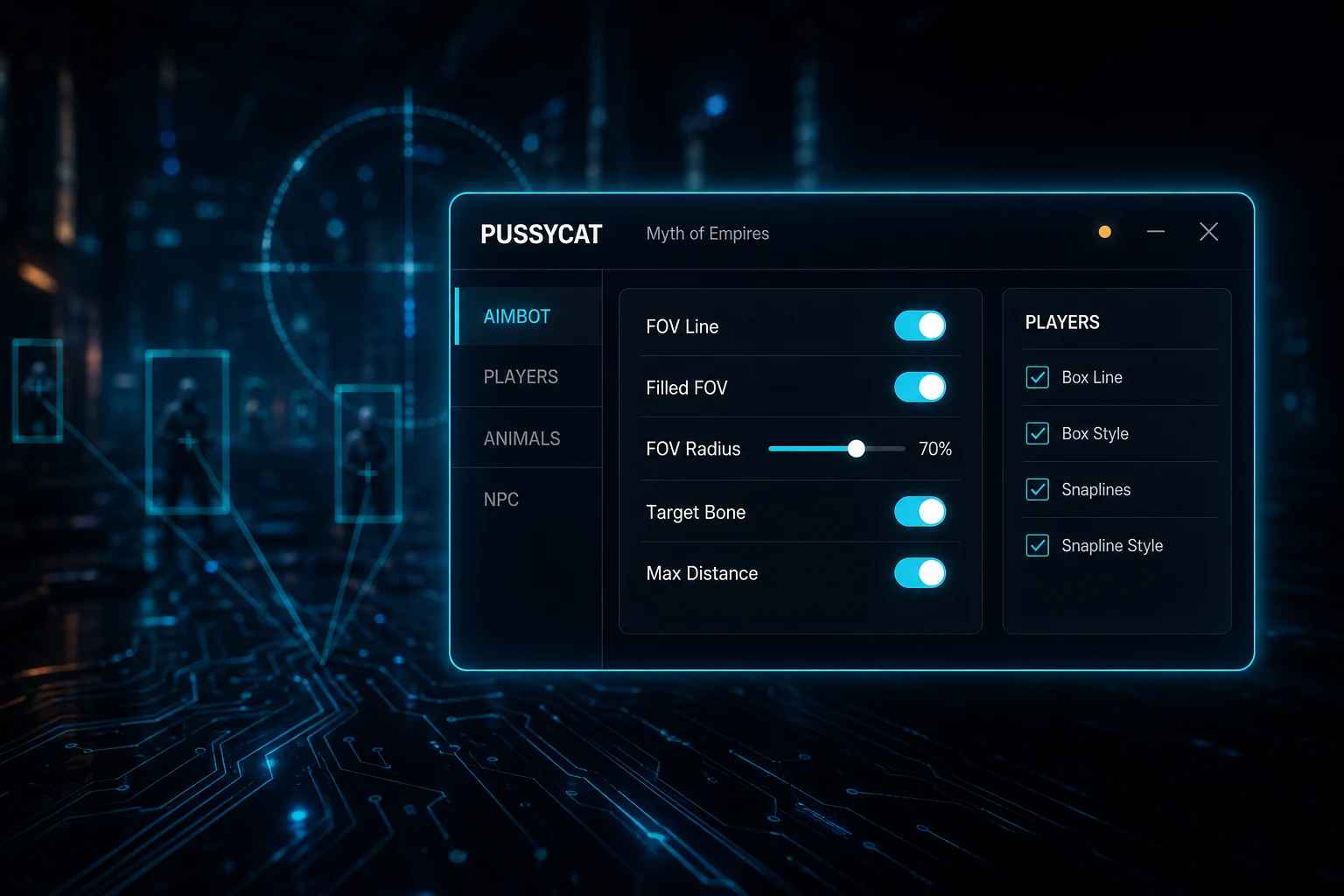
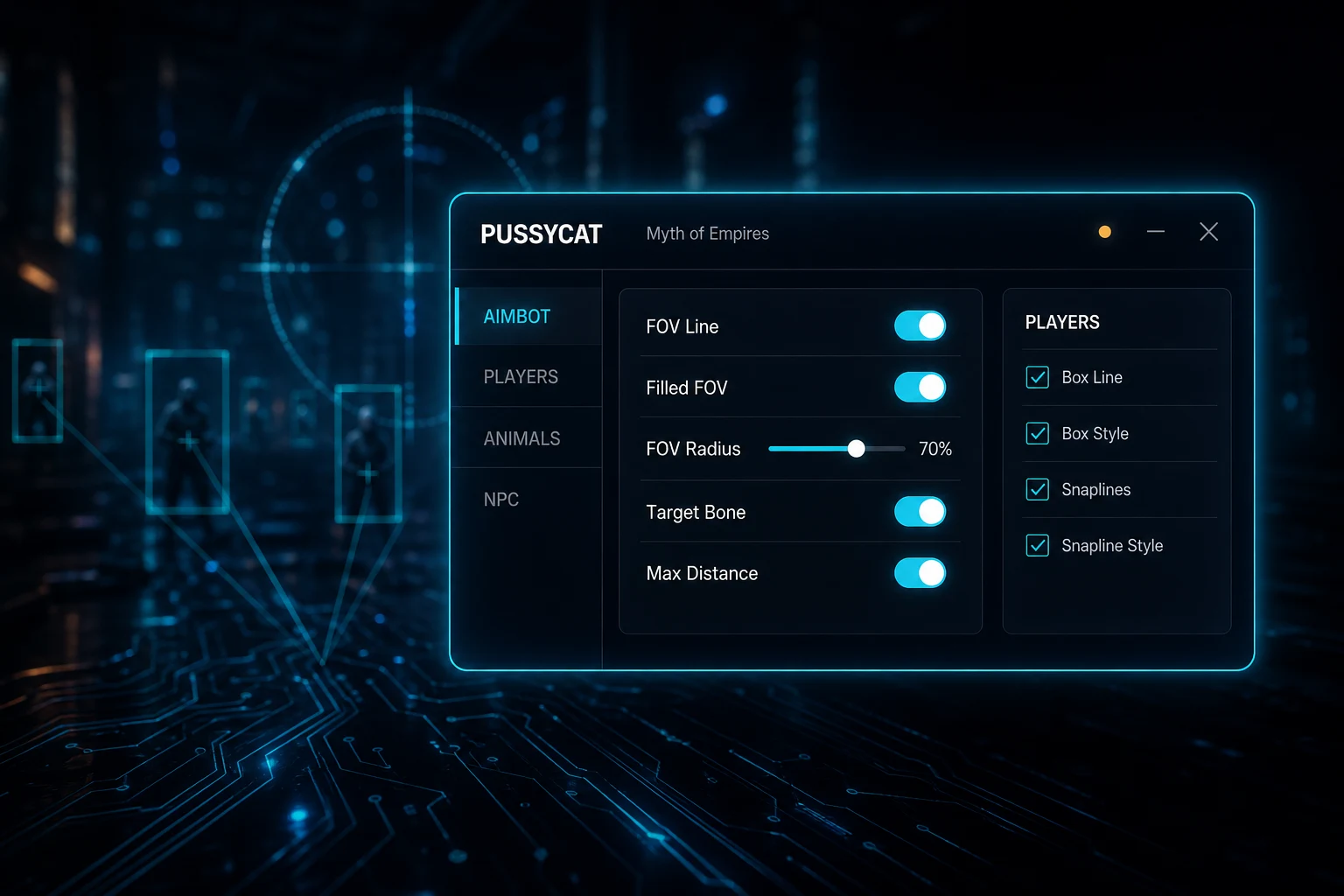
Aimbot Precision
The aimbot feature in PUSSYCAT for Myth of Empires allows players to enhance their targeting efficiency. This capability is crucial for achieving accuracy in combat, ensuring that you can consistently hit your intended targets.
- Draw FOV: Visualize your field of view for better targeting.
- Filled FOV: Offers a filled field of view to highlight your target area.
- Radius FOV: Set a radius for the field of view to control targeting precision.
- Target Bone: Customize target bones for more effective shots.
- Max Distance: Limit the targeting distance to focus on nearby enemies.
- Aimbot Key: Assign a key for quick activation of the aimbot feature.
Player Awareness
Gain an advantage over your opponents with player-related insights. This feature provides a comprehensive view of player details, enabling strategic decisions during gameplay.
- Draw BOX: Outline enemy players with a box for improved visibility.
- Box Style: Choose your preferred box style for player outlines.
- Snaplines: Draw lines to players for quick location tracking.
- Snaplines Style: Customize the appearance of snaplines.
- Names: Display player names for easy identification.
- Guild Name: Identify the guild associations of players.
- Level: View player levels to assess threats.
- Health Points: Monitor the health status of players.
- Health Bar: Visualize player health with a health bar.
- Ignore Sleepers: Filter out inactive players from detection.
- Max Distance: Set a detection radius for player awareness.
Animal Tracking
Stay informed about the wildlife in Myth of Empires with detailed animal tracking. This feature aids in hunting and gathering resources efficiently.
- Gender: Determine the gender of animals for strategic hunting.
- Level: Assess the level of animals to prioritize targets.
- Names: Identify animal species by name.
- Health Points: Monitor animal health for effective hunting.
- Health Bar: Visualize animal health with a health bar.
- Max Distance: Set a detection radius for animal tracking.
- Filter Level: Filter animals by level for targeted hunting.
NPC and Item Insights
Navigate the game world with ease by accessing detailed information on NPCs and items. This feature enhances resource gathering and strategic planning.
- Draw BOX: Outline NPCs with a box for better visibility.
- Box Style: Customize the appearance of NPC outlines.
- Snaplines: Draw lines to NPCs for location tracking.
- Snaplines Style: Choose your preferred style for snaplines.
- Names: Identify NPCs by name for easier interaction.
- Level: Assess the level of NPCs to plan engagements.
- Health Points: Monitor NPC health during encounters.
- Health Bar: Visualize NPC health with a health bar.
- Max Distance: Set a detection radius for NPC tracking.
- Filter Level: Filter NPCs by level for strategic targeting.
- Small Box: Locate small boxes containing valuable loot.
- Protect Tower: Spot protect towers for tactical advantage.
- Strong Box: Identify strong boxes for high-value items.
- Locker: Locate lockers to secure your resources.
- Forge: Find forges for crafting essential items.
- Sewing Bench: Identify sewing benches for crafting gear.
- Bed: Locate beds for setting respawn points.
- Dropped Item: Track dropped items for quick retrieval.
- Forging Table: Find forging tables to craft powerful gear.
- Doors: Locate doors for quick access to areas.
- Respawn Tent: Identify respawn tents to secure your position.
- Structure Bench: Locate structure benches for building needs.
- Watch Tower: Spot watch towers for strategic oversight.
Miscellaneous Tools
Enhance your gameplay with additional tools designed to provide clarity and customization. These features help tailor the gaming experience to your preferences.
- Crosshair: Customize your crosshair for improved aiming.
- Radar: Use radar for situational awareness on the battlefield.
- Configs: Save and load configurations for different play styles.
- Enemy Font Size: Adjust the font size for enemy names.
- Item Font Size: Customize the font size for item names.
- Menu Key: Set a key to quickly access the cheat menu.
Safety & Setup
PUSSYCAT Detection Status & Ban Risk
At PUSSYCAT, we prioritize your safety by regularly updating our systems in response to game patches. Our team dedicated over 20 hours testing the product in real matches, ensuring a low risk of detection and maintaining your account's safety.
PUSSYCAT Setup — Step-by-Step Guide
Setting up PUSSYCAT is simple and streamlined. For a step-by-step walkthrough, see our installation guide. Our team is available to assist with any questions, ensuring you get the most out of your Myth of Empires experience.
Pricing
Buy PUSSYCAT — Key Benefits
When you buy PUSSYCAT, you gain access to a suite of tools that enhance your Myth of Empires gameplay. Enjoy features like aimbot precision and player awareness, all designed to give you a tactical advantage and a more immersive experience.
Frequently Asked Questions
How does PUSSYCAT enhance my gameplay in Myth of Empires?
PUSSYCAT enhances your gameplay by providing advanced features such as precise aimbot targeting and detailed player information, giving you a significant advantage in both combat and exploration.Is PUSSYCAT currently available for use?
As of now, PUSSYCAT is On Update due to a recent game patch. We are actively working on updates to ensure its availability as soon as possible.What are the system requirements for PUSSYCAT?
PUSSYCAT supports Intel and AMD CPUs and is compatible with Windows 10 and 11. It requires the game to be played in borderless mode for optimal functionality.Does PUSSYCAT have a stream bypass feature?
Yes, PUSSYCAT includes a stream bypass feature, allowing you to stream your gameplay without revealing cheat usage.How do I install and set up PUSSYCAT?
Installation is straightforward and access is granted immediately after purchase. For detailed instructions, refer to our installation guide (in English).Experience the next level of gameplay with PUSSYCAT for Myth of Empires. Enhance your strategic capabilities and dominate the battlefield. Don't miss out on this opportunity—PUSSYCAT buy now and elevate your gaming experience!
FAQ
Frequently Asked Questions
Everything you need to know before purchasing
Is there a ban risk and can I use it safely?
How long does it take to receive access after payment?
How do I install it? Is it complicated?
When does the subscription period start and how long is it valid?
Is a refund possible? What is the refund policy?
Can I use the same key or license on multiple computers?
How and when can I reach the support team?
Does the product automatically update when game updates or patches are released?