Ancient Warzone, Black Ops 6, Black Ops 7
Updating

Ancient Warzone, Black Ops 6, Black Ops 7 · Call of Duty

Call of DutyWindows 10, Windows 11 (21H2, 22H2, 23H2, 24H2, 25H2)
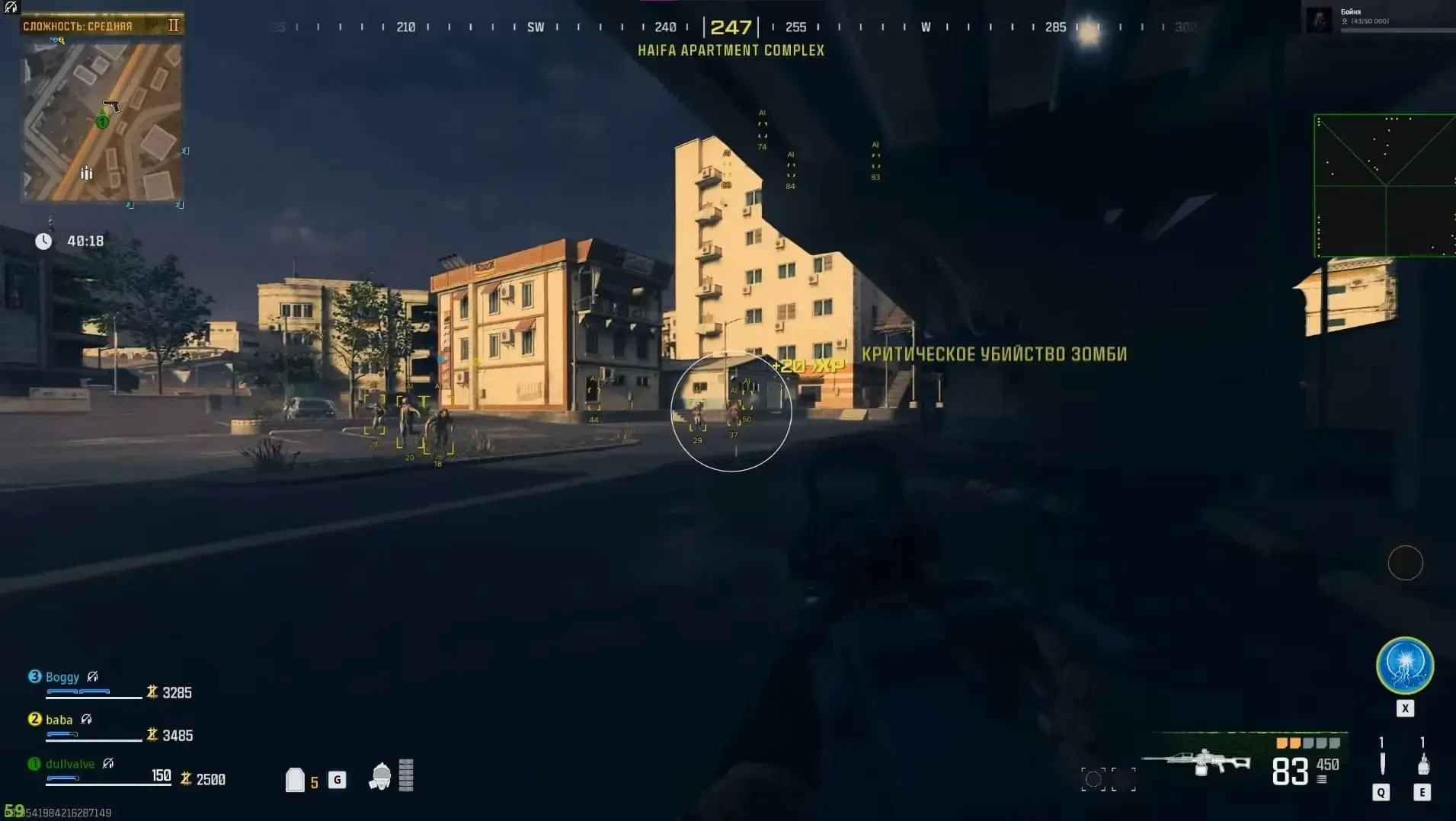
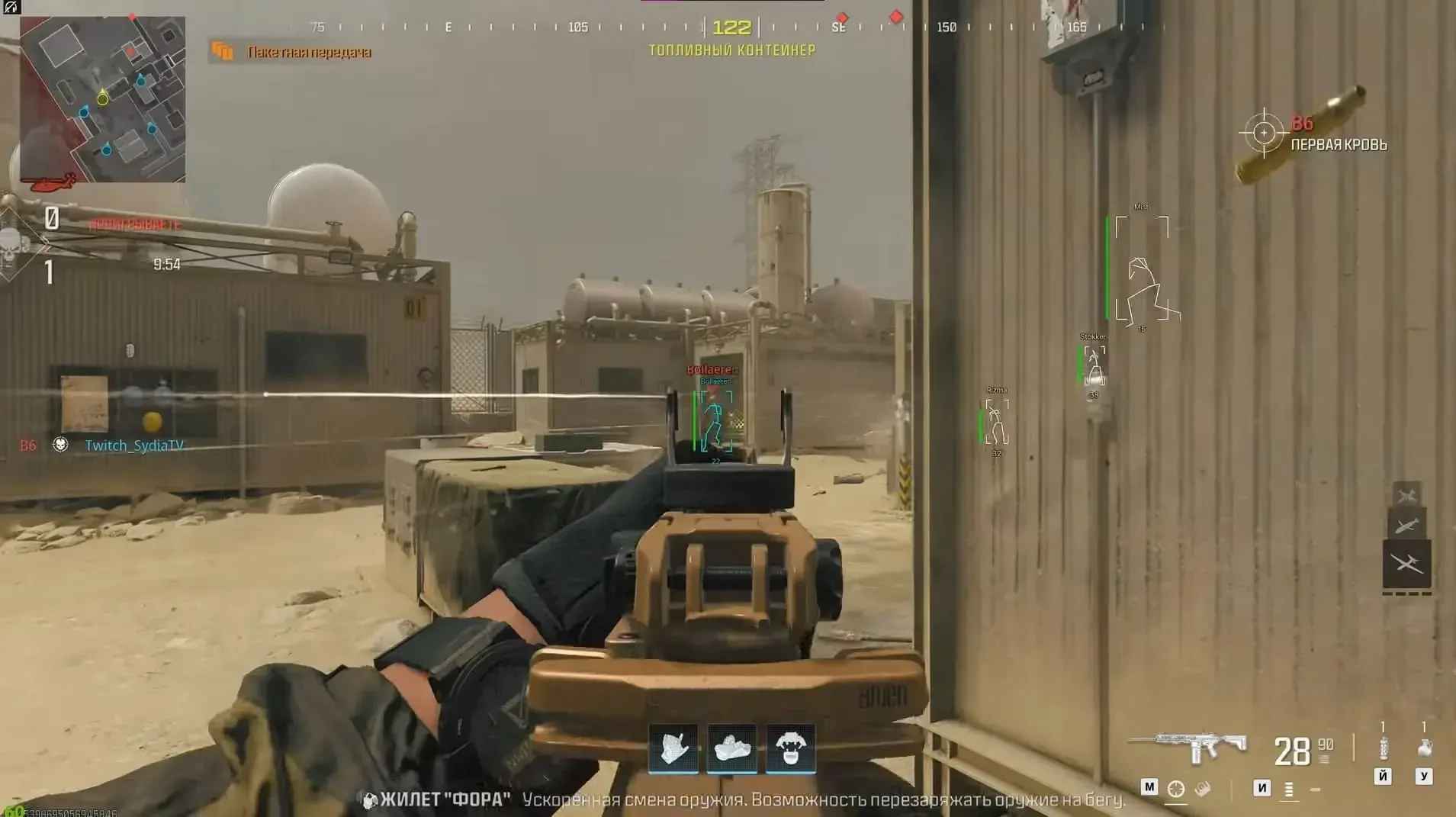
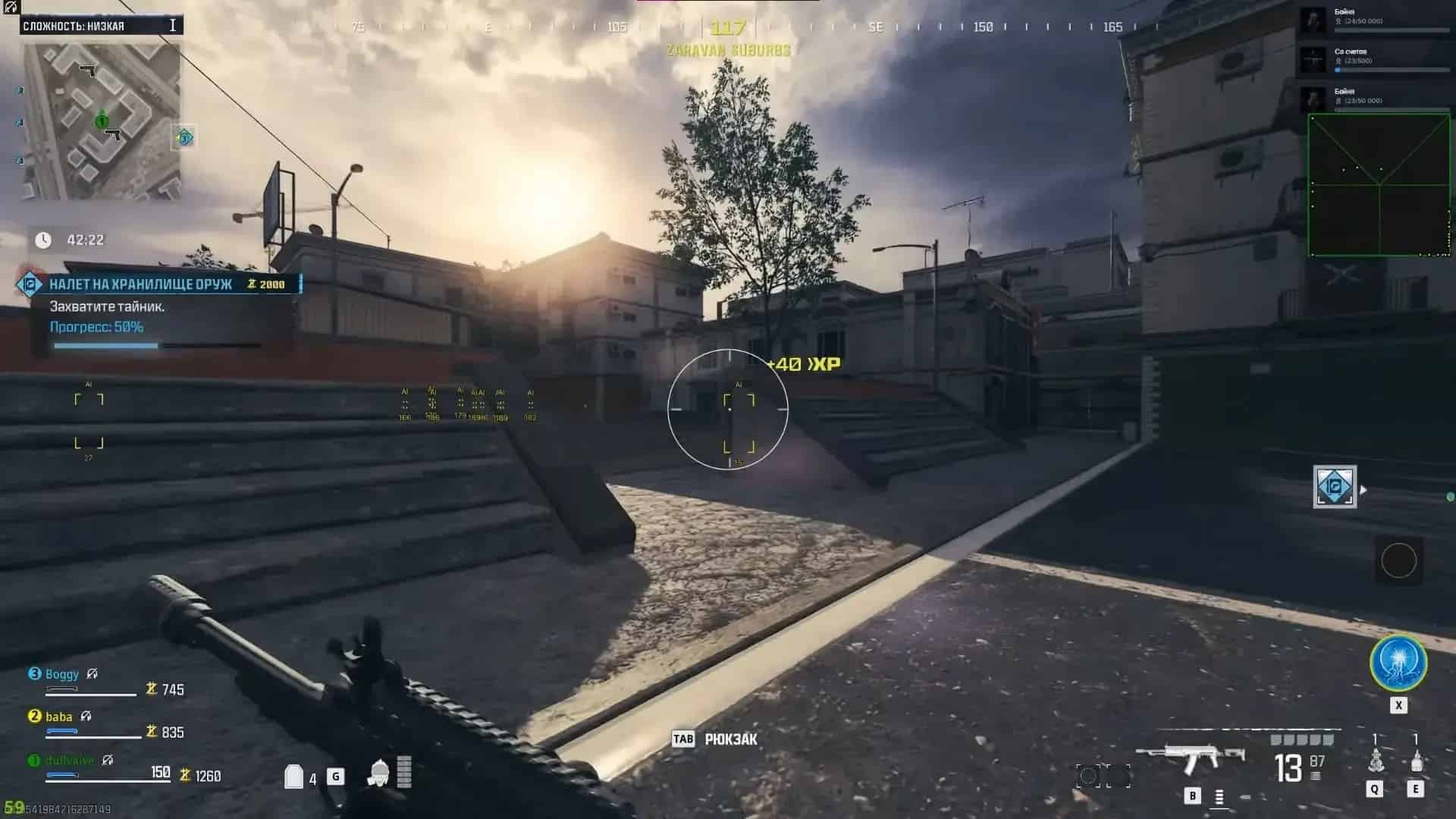
Ancient Warzone, Black Ops 6, Black Ops 7 screenshot 2
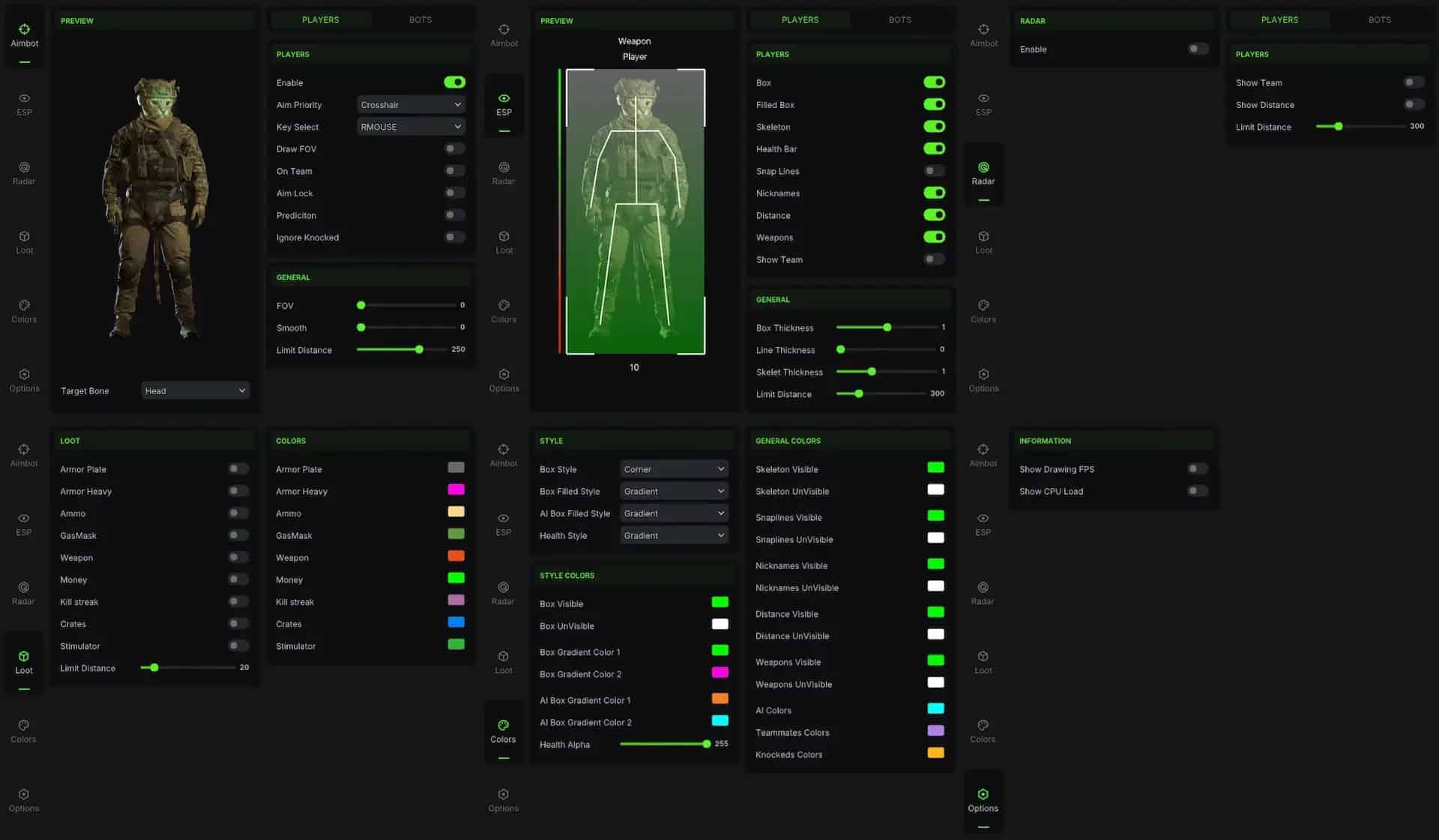
Ancient Warzone, Black Ops 6, Black Ops 7 screenshot 3
Ancient Warzone, Black Ops 6, Black Ops 7 screenshot 4
Ancient Warzone, Black Ops 6, Black Ops 7 screenshot 5
Aim Key - aimbot activation key
Aim Key 2 - additional key to activate the aimbot
Lock Target - locks aim on the selected target until firing stops
Draw FOV - displays the aimbot FOV radius as a circle
FOV Color - color setting for the FOV circle
FOV Radius - aimbot target capture radius
Dynamic FOV - dynamically changes FOV based on aiming
Smooth - enables aim smoothing
Smooth Value - degree of aimbot smoothness
Draw Crosshair - displays a static crosshair in the center of the screen
Crosshair Size - crosshair size adjustment
Prediction Dot - shows the point the aimbot aims toward
Target Line - draws a line from the crosshair to the current target
Controller Mode - aimbot support when using a gamepad
Stick Sensitivity - gamepad stick sensitivity
Stick Deadzone - gamepad stick deadzone
Prediction - predicts the target's movement trajectory
Visible Check - aimbot works only on visible targets
Humanize Aimbot - makes aim movements more human-like
Humanize Max Step - maximum deviation for humanization
Randomize Bone - random selection of body part for aiming
Target Bones - selection of priority bones (e.g., head)
Target Switch Delay - delay between switching targets (ms)
Ignore Bots - excludes bots from aimbot targeting
Ignore Downed - ignores downed enemies
Smooth Aim
FOV Circle
Bone Selection
Auto Shoot
Quick Scope
Visibility Check
Box - displays players using boxes
Corner Box - boxes drawn only at model corners
Bot Tag - visual tag for bots
Distance - distance to players in meters
Health bar - displays player health
Flags - additional player status indicators
Nickname - displays nicknames
Skeleton - skeleton-style ESP
Active Weapon - shows the weapon held by the player
Show Teammates - displays teammates
Show Downed - displays downed players
Show Only Visible - only shows visible enemies
Max ESP Distance - maximum ESP working distance
Off Screen Arrows - arrows pointing to off-screen players
Arrows Type - arrow type (display shape)
Arrows Range - distance at which arrows appear
Radar - built-in radar for player display
Radar Scale - radar scale
Box ESP
Name ESP
Health ESP
Distance ESP
Skeleton ESP
Weapon ESP
Head ESP
Show Downed ESP
Show Only Visible ESP
Max ESP Distance
Off Screen Arrows
Arrows Type
Arrows Range
Show Name
Show Distance
Max Item Distance
Color
Armor
Ammo
Weapon
Crate
Misc
Lethal
Tactical
Field Upgrade
Money
Medical
Killstreak
Perk Pack
Other items
Show Name - displays item names
Show Distance - shows distance to items
Bhop
No Recoil
No Spread
Gamepad Support
StreamProof
HWID Spoofer
Configs
Unload
Custom Colors
Enable Removals
Remove List
Radar
Radar Scale

Payment

Choose a plan

  • Instant Delivery
  • Secure Payment
  • 24/7 Support

Update history

  1. TestingUpdating

    Software frozen due to game update.

  2. UndetectedTesting

    Warzone has been merged with MW4. The status has been changed to 'Testing' and subscription times have been frozen.

  3. UpdatingUndetected

    The software has been updated for the latest game update.

  4. UndetectedUpdating

    Frozen due to game update.

  5. UpdatingUndetected

    The software has been updated for the latest game update.

  6. UndetectedUpdating

    Software frozen due to game update.

  7. UpdatingUndetected

    Updated for the latest game patch. Downtime has been compensated.

  8. UndetectedUpdating

    Product frozen due to game update. Downtime will be compensated.

  9. UpdatingUndetected

    Software updated for the latest game patch. Downtime has been compensated.

  10. UndetectedUpdating

    Product frozen due to game update. Downtime will be compensated.

Details

Product details

Everything you need to know

If you're serious about dominating in Black Ops 6, Black Ops 7, and Warzone, the Ancient cheat is built to give you a decisive edge across every match. Packed with a full suite of combat tools, this software covers everything from precision targeting to full environmental awareness — all in one clean package.

Why Choose This Product?

Ancient stands out because it doesn't cut corners. You get a deeply configurable toolset that adapts to your playstyle, whether you prefer aggressive rushes or calculated long-range plays. The HWID Spoofer and StreamProof features alone make this one of the most complete offerings in the Call of Duty cheat market right now.

Key Features

  • Aimbot with dual activation keys — assign two separate aim keys for flexible control, with Lock Target keeping your crosshair glued to an enemy until you pull the trigger
  • Customizable FOV circle — visually display your aimbot's capture radius with full color control so you always know exactly what's in range
  • Full ESP suite — choose between standard boxes or corner-style boxes, see player health bars, distance in meters, flags, and even bot tags to separate real threats from AI
  • Item & Inventory ESP — spot weapons, armor, ammo, and loot by name and distance, with a configurable max detection range so your screen stays clean
  • Movement & accuracy enhancements — No Recoil, No Spread, and Bhop give you a mechanical advantage that's hard to counter
  • Radar overlay & HWID Spoofer — track enemy positions on a scalable radar while keeping your hardware identity protected from ban systems

Setup & Usage

Getting started is straightforward — the software is designed for quick injection with minimal setup time, so you're in the game fast. Gamepad support means you can run Ancient whether you're on mouse and keyboard or a controller. StreamProof mode keeps your overlay hidden from capture software, so your streams and recordings stay clean.

FAQ

Frequently Asked Questions

Everything you need to know before purchasing

Is there a ban risk and can I use it safely?
Our product is designed with low ban risk and receives continuous updates. However, no cheat tool is 100% safe—game companies constantly develop new detection methods. Responsible usage and avoiding excessive features minimize risk.
How long does it take to receive access after payment?
After your payment is confirmed, access credentials are typically sent to your Customer Panel within 5-15 minutes. In rare cases, the process may take up to 1 hour. We recommend contacting our live support if you experience any delays.
How do I install it? Is it complicated?
You can view the installation instructions on the Installation page. If you encounter any issues, feel free to contact us.
When does the subscription period start and how long is it valid?
The subscription period begins the moment you activate the license key provided to you in the cheat. It remains valid according to the package duration you selected (30 days, 90 days, etc.). You can renew it or upgrade to a different package before the period expires.
Is a refund possible? What is the refund policy?
We recommend that you read the Purchase Agreement. By purchasing any product, you are considered to have accepted this agreement.
Can I use the same key or license on multiple computers?
The License Key is valid for only 1 computer.
How and when can I reach the support team?
You can reach our support team through Telegram and Discord. You can join Discord or Telegram from the Contact section and get in touch with us. If you explain your issue in detail, we can find a solution faster.
Does the product automatically update when game updates or patches are released?
Yes, our product automatically updates against game updates and new anti-cheat patches. Updates are performed in the background at no additional cost. You can monitor the status of updates from the Product's bottom section or the Updates page.

Check these out

1 Day
Updating