

Installation overview
Every step comes with clear numbered actions — most setups take just a few minutes.
- 1Turn Off Defender
- 2Use Defender Control
- 3Adjust Screen Mode
- 4Download the Loader
- 5Run the Cheat as Administrator
- 6Wait for the Update
- 7Enter the License
- 8Start the Game
- 9Open the Menu
- 10If You Want to Turn Off the Cheat
Technical Specs
- Included spoofer
- No
- Anticheat
- EAC
- Stream Bypass
- Yes
- Supported game modes
- All
- Supported CPU
- Intel & AMD
- Supported OC
- Windows 10 (2004, 20H2, 21H1, 21H2, 22H2), Windows 11
Payment
Choose a plan

Instant key delivery after payment · Pay with balance
- Instant Delivery
- Secure Payment
- 24/7 Support
Details
Product details
Everything you need to know
MASON is your ultimate ally in the tactical shooter Caliber. Designed for competitive gamers seeking an edge in precision and situational awareness, this powerful tool enhances your gameplay by providing advanced aiming and visualization features. Whether you're navigating intense firefights or strategizing with your team, MASON equips you with the tools needed to dominate every match.
In short: MASON offers superior aim assistance and visualization capabilities, currently On Update for seamless integration with the latest Caliber patches.
Features
Aim Assistance
Perfect your shots in Caliber with MASON's precision-driven aim assistance. Gain the advantage in fast-paced matches where every millisecond counts.
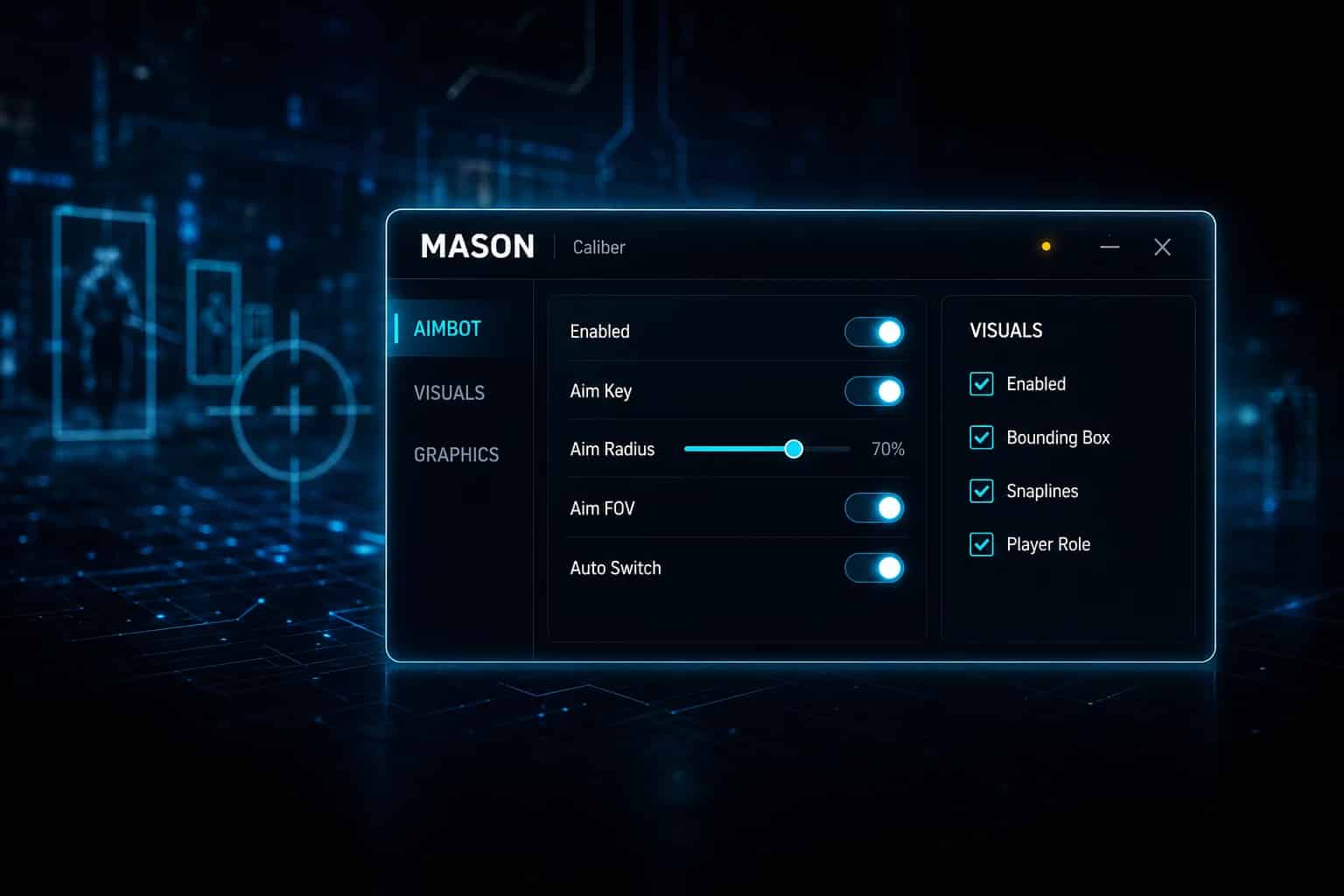
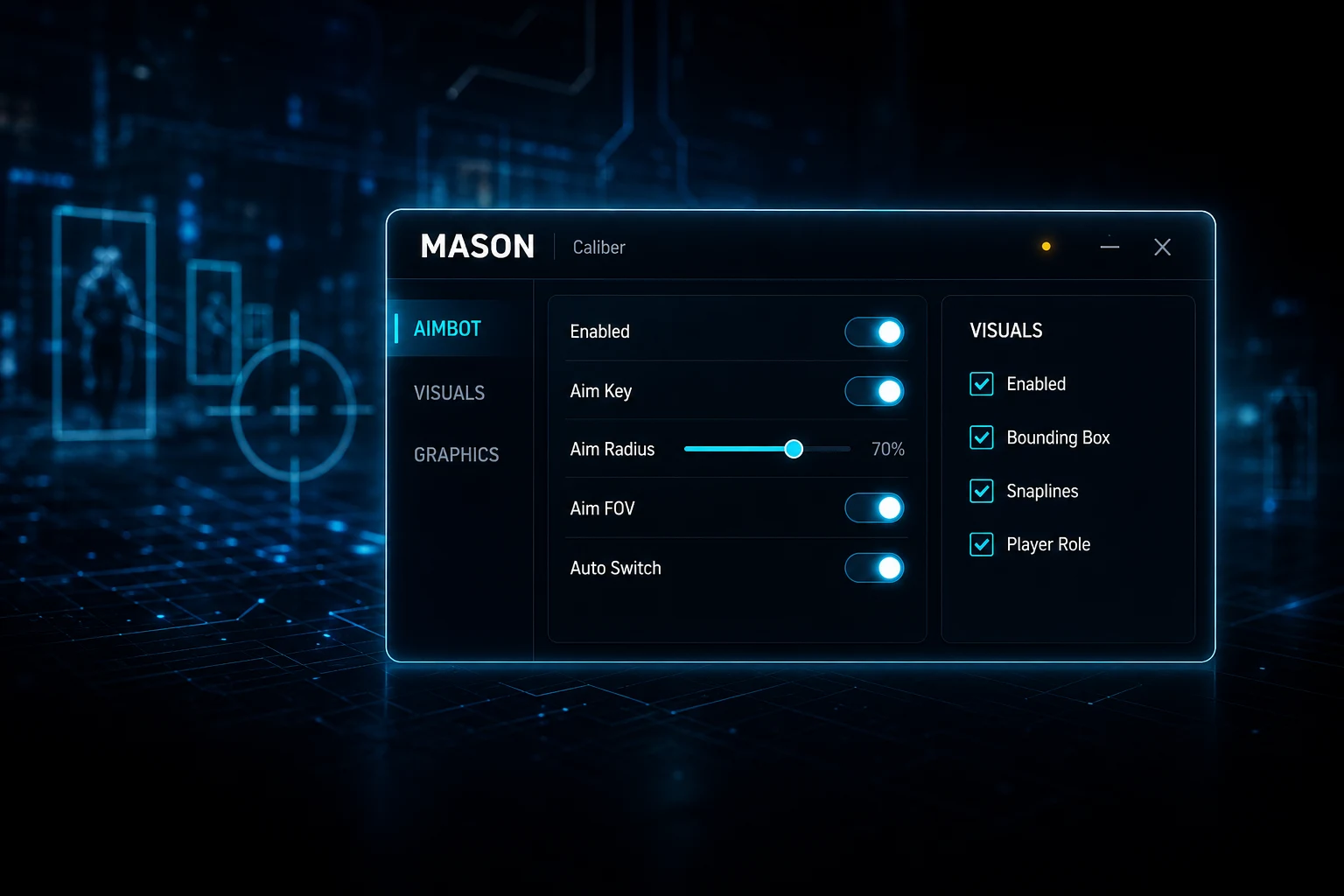
- Aim key: Quickly activate precision aiming with a dedicated key for immediate response.
- Aim radius: Customize your target acquisition area to suit your playstyle and gain the upper hand.
- Aim precision: Ensure every shot counts with enhanced accuracy tailored to your needs.
- Auto switch: Seamlessly transition between targets, maximizing your efficiency in combat.
Visualization Enhancement
Stay aware of your surroundings with MASON's visualization tools, crucial for strategic planning and effective execution in Caliber.
- Show bounding box: Clearly define player outlines for better target tracking.
- Show snaplines: Visualize player positions with direct lines, enhancing your tactical awareness.
- Show player role: Identify the roles of players around you to adjust your strategy accordingly.
- Show player weapon: Stay informed about potential threats by knowing opponents' weaponry.
- Show player health: Assess the vulnerability of enemies and decide your next move.
- Show distance: Calculate effective engagement ranges and plan your attacks.
- Ignore team: Focus on enemies by excluding teammates from visual filters.
- Render distance: Customize the distance of visible players to optimize performance and strategy.
- Ignore player on crosshair: Avoid distractions by ignoring players directly in your sights.
- Clear ignore list: Easily reset ignored players to reassess the battlefield.
Graphical User Interface
MASON offers an intuitive and efficient interface, ensuring you can quickly adjust settings to adapt to any situation in Caliber.
- Menu key: Access all features swiftly with a single keystroke.
- Save CPU: Optimize performance by minimizing resource usage.
- Show crosshair: Enhance your targeting precision with a customizable crosshair.
- Show aim radius: Visualize your active aim area to maintain control and precision.
Pricing
Choose the plan that suits your gaming needs with our flexible pricing options.
- 1 day: $2
- 7 days: $5
- 30 days: $10
Safety & Setup
Access to MASON is delivered immediately upon purchase, ensuring you can get started right away. Our setup process is straightforward, with comprehensive support available to assist you at any time. For detailed steps, visit our installation guide (in English).
- Included spoofer: No
- Anticheat: EAC
- Stream Bypass: Yes
- Supported game modes: All
- Supported CPU: Intel & AMD
- Supported OS: Windows 10 (2004, 20H2, 21H1, 21H2, 22H2), Windows 11
Buy MASON — Key Benefits
When you buy MASON, you unlock powerful features that enhance your Caliber gameplay. Our aimbot with customizable settings ensures precision, while visualization tools like bounding boxes and snaplines offer superior situational awareness. Our team tested this product for over 20 hours in real matches to guarantee its effectiveness.
Caliber MASON Cheat Features
With MASON, take advantage of features like aim radius adjustments and graphical user interface customizations. These options allow you to optimize your gaming experience, providing flexibility and control in every match. Our visualization enhancements ensure you remain aware of your surroundings at all times.
MASON Detection Status & Ban Risk
MASON is regularly updated to stay ahead of detection systems, minimizing the risk of bans. Our developers closely monitor game updates to maintain compatibility and security. You can use MASON with confidence, knowing your safety is our top priority.
MASON Setup — Step-by-Step Guide
Setting up MASON is easy and efficient. To get started, simply follow our installation guide. It provides a clear, step-by-step walkthrough to ensure a smooth setup process, allowing you to focus on what matters most: enhancing your Caliber gameplay.
Frequently Asked Questions
Is MASON safe to use?
Yes, MASON is regularly updated to avoid detection, with a focus on maintaining user security and privacy during gameplay.How often is MASON updated?
MASON is updated frequently to ensure compatibility with the latest patches and updates from Caliber.Can I customize the aimbot settings?
Yes, MASON allows you to customize the aimbot settings, including aim key, radius, and precision, to fit your playstyle.What visualization features does MASON offer?
MASON offers visualization features such as bounding boxes, snaplines, and player health indicators to enhance tactical awareness.FAQ
Frequently Asked Questions
Everything you need to know before purchasing
Is there a ban risk and can I use it safely?
How long does it take to receive access after payment?
How do I install it? Is it complicated?
When does the subscription period start and how long is it valid?
Is a refund possible? What is the refund policy?
Can I use the same key or license on multiple computers?
How and when can I reach the support team?
Does the product automatically update when game updates or patches are released?