
Ancient Battlefield 6 & Redsec & 2042
Installation overview
Every step comes with clear numbered actions — most setups take just a few minutes.
- 1Get the Key
- 2Disable Defender
- 3Download the Defender Control Program
- 4Configure Discord Settings
- 5Set Game Mode
- 6Download the Cheat Loader
- 7Run the Loader
- 8Start the Game
- 9Open the Menu
Technical Specs
- Operating system
- Windows 10, Windows 11 (21H2, 22H2, 23H2, 24H2, 25H2)
- Processor
- AMD & Intel
- Video card
- AMD & NVIDIA
- Client
- Steam, EA App, Epic Games, Microsoft Store (Xbox), BF6, REDSEC, BF2042
Payment
Choose a plan
- Instant Delivery
- Secure Payment
- 24/7 Support
Details
Product details
Everything you need to know
If you're serious about dominating across the entire Battlefield ecosystem, Ancient delivers one of the most versatile cheat packages available right now. A single subscription unlocks full support for Battlefield 6, Redsec (the BR spin-off), and Battlefield 2042 — three games, one tool, zero compromises.
Why Choose This Product?
Ancient stands out because it doesn't force you to choose between titles. Whether you're grinding ranked matches in BF2042, dropping into Redsec's battle royale chaos, or pushing the front lines in Battlefield 6, you've got every advantage covered under one license. That kind of cross-title flexibility is rare and genuinely saves you money.
Key Features
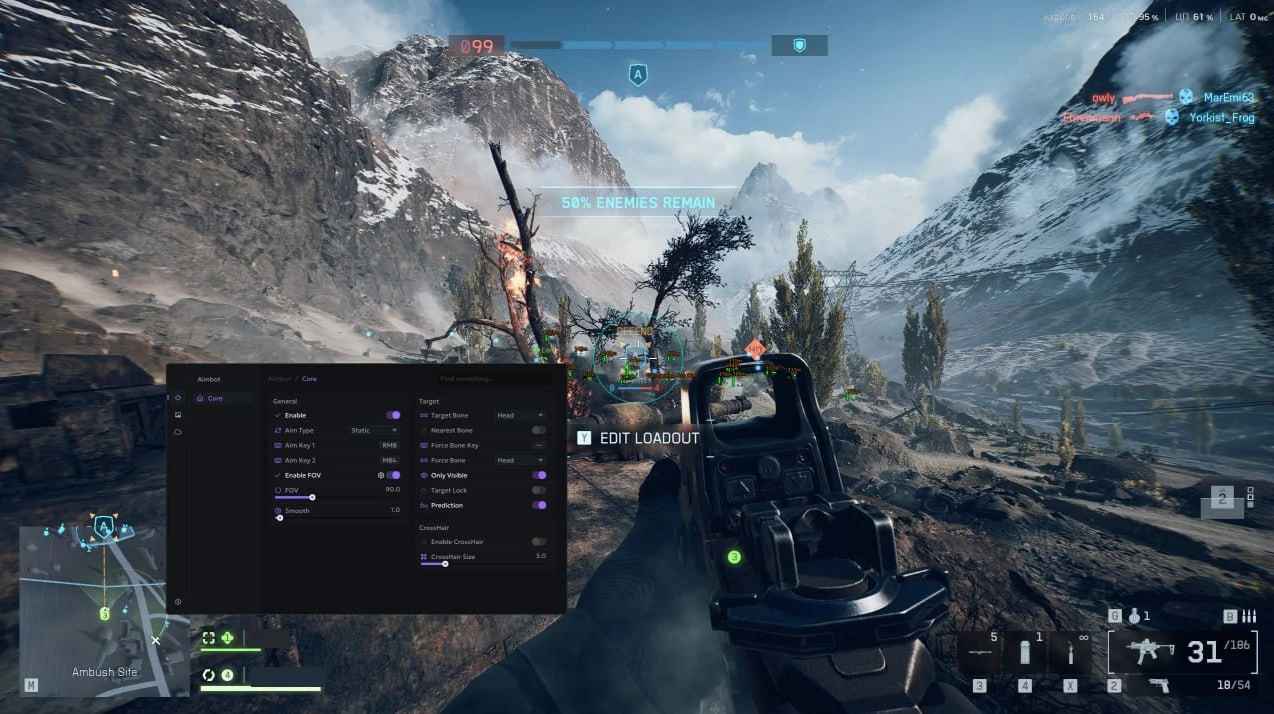
- Aimbot with full customization — assign your preferred activation key, dial in your FOV radius, adjust smooth aiming speed, and choose your target bone (head, neck, chest, or pelvis) for precise, natural-looking aim assist
- Visual FOV indicator — toggle the aimbot's action radius on-screen so you always know exactly where auto-aim will engage
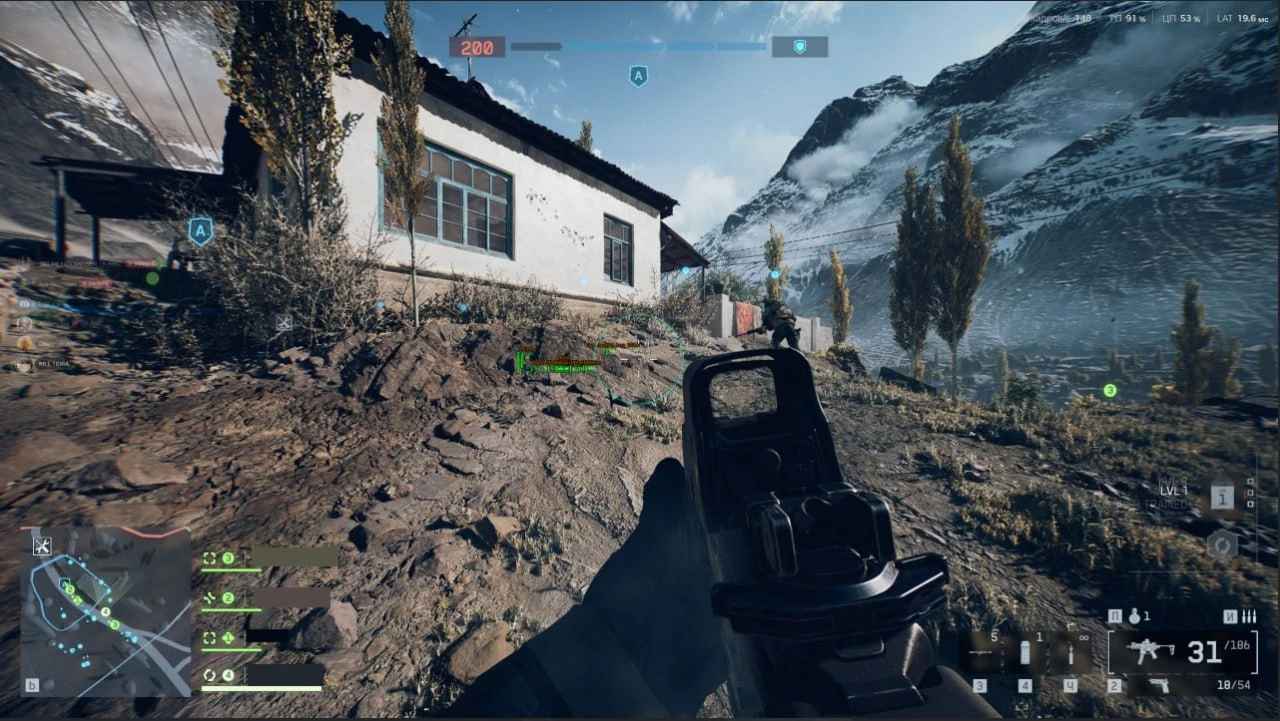
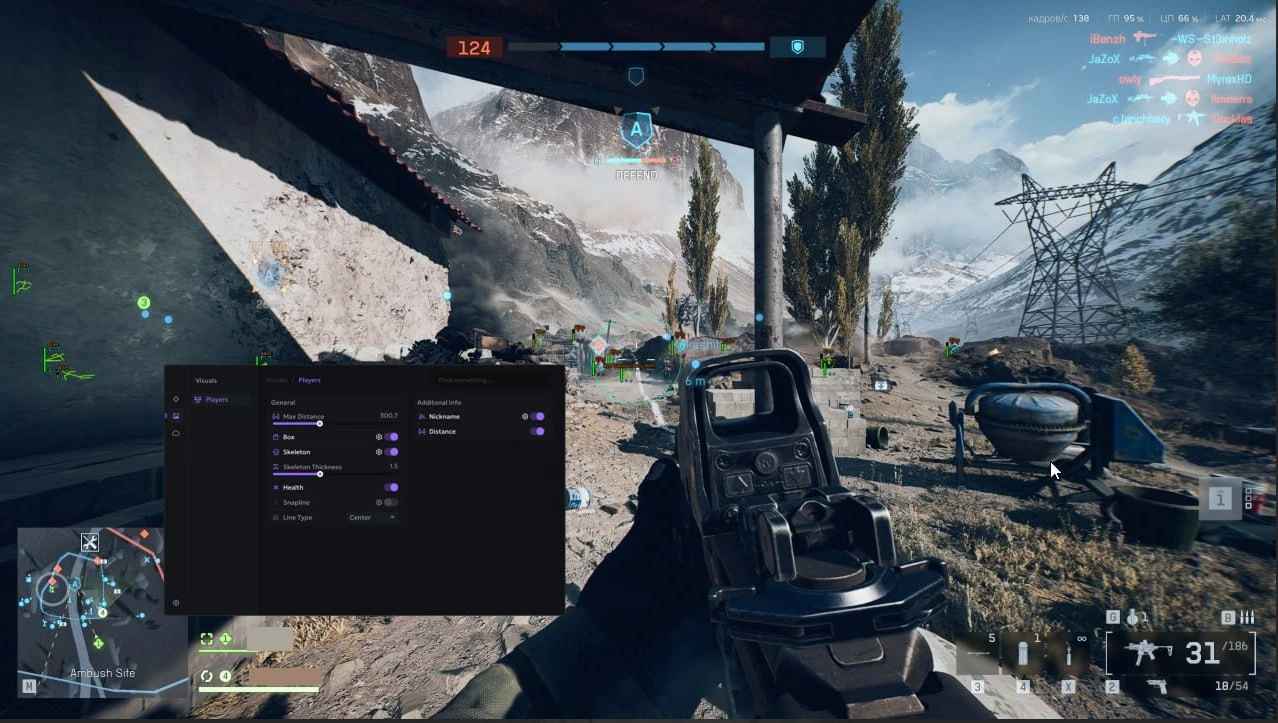
- Comprehensive ESP suite — track enemies through walls with box overlays, skeleton rendering with adjustable thickness, health bar readouts, snap lines, and configurable max draw distance
- Custom crosshair overlay — replace or supplement your in-game crosshair with a custom one that stays consistent regardless of weapon sway or recoil
- StreamProof interface — the software UI stays invisible to screen capture tools, OBS, and streaming software, keeping your setup private while you play
- Config system with search — save, load, and search through your personal settings profiles so you can switch playstyles or loadouts in seconds
Setup & Usage
Getting started is straightforward — after purchase you'll receive access instructions, and the intuitive in-menu layout means you won't be spending an hour figuring out what does what. The config and search system lets you fine-tune everything quickly, and switching between supported games requires no reinstallation or separate licenses. One subscription, three battlefields, ready when you are.
FAQ
Frequently Asked Questions
Everything you need to know before purchasing
Is there a ban risk and can I use it safely?
How long does it take to receive access after payment?
How do I install it? Is it complicated?
When does the subscription period start and how long is it valid?
Is a refund possible? What is the refund policy?
Can I use the same key or license on multiple computers?
How and when can I reach the support team?
Does the product automatically update when game updates or patches are released?
Check these out
More Battlefield 6 & Redsec cheats